
CHollett - Minecraft Skins & Skin History
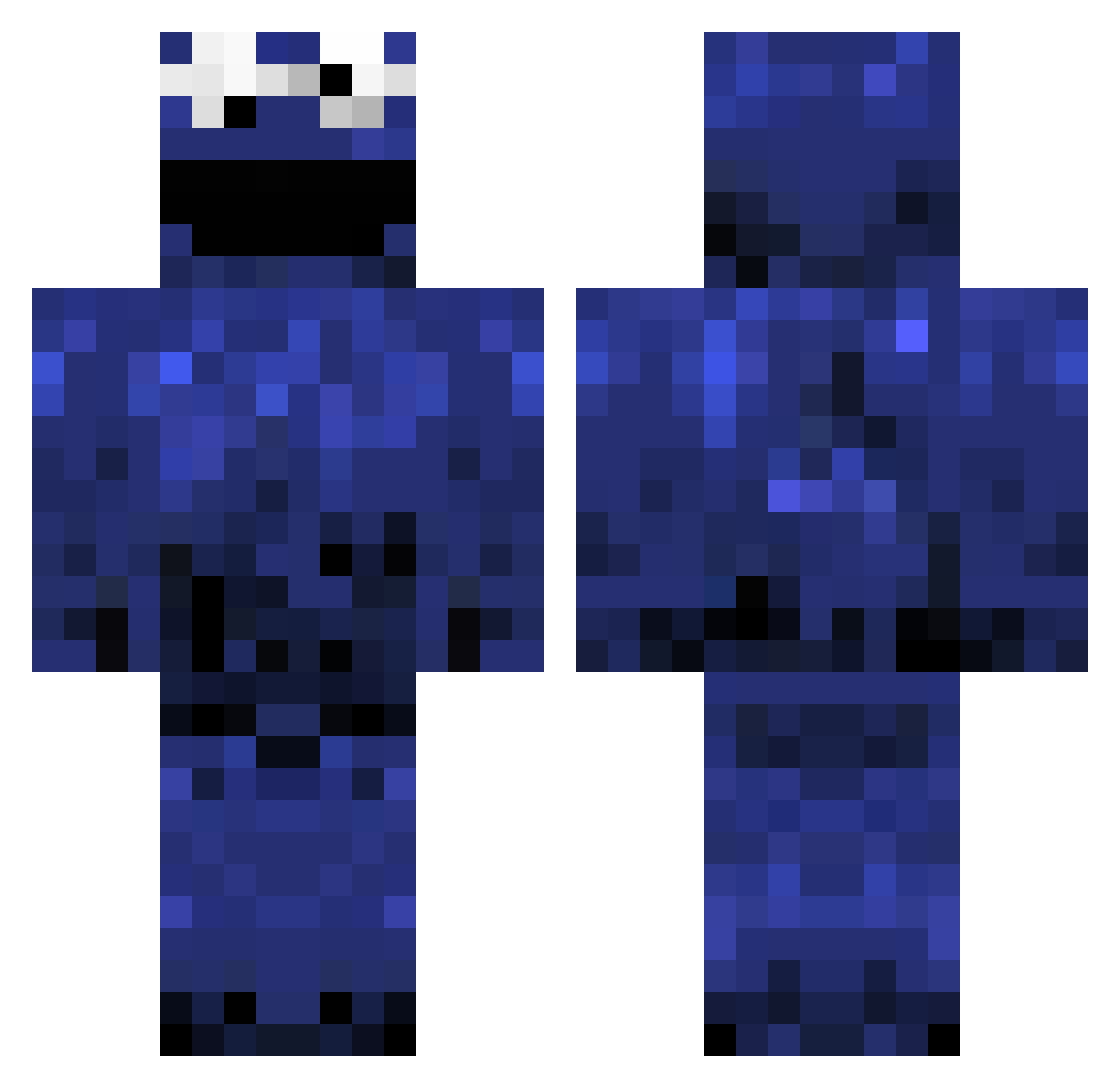
Current Minecraft skin of the player CHollett, loaded from the official Mojang API. Rotate the 3D model with your mouse or finger, then download the skin as a PNG file and use it in Minecraft: Bedrock Edition or Java Edition for free. When CHollett changes their skin, this page updates automatically and the old skin stays in the history below.
Other players with this skin (979)
CHollett was the 132nd player we have seen with this skin, first spotted on 07.08.2026. The same skin was seen on these players. Open a nickname to see their current skin and skin history.
 MC_BlackHawk Dalper ianwolf0321 shnanagoat JayyP34 Byrned420 BerserkGene nemal101 C00K13M0N5T3ER viktor313 Capt_Montgomery YuNi_pizza spacedcadet27 Fizzled10 HI_IM_MR_MESEEKS haloreach85 mark86 devastator6491 MrSkillz7 rkA ReduceTheRisk Lilloui Jonny3ldzy vincnto cmillii FocussedWhisper xTheFisser Cotton769 skateorrace Sacridfire Xfirewolfx10 iCillian_ Darkryan166 SavageTiger78 BeerCrafter69 igorerro DutchHagelslag mr_alpha10 Eric_C98 NickPickle123 scruexeum Air_Spyro mgdhgd keepercarlo JellyBean10190 CookieSuchtMitte pbts Beach_Champ wonkzilla Bridgy98 krokkie10 owen4321 Becks8187 d00zle118 william_dr mars_lies DNSgg Yunder AkHolic raps1
More Cookie Monster Minecraft skins
See all 241 Cookie Monster skins
How to install the CHollett skin
- Press the Download button above to save the skin as a PNG file.
- Minecraft: Bedrock Edition (PE): open the Dressing Room from the main menu (or tap your character → Edit Character), go to Classic Skins → Owned, press the + (new skin) button, choose the downloaded PNG and pick the Classic (Steve) model. Works on PC and mobile; consoles cannot import custom skins.
- Minecraft: Java Edition: open the Minecraft Launcher, go to the Skins tab, click New Skin, load the PNG, pick the Classic (Steve) model and press Save & Use. You can also upload it at minecraft.net → Profile → Change Skin.
The skin does not show up after import - what should I do?
Restart Minecraft and open the Dressing Room again - imported skins sometimes appear only after a restart. Also make sure you selected the imported skin and picked the Classic (Steve) model.
Which model should I choose, Classic or Slim?
This skin is designed for the Classic (Steve) model. If you pick the wrong model, the arms of the skin will look stretched or squeezed.
Is the skin of CHollett free to download?
Yes. Press Download, save the PNG file and use it in Minecraft: Bedrock Edition or Java Edition - no payment or registration needed. The skin also works on multiplayer servers and Realms.
More skins
Looking for more? Go back to all Minecraft skins and check the top skins of the week, month and all time, or find any player's skin by nickname.