
CH4RKY_ - Minecraft Skins & Skin History
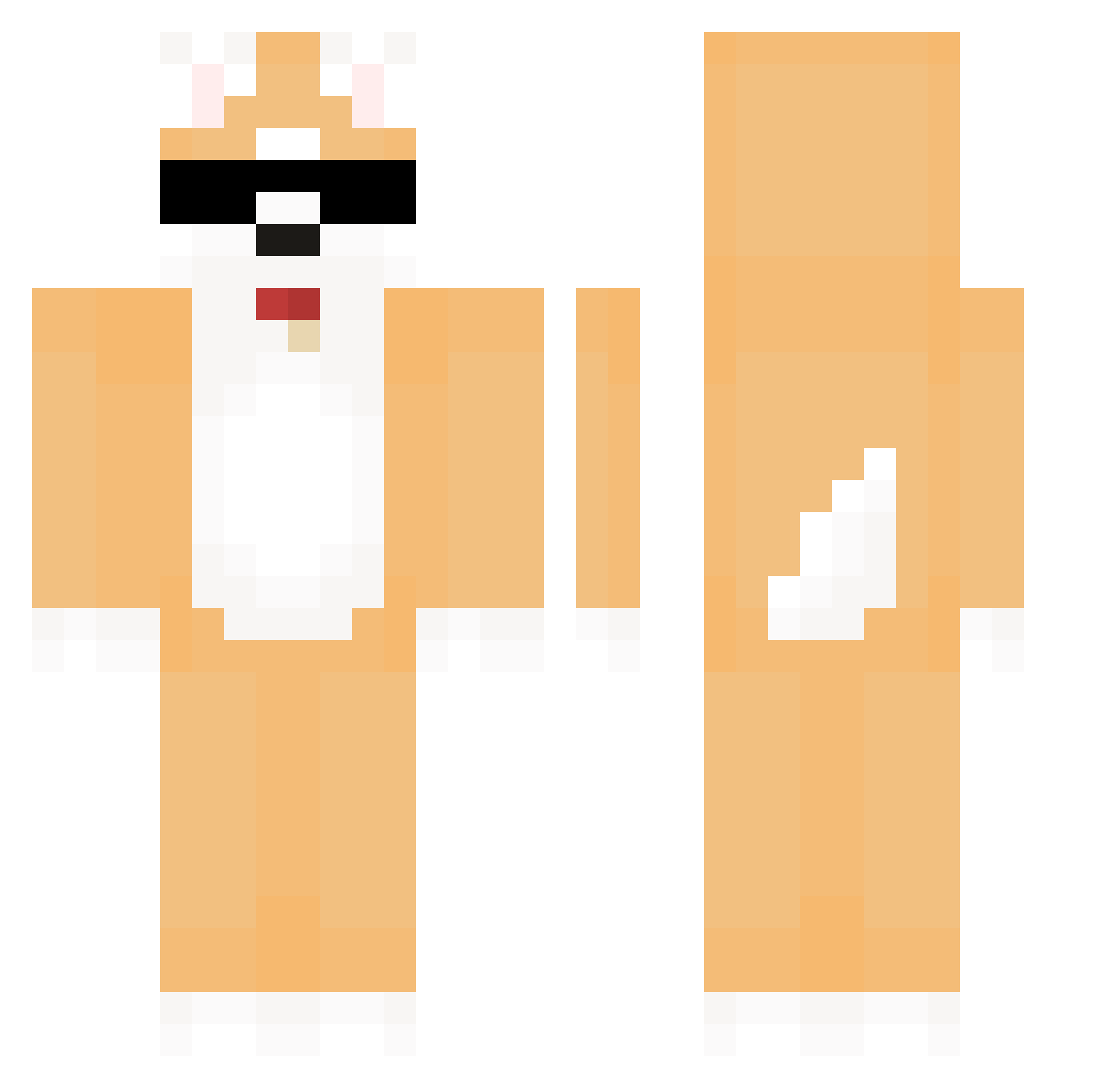
Current Minecraft skin of the player CH4RKY_, loaded from the official Mojang API. Rotate the 3D model with your mouse or finger, then download the skin as a PNG file and use it in Minecraft: Bedrock Edition or Java Edition for free. When CH4RKY_ changes their skin, this page updates automatically and the old skin stays in the history below.
Other players with this skin (580)
CH4RKY_ was the 62nd player we have seen with this skin, first spotted on 04.08.2026. The same skin was seen on these players. Open a nickname to see their current skin and skin history.
 RandomMimic Beykan566 Jeonmandoo WrongAtol934 SCJXI NUNGAM kukuhaseyu eaZy4k GoodJuice Cooococacola DirectorYoung mango0_1 znzl0v0 irsn Arthur17 DanCheong Cookieqvq Champs7955 Mimine Sy608 DoubleBo Gom_bang_ Dalsoo0923 Siba_0 AntonioNoschese MotherBabby1031 LayYoon shibashiba_0924 yummy816 KimDeokSOon_ ChanZzi hongbelle Matchanu Gracz_PL Big_Anth cherryzzang juw1123 fwemboybao nagful BGPD HyangJae SeHun16 YeNaJiGeuMiNa Aster972 Szyyw xKuschelnder Mister_Duck00 tuxj In_ce nikko0o Soc2210 hugolulf Cami_Land itsmoli black_orianna SuZai_ happyrisso 1nnuu NationalDog jiayo0324
More Shiba Inu Minecraft skins
How to install the CH4RKY_ skin
- Press the Download button above to save the skin as a PNG file.
- Minecraft: Bedrock Edition (PE): open the Dressing Room from the main menu (or tap your character → Edit Character), go to Classic Skins → Owned, press the + (new skin) button, choose the downloaded PNG and pick the Classic (Steve) model. Works on PC and mobile; consoles cannot import custom skins.
- Minecraft: Java Edition: open the Minecraft Launcher, go to the Skins tab, click New Skin, load the PNG, pick the Classic (Steve) model and press Save & Use. You can also upload it at minecraft.net → Profile → Change Skin.
The skin does not show up after import - what should I do?
Restart Minecraft and open the Dressing Room again - imported skins sometimes appear only after a restart. Also make sure you selected the imported skin and picked the Classic (Steve) model.
Which model should I choose, Classic or Slim?
This skin is designed for the Classic (Steve) model. If you pick the wrong model, the arms of the skin will look stretched or squeezed.
Is the skin of CH4RKY_ free to download?
Yes. Press Download, save the PNG file and use it in Minecraft: Bedrock Edition or Java Edition - no payment or registration needed. The skin also works on multiplayer servers and Realms.
More skins
Looking for more? Go back to all Minecraft skins and check the top skins of the week, month and all time, or find any player's skin by nickname.