
CEOJ - Minecraft Skins & Skin History
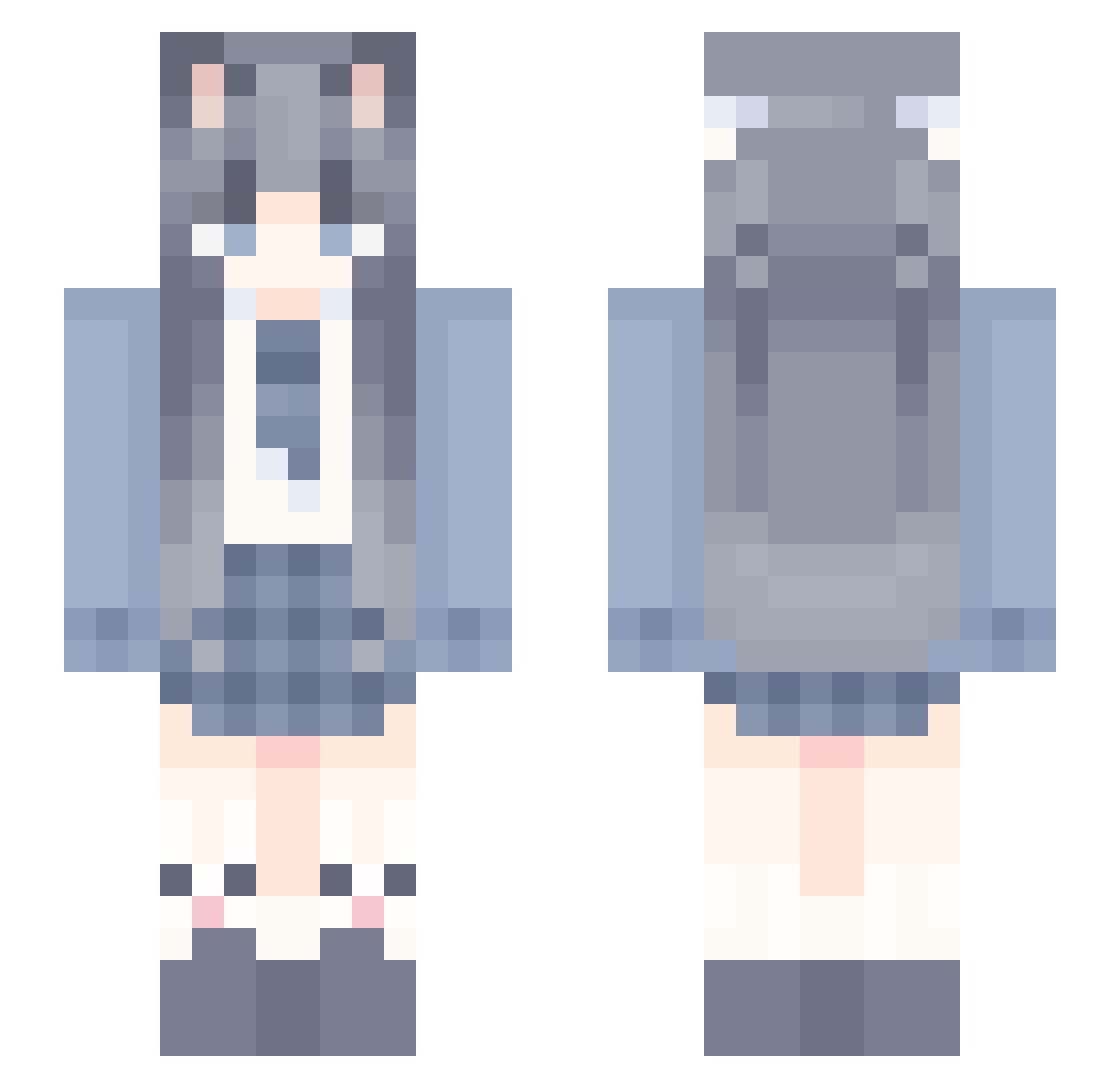
Current Minecraft skin of the player CEOJ, loaded from the official Mojang API. Rotate the 3D model with your mouse or finger, then download the skin as a PNG file and use it in Minecraft: Bedrock Edition or Java Edition for free. When CEOJ changes their skin, this page updates automatically and the old skin stays in the history below.
Other players with this skin (949)
CEOJ was the 346th player we have seen with this skin, first spotted on 25.08.2026. The same skin was seen on these players. Open a nickname to see their current skin and skin history.
 exoticme Seven1341 W_VTV_W chenlihaoooo Ascent481 Zi_nou A_NanN caocao15 DraganLexi BLBDesu JIXIANGWW MingYue_1 SAFHS doamd LKF0717 yyyt6 Elainveil kbzg handashuaige
 ED_FRL fvize NRFOXY Speacefulbanquet YiLei_na rivnotfound Huihuihh qiaomai666 Desperatess smile86c shfk124 yhtx MengnianA tianling12 Azure1y hanbing1 5LinLin Nanahsh yy4292 cloud12305 mandalu yuanshendawang77 ShiXz05 Puffins3925 Lanpz6026 XBQQQQ the_sea_sky Goodnight____
 UwU_Ponczus_UwU woshishuailr Predict6SZ sjjsus squirrelBak MuHe_ tuturen_king qiuyefeng BlingZzz starryaw TianXinXie SX_Panda S_kura
More School Uniform Minecraft skins
See all 5843 School Uniform skins
How to install the CEOJ skin
- Press the Download button above to save the skin as a PNG file.
- Minecraft: Bedrock Edition (PE): open the Dressing Room from the main menu (or tap your character → Edit Character), go to Classic Skins → Owned, press the + (new skin) button, choose the downloaded PNG and pick the Slim (Alex) model. Works on PC and mobile; consoles cannot import custom skins.
- Minecraft: Java Edition: open the Minecraft Launcher, go to the Skins tab, click New Skin, load the PNG, pick the Slim (Alex) model and press Save & Use. You can also upload it at minecraft.net → Profile → Change Skin.
The skin does not show up after import - what should I do?
Restart Minecraft and open the Dressing Room again - imported skins sometimes appear only after a restart. Also make sure you selected the imported skin and picked the Slim (Alex) model.
Which model should I choose, Classic or Slim?
This skin is designed for the Slim (Alex) model. If you pick the wrong model, the arms of the skin will look stretched or squeezed.
Is the skin of CEOJ free to download?
Yes. Press Download, save the PNG file and use it in Minecraft: Bedrock Edition or Java Edition - no payment or registration needed. The skin also works on multiplayer servers and Realms.
More skins
Looking for more? Go back to all Minecraft skins and check the top skins of the week, month and all time, or find any player's skin by nickname.