
C2H12O2 - Minecraft Skins & Skin History
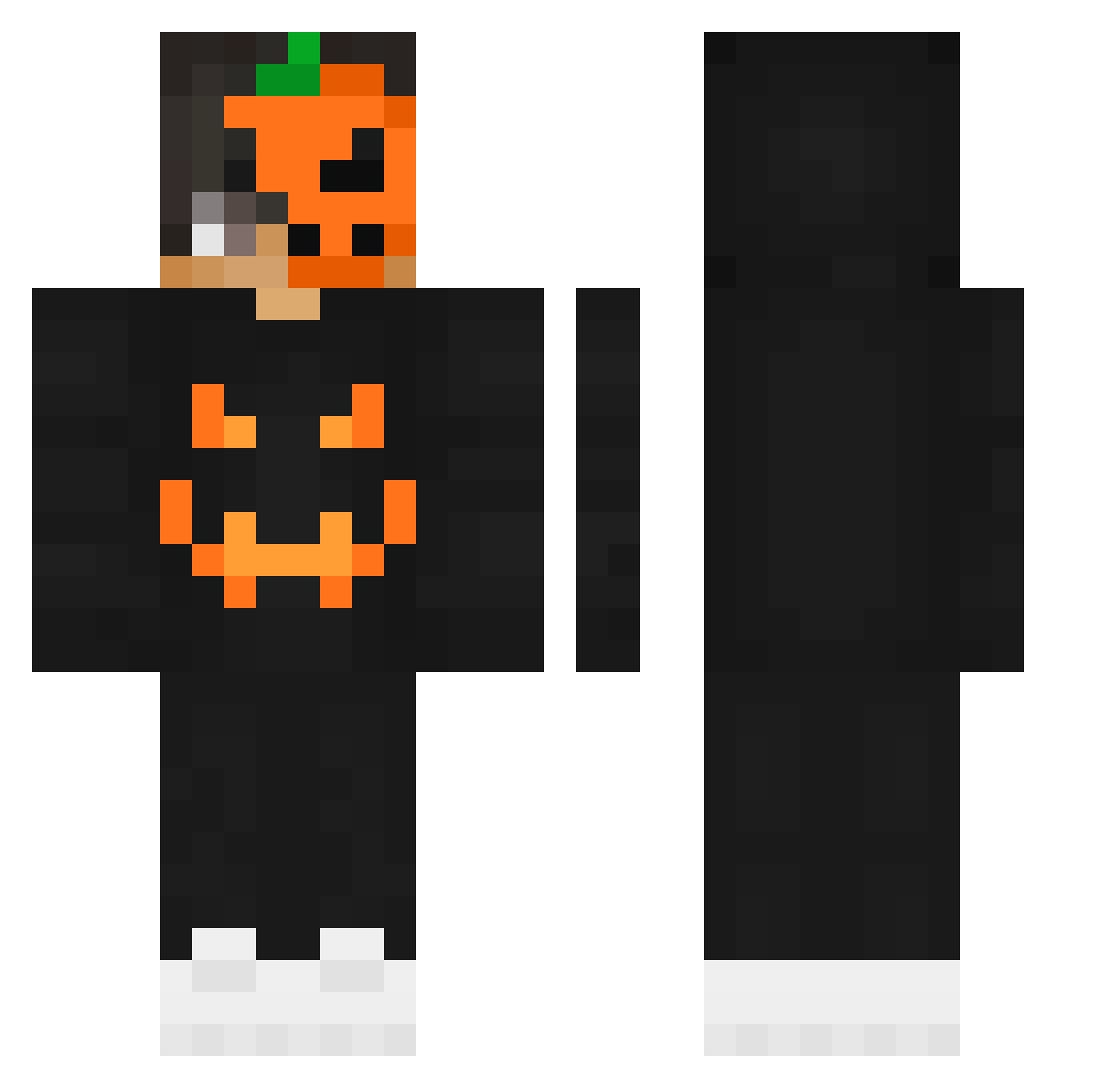
Current Minecraft skin of the player C2H12O2, loaded from the official Mojang API. Rotate the 3D model with your mouse or finger, then download the skin as a PNG file and use it in Minecraft: Bedrock Edition or Java Edition for free. When C2H12O2 changes their skin, this page updates automatically and the old skin stays in the history below.
Other players with this skin (205)
C2H12O2 was the 172nd player we have seen with this skin, first spotted on 08.10.2026. The same skin was seen on these players. Open a nickname to see their current skin and skin history.
 igortei2001 VampySquid tim053321 Limi06 Lik77 _HDkillerBG_ ZangCzy _SauccyClapz_ AhmetKurt SaroKun DaExecutioner joon_2019 V1dgo resurging LemonDemonPL Big4Energy _MOHAMED_xD FastHam44 SheepOfTerror zKyre22 nexte_ Leukopenie Yuna31415 L0uc0ed0id0 Andiii07 TheShark_HD ChaseP9 kukfitta Heruya_O eluwa32o Ecivda ForzaSx5_ crunchy91928 Marz2001 southtsk373 SimpanGamer DaZz_6414 connorfps LAHedgehog ilyManhal_IQ Ralethereal BrightSiamang75 svyatosha hyanzo Superian777 lilboomer37 X_F4LLEN_X thebadleon91 x_Pro_YT TheRaven2305 Prawilny11 MegaPudin AsteriXI BrincadeiraPT Rashid762 Efe_0 TheBlqckStorm legendx1z DEXTERCL critcho
More Jackolantern Minecraft skins
See all 215 Jackolantern skins
How to install the C2H12O2 skin
- Press the Download button above to save the skin as a PNG file.
- Minecraft: Bedrock Edition (PE): open the Dressing Room from the main menu (or tap your character → Edit Character), go to Classic Skins → Owned, press the + (new skin) button, choose the downloaded PNG and pick the Classic (Steve) model. Works on PC and mobile; consoles cannot import custom skins.
- Minecraft: Java Edition: open the Minecraft Launcher, go to the Skins tab, click New Skin, load the PNG, pick the Classic (Steve) model and press Save & Use. You can also upload it at minecraft.net → Profile → Change Skin.
The skin does not show up after import - what should I do?
Restart Minecraft and open the Dressing Room again - imported skins sometimes appear only after a restart. Also make sure you selected the imported skin and picked the Classic (Steve) model.
Which model should I choose, Classic or Slim?
This skin is designed for the Classic (Steve) model. If you pick the wrong model, the arms of the skin will look stretched or squeezed.
Is the skin of C2H12O2 free to download?
Yes. Press Download, save the PNG file and use it in Minecraft: Bedrock Edition or Java Edition - no payment or registration needed. The skin also works on multiplayer servers and Realms.
More skins
Looking for more? Go back to all Minecraft skins and check the top skins of the week, month and all time, or find any player's skin by nickname.