
C1HY - Minecraft Skins & Skin History
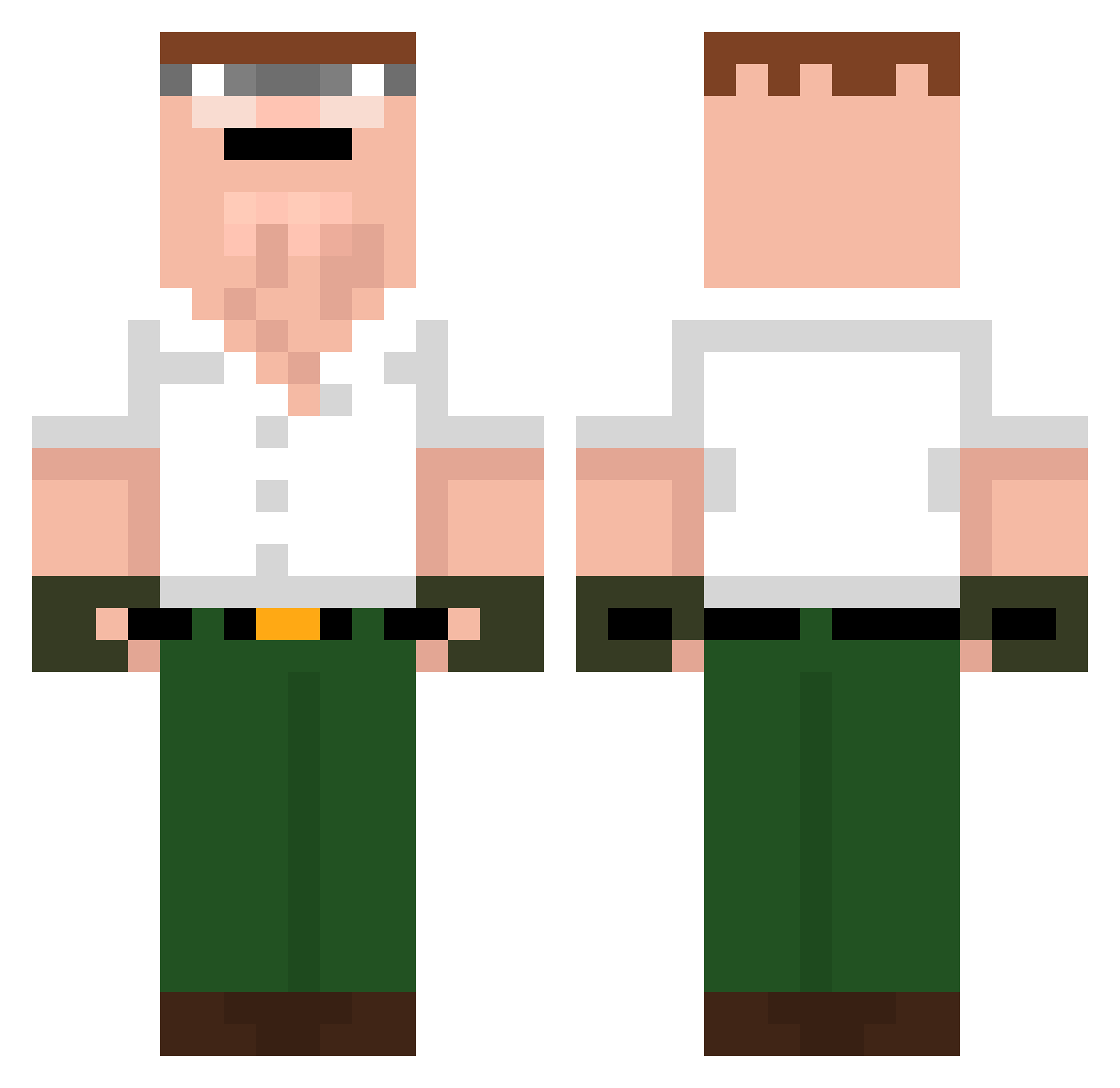
Current Minecraft skin of the player C1HY, loaded from the official Mojang API. Rotate the 3D model with your mouse or finger, then download the skin as a PNG file and use it in Minecraft: Bedrock Edition or Java Edition for free. When C1HY changes their skin, this page updates automatically and the old skin stays in the history below.
Other players with this skin (42)
C1HY was the 15th player we have seen with this skin, first spotted on 23.08.2026. The same skin was seen on these players. Open a nickname to see their current skin and skin history.
 Steffertheboi Lazdak5351 marxcinek HiGHCLiPS RomanFili21 SamanthaAU zaggg9711 maslo1209 Kgnpro Giuseppe_Kadura iyi_geceler Baekby zzz_kushan Mix3d3079 xZXUULx DeltaSZN Akexy DreyZtm Borbi_TV SilentSword715 Sheltzy Qlipse TUPAPAROD frouxtozi KvnKndz Balthazar228 Steffo38 Robinlee123 melando1985 BezetenBezitter VimVoso krzaczor69 spocony1marcinek LiL_Roaster MyArk PeterGriffinKing Maztobp Mrlipka19 riquezapura Nikocraft4444 Dallyboor AlexTheMyth18
More Peter Griffin Minecraft skins
See all 222 Peter Griffin skins
How to install the C1HY skin
- Press the Download button above to save the skin as a PNG file.
- Minecraft: Bedrock Edition (PE): open the Dressing Room from the main menu (or tap your character → Edit Character), go to Classic Skins → Owned, press the + (new skin) button, choose the downloaded PNG and pick the Classic (Steve) model. Works on PC and mobile; consoles cannot import custom skins.
- Minecraft: Java Edition: open the Minecraft Launcher, go to the Skins tab, click New Skin, load the PNG, pick the Classic (Steve) model and press Save & Use. You can also upload it at minecraft.net → Profile → Change Skin.
The skin does not show up after import - what should I do?
Restart Minecraft and open the Dressing Room again - imported skins sometimes appear only after a restart. Also make sure you selected the imported skin and picked the Classic (Steve) model.
Which model should I choose, Classic or Slim?
This skin is designed for the Classic (Steve) model. If you pick the wrong model, the arms of the skin will look stretched or squeezed.
Is the skin of C1HY free to download?
Yes. Press Download, save the PNG file and use it in Minecraft: Bedrock Edition or Java Edition - no payment or registration needed. The skin also works on multiplayer servers and Realms.
More skins
Looking for more? Go back to all Minecraft skins and check the top skins of the week, month and all time, or find any player's skin by nickname.