
BuhLakEh - Minecraft Skins & Skin History
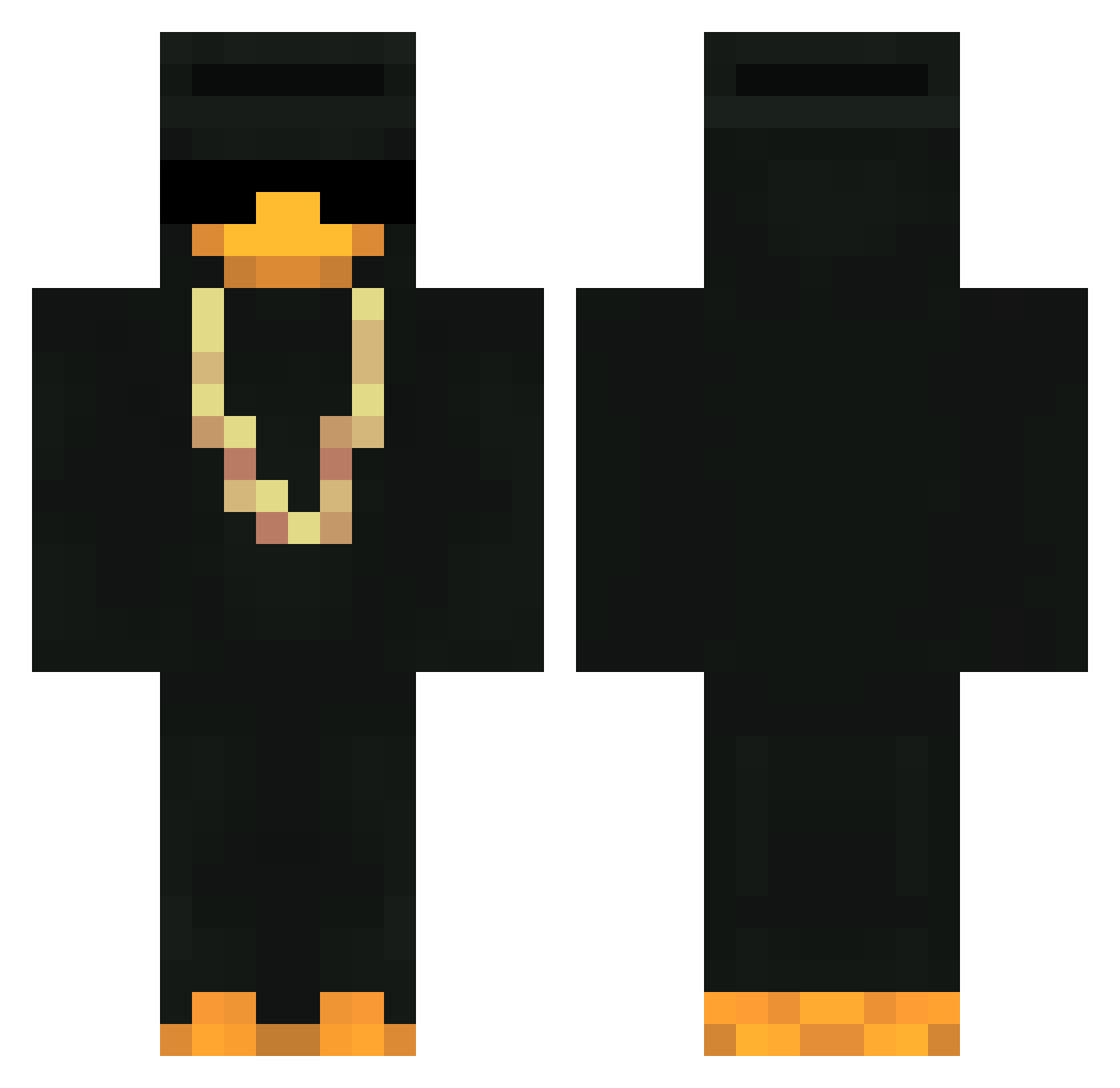
Current Minecraft skin of the player BuhLakEh, loaded from the official Mojang API. Rotate the 3D model with your mouse or finger, then download the skin as a PNG file and use it in Minecraft: Bedrock Edition or Java Edition for free. When BuhLakEh changes their skin, this page updates automatically and the old skin stays in the history below.
Other players with this skin (418)
BuhLakEh was the 367th player we have seen with this skin, first spotted on 22.10.2026. The same skin was seen on these players. Open a nickname to see their current skin and skin history.
 ItzsilentOG ripxen leongra xgabrielpc TideWinder drungUkiB0SS Anergos W1NnEr_1704 Arvh Marckir1 Flipas_ ZakBrasko Beans87 modhost ZhNekros TerrorEXE OhMati Yettrue87 FearfulCookie65 NoTolerance4501 Zellink01 Im_Cuti3 ItzArrayS IliaWasTaken drippypippy none0301 F3LPZ3R4 hardFearless Crystal_Ann jajajaimearias TechnoGoos Xeiq_hardcore MonsoonAlt36 Dlm_Tv GalinoGalo Supravix Suprays birillo24 Schmlm MonsoonAlt15 aJAY12351 God1595 Jeenow Tjendoedie DonkangrEjo_ LIqu5 Shoaly Moinsens7 danitoc99 _DCY_ Seched Torres_LA tudodeus iTsChipsss saqzouuu Wgix MonsoonAlt9 Kabbucci iWhyzx_ iFN555
More Gold Chain Minecraft skins
How to install the BuhLakEh skin
- Press the Download button above to save the skin as a PNG file.
- Minecraft: Bedrock Edition (PE): open the Dressing Room from the main menu (or tap your character → Edit Character), go to Classic Skins → Owned, press the + (new skin) button, choose the downloaded PNG and pick the Classic (Steve) model. Works on PC and mobile; consoles cannot import custom skins.
- Minecraft: Java Edition: open the Minecraft Launcher, go to the Skins tab, click New Skin, load the PNG, pick the Classic (Steve) model and press Save & Use. You can also upload it at minecraft.net → Profile → Change Skin.
The skin does not show up after import - what should I do?
Restart Minecraft and open the Dressing Room again - imported skins sometimes appear only after a restart. Also make sure you selected the imported skin and picked the Classic (Steve) model.
Which model should I choose, Classic or Slim?
This skin is designed for the Classic (Steve) model. If you pick the wrong model, the arms of the skin will look stretched or squeezed.
Is the skin of BuhLakEh free to download?
Yes. Press Download, save the PNG file and use it in Minecraft: Bedrock Edition or Java Edition - no payment or registration needed. The skin also works on multiplayer servers and Realms.
More skins
Looking for more? Go back to all Minecraft skins and check the top skins of the week, month and all time, or find any player's skin by nickname.