
Bubule001 - Minecraft Skins & Skin History
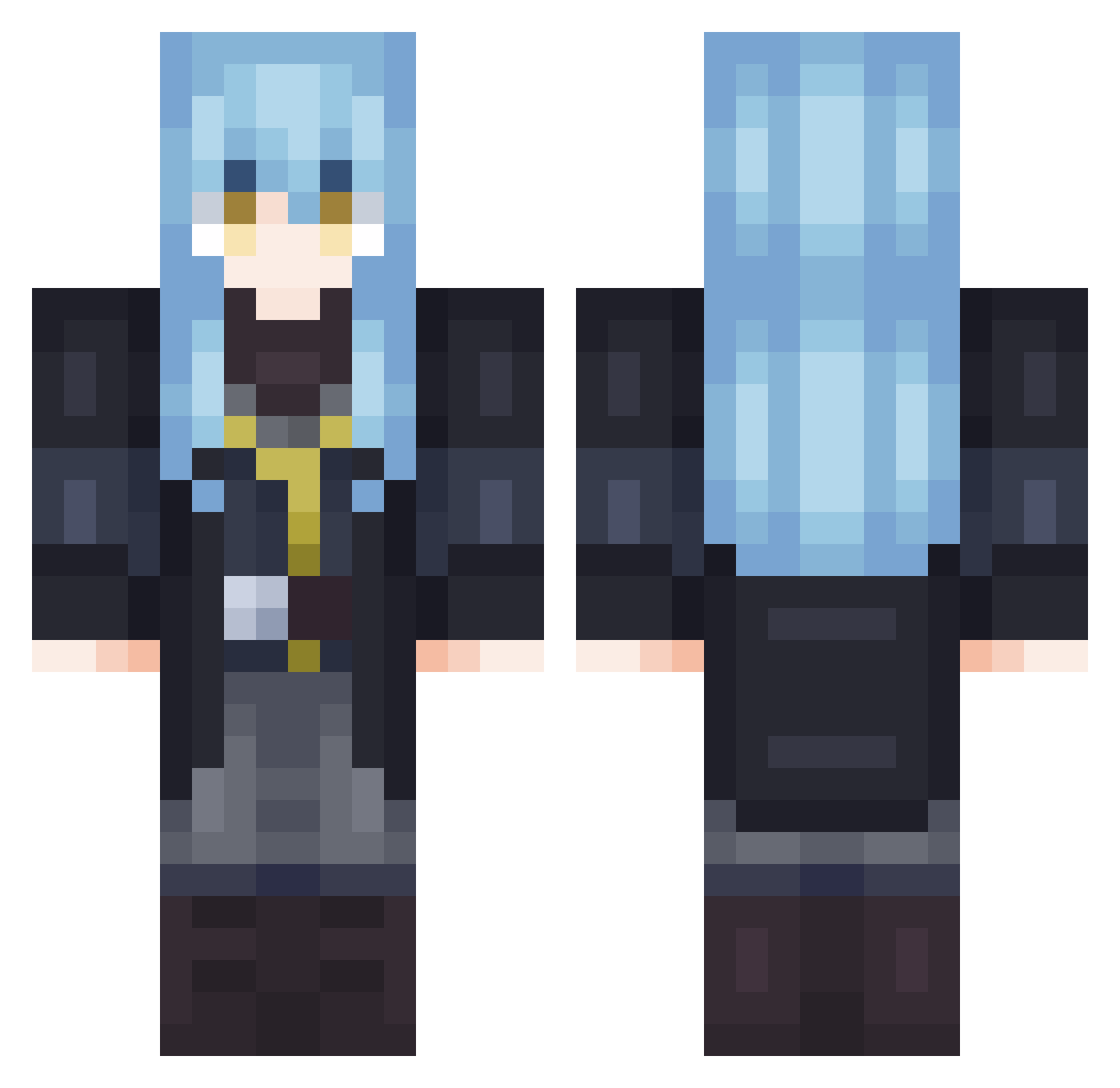
Current Minecraft skin of the player Bubule001, loaded from the official Mojang API. Rotate the 3D model with your mouse or finger, then download the skin as a PNG file and use it in Minecraft: Bedrock Edition or Java Edition for free. When Bubule001 changes their skin, this page updates automatically and the old skin stays in the history below.
Other players with this skin (702)
Bubule001 was the 371st player we have seen with this skin, first spotted on 21.09.2026. The same skin was seen on these players. Open a nickname to see their current skin and skin history.
 apple900 HanSeolhwa050812 N0iii tera615 HaruF3 Folkpyphon Timing_Abys Justeenek Fernlord1 AkaneMX Abyson alkamexd Dartaupe ThompieD Stryeer RIOSTORMS Arcane_Omega KingSwiz56 PanSenpai luca77_ 101dSonic FrostSalazar BluntWifi FURAIGOME wonkhester Rhythm12 Joobajaa koya1102 LinPZ2010 Fh1_ Godoy8030 leesoka Donyiyt WhyAnime sherry_9 Stachu__4 Barru253 skullbeatbox YiCryy 1_TAPGOD Sabantoh charpentex Dr1p1k kezJt ArabicPi ayanh E___24 VinnyBelmont RimuruXDDDDDD Iceking1732 CHARGER__68 liamplayz793 Cyclone3327 lXxheroxXl 1ShadowDragon kamui_tv ALFGAMER207 Tueur228 KashiKomy Folpy
More Rimuru Tempest Minecraft skins
See all 251 Rimuru Tempest skins
How to install the Bubule001 skin
- Press the Download button above to save the skin as a PNG file.
- Minecraft: Bedrock Edition (PE): open the Dressing Room from the main menu (or tap your character → Edit Character), go to Classic Skins → Owned, press the + (new skin) button, choose the downloaded PNG and pick the Classic (Steve) model. Works on PC and mobile; consoles cannot import custom skins.
- Minecraft: Java Edition: open the Minecraft Launcher, go to the Skins tab, click New Skin, load the PNG, pick the Classic (Steve) model and press Save & Use. You can also upload it at minecraft.net → Profile → Change Skin.
The skin does not show up after import - what should I do?
Restart Minecraft and open the Dressing Room again - imported skins sometimes appear only after a restart. Also make sure you selected the imported skin and picked the Classic (Steve) model.
Which model should I choose, Classic or Slim?
This skin is designed for the Classic (Steve) model. If you pick the wrong model, the arms of the skin will look stretched or squeezed.
Is the skin of Bubule001 free to download?
Yes. Press Download, save the PNG file and use it in Minecraft: Bedrock Edition or Java Edition - no payment or registration needed. The skin also works on multiplayer servers and Realms.
More skins
Looking for more? Go back to all Minecraft skins and check the top skins of the week, month and all time, or find any player's skin by nickname.