
Bryved - Minecraft Skins & Skin History
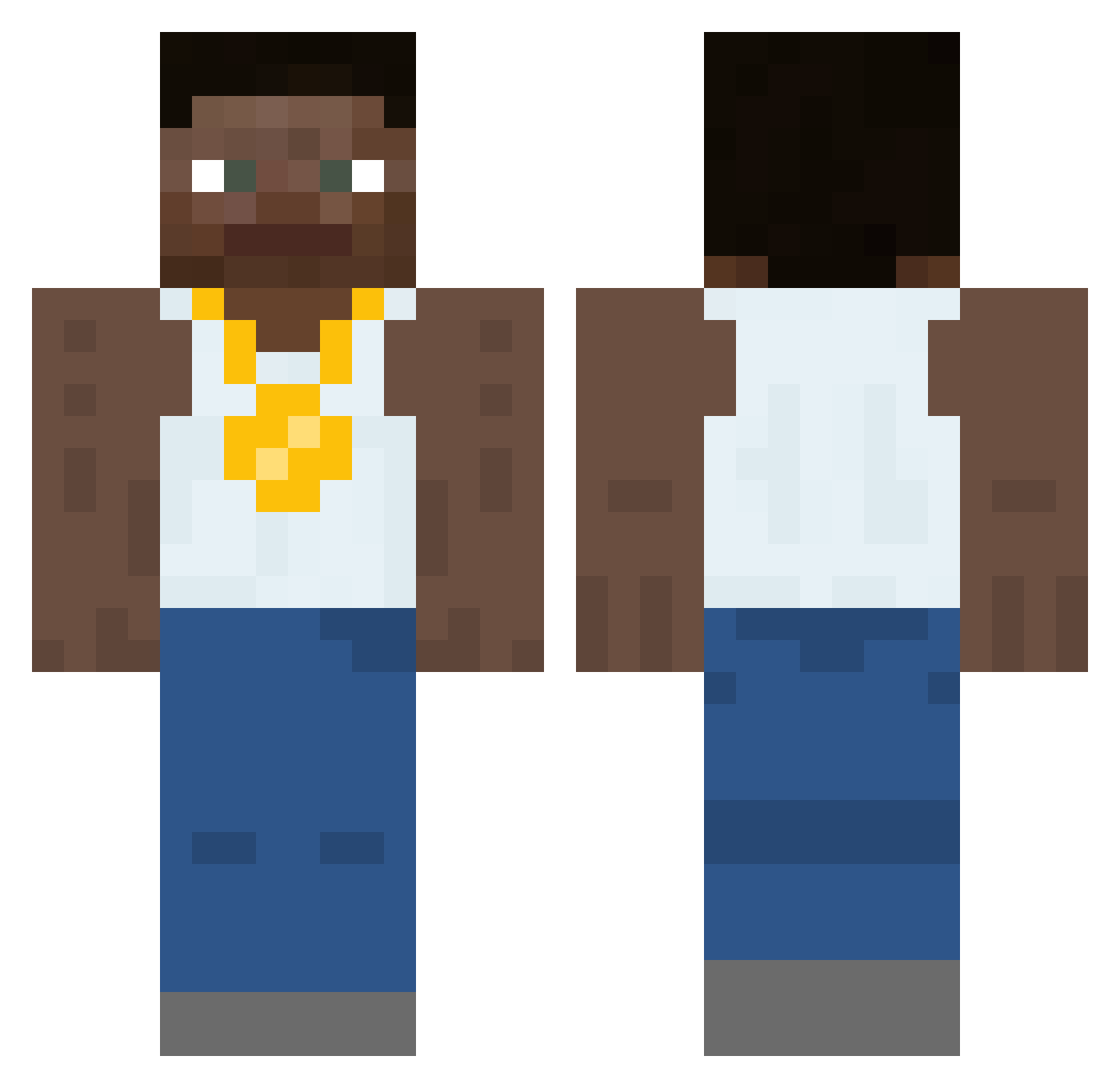
Current Minecraft skin of the player Bryved, loaded from the official Mojang API. Rotate the 3D model with your mouse or finger, then download the skin as a PNG file and use it in Minecraft: Bedrock Edition or Java Edition for free. When Bryved changes their skin, this page updates automatically and the old skin stays in the history below.
Other players with this skin (556)
Bryved was the 546th player we have seen with this skin, first spotted on 16.11.2026. The same skin was seen on these players. Open a nickname to see their current skin and skin history.
 IWANNATREESH SixtyLyric37 BloodRelate Fartlo ricflairrrr stawr_XD Katsuaji Ta_Mamba _Styxl tygjghj xMegabrown harnesses coalperson Vsanek Benzlatan22_fax fufuxx zzazzip edy01 Andooosha PuppyO s67fety Indyte shortystackmcgee BillyBoWilly_ nathanKelly Broekpaling Foond DACAnoa 49b2 barwithascar bbhabibi Raty BurgerJOEY Leaked1400 MFKZ0 solocamd OchiOchii CompoundMedal5 DenimTimbs johnmathews Geode_Washington SaltyWatr soysauce_2 showermusic GameTwo328 TheClarinet Unsewn Xx_GangMember_Xx opad_ Lucki_fan69 kricsi2 Camy BigBootyBandit69 TravdorV2 Crimson_Ace2217 brady2900 reVerseKat laptopcivic Roachcv5 Gllacyo
More Gold Chain Minecraft skins
How to install the Bryved skin
- Press the Download button above to save the skin as a PNG file.
- Minecraft: Bedrock Edition (PE): open the Dressing Room from the main menu (or tap your character → Edit Character), go to Classic Skins → Owned, press the + (new skin) button, choose the downloaded PNG and pick the Classic (Steve) model. Works on PC and mobile; consoles cannot import custom skins.
- Minecraft: Java Edition: open the Minecraft Launcher, go to the Skins tab, click New Skin, load the PNG, pick the Classic (Steve) model and press Save & Use. You can also upload it at minecraft.net → Profile → Change Skin.
The skin does not show up after import - what should I do?
Restart Minecraft and open the Dressing Room again - imported skins sometimes appear only after a restart. Also make sure you selected the imported skin and picked the Classic (Steve) model.
Which model should I choose, Classic or Slim?
This skin is designed for the Classic (Steve) model. If you pick the wrong model, the arms of the skin will look stretched or squeezed.
Is the skin of Bryved free to download?
Yes. Press Download, save the PNG file and use it in Minecraft: Bedrock Edition or Java Edition - no payment or registration needed. The skin also works on multiplayer servers and Realms.
More skins
Looking for more? Go back to all Minecraft skins and check the top skins of the week, month and all time, or find any player's skin by nickname.