
Bryan9133 - Minecraft Skins & Skin History
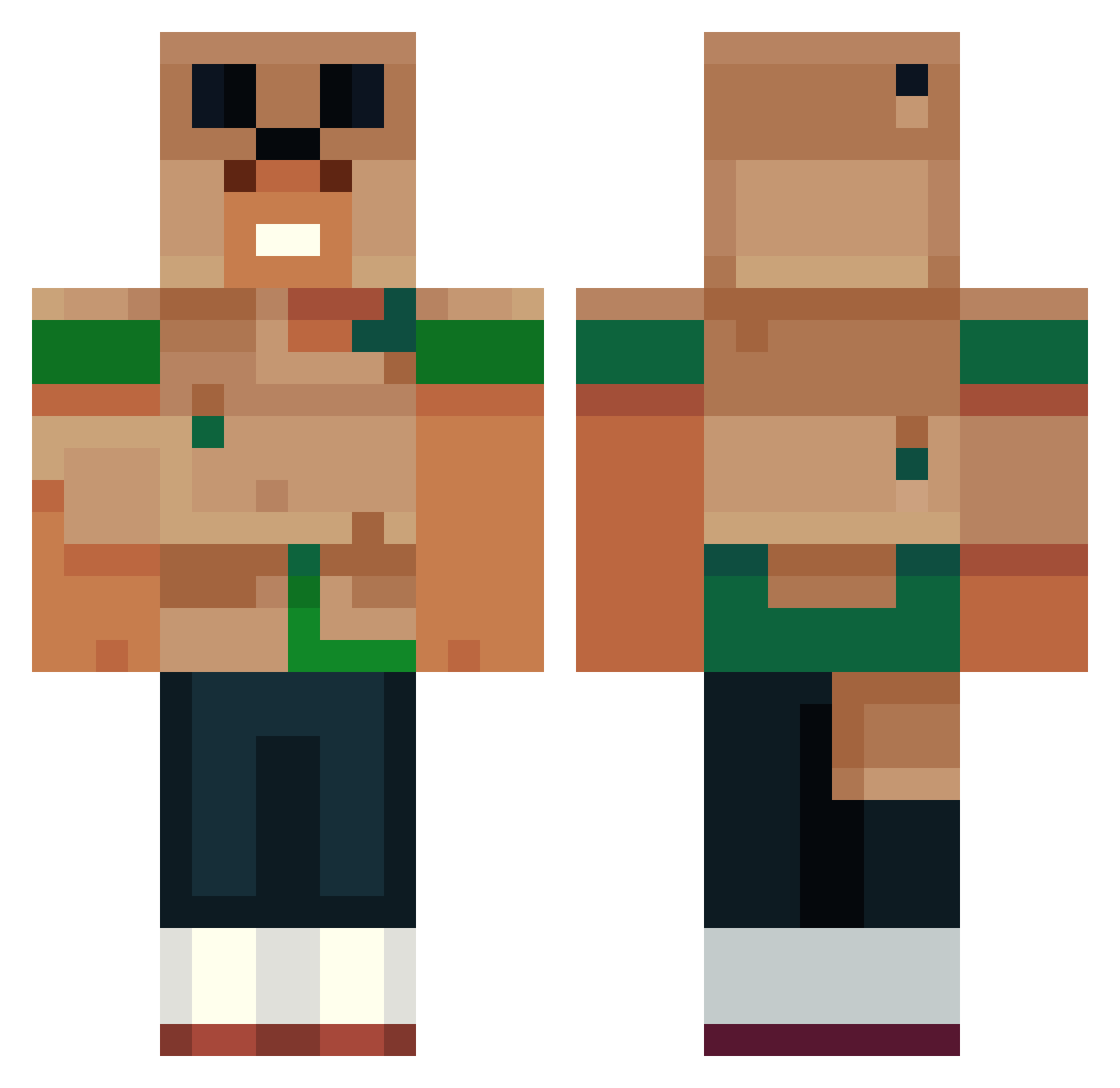
Current Minecraft skin of the player Bryan9133, loaded from the official Mojang API. Rotate the 3D model with your mouse or finger, then download the skin as a PNG file and use it in Minecraft: Bedrock Edition or Java Edition for free. When Bryan9133 changes their skin, this page updates automatically and the old skin stays in the history below.
Other players with this skin (543)
Bryan9133 was the 468th player we have seen with this skin, first spotted on 22.10.2026. The same skin was seen on these players. Open a nickname to see their current skin and skin history.
 brantley55 Clap2 HilalCraft kimyeojun1022 dimhaxzu Conrad728_ NoodleNuggetbtw BluminousMC Stix12_ AgentISF Kie6er_killer321 FalcaoContente Barcat12 Bestors360 YaaDaaSellsAvon computerboy72 Nooqs qucaka darfx01 StratosWan Tomus1703 Kingmonkey6989 dhwi EggDudeVGA s5teve Sioo_25 fluf2 twoseventhirty YaBoiSoma leanid3 Daro69420 max_faxh EmanuelJM5 Jakkobk The_Kral_John NoahSJM AbnerGT1001 tzi_zxAXv_05_18 Giamma95 ollie4185 JellyBean_08 m434 Billlyman gisu9020 chuiebacca Creepeeguy beeblifts enemye MichiiCraft IWillReckYou2 Hermann511 CrafterJG861 Riflexity juln08 charliew10 RookieODST780 Kye2311 SlowRainbowGecko THESMILEYGAMER SanGoku1001
More Animal Minecraft skins
How to install the Bryan9133 skin
- Press the Download button above to save the skin as a PNG file.
- Minecraft: Bedrock Edition (PE): open the Dressing Room from the main menu (or tap your character → Edit Character), go to Classic Skins → Owned, press the + (new skin) button, choose the downloaded PNG and pick the Classic (Steve) model. Works on PC and mobile; consoles cannot import custom skins.
- Minecraft: Java Edition: open the Minecraft Launcher, go to the Skins tab, click New Skin, load the PNG, pick the Classic (Steve) model and press Save & Use. You can also upload it at minecraft.net → Profile → Change Skin.
The skin does not show up after import - what should I do?
Restart Minecraft and open the Dressing Room again - imported skins sometimes appear only after a restart. Also make sure you selected the imported skin and picked the Classic (Steve) model.
Which model should I choose, Classic or Slim?
This skin is designed for the Classic (Steve) model. If you pick the wrong model, the arms of the skin will look stretched or squeezed.
Is the skin of Bryan9133 free to download?
Yes. Press Download, save the PNG file and use it in Minecraft: Bedrock Edition or Java Edition - no payment or registration needed. The skin also works on multiplayer servers and Realms.
More skins
Looking for more? Go back to all Minecraft skins and check the top skins of the week, month and all time, or find any player's skin by nickname.