
Bruins72330 - Minecraft Skins & Skin History
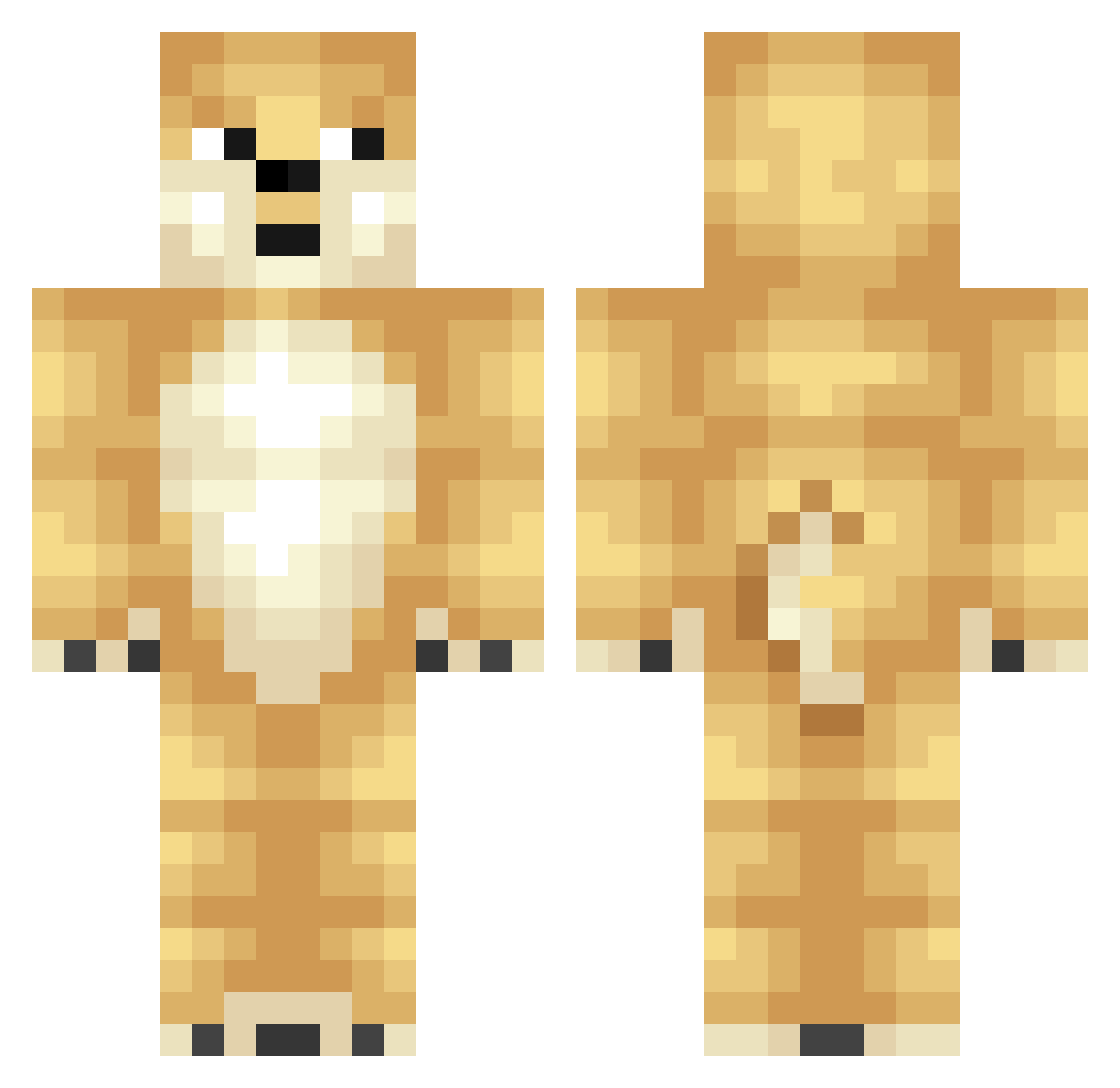
Current Minecraft skin of the player Bruins72330, loaded from the official Mojang API. Rotate the 3D model with your mouse or finger, then download the skin as a PNG file and use it in Minecraft: Bedrock Edition or Java Edition for free. When Bruins72330 changes their skin, this page updates automatically and the old skin stays in the history below.
Other players with this skin (421)
Bruins72330 was the 393rd player we have seen with this skin, first spotted on 10.11.2026. The same skin was seen on these players. Open a nickname to see their current skin and skin history.
 tdkstone tofurun99 Chungtastic Em22 Will_Zyg iw_ Rovlin LucklezTTV CaptainCat2014 HecktechGunblade SNU_SNU Thunder_Muffin9 Raiynnn lwx2209 presmar1234 ShieldsG98 hellogoldfish carolinapanthers pabo joepoots the_godly_dog Brendog678 Mairalyn Decisions_1 coolswagero _DoHo AimaxZ Jetstream7728 piggyman90 spitzfaust johnnybanks3 iPieterrr jacobn1 bazt1an PassionateFlamer pearl77 broodjebellers ere_king DumbDog853 troomu Elefant2005 Massielamo JimmyJimBOB129 FishNinjaFighter Pup2210 Christian2206 esaldoooguey DigBickBandit Tiffany_Pollard respawnn_ figor18 ChaeSongHwa GGamma plateae Artfulbuckle Funkymonkeyminer Allaerd Miikeeyyyy Jubeh Damienfbd
More Shiba Inu Minecraft skins
How to install the Bruins72330 skin
- Press the Download button above to save the skin as a PNG file.
- Minecraft: Bedrock Edition (PE): open the Dressing Room from the main menu (or tap your character → Edit Character), go to Classic Skins → Owned, press the + (new skin) button, choose the downloaded PNG and pick the Classic (Steve) model. Works on PC and mobile; consoles cannot import custom skins.
- Minecraft: Java Edition: open the Minecraft Launcher, go to the Skins tab, click New Skin, load the PNG, pick the Classic (Steve) model and press Save & Use. You can also upload it at minecraft.net → Profile → Change Skin.
The skin does not show up after import - what should I do?
Restart Minecraft and open the Dressing Room again - imported skins sometimes appear only after a restart. Also make sure you selected the imported skin and picked the Classic (Steve) model.
Which model should I choose, Classic or Slim?
This skin is designed for the Classic (Steve) model. If you pick the wrong model, the arms of the skin will look stretched or squeezed.
Is the skin of Bruins72330 free to download?
Yes. Press Download, save the PNG file and use it in Minecraft: Bedrock Edition or Java Edition - no payment or registration needed. The skin also works on multiplayer servers and Realms.
More skins
Looking for more? Go back to all Minecraft skins and check the top skins of the week, month and all time, or find any player's skin by nickname.