
Brony1001 - Minecraft Skins & Skin History
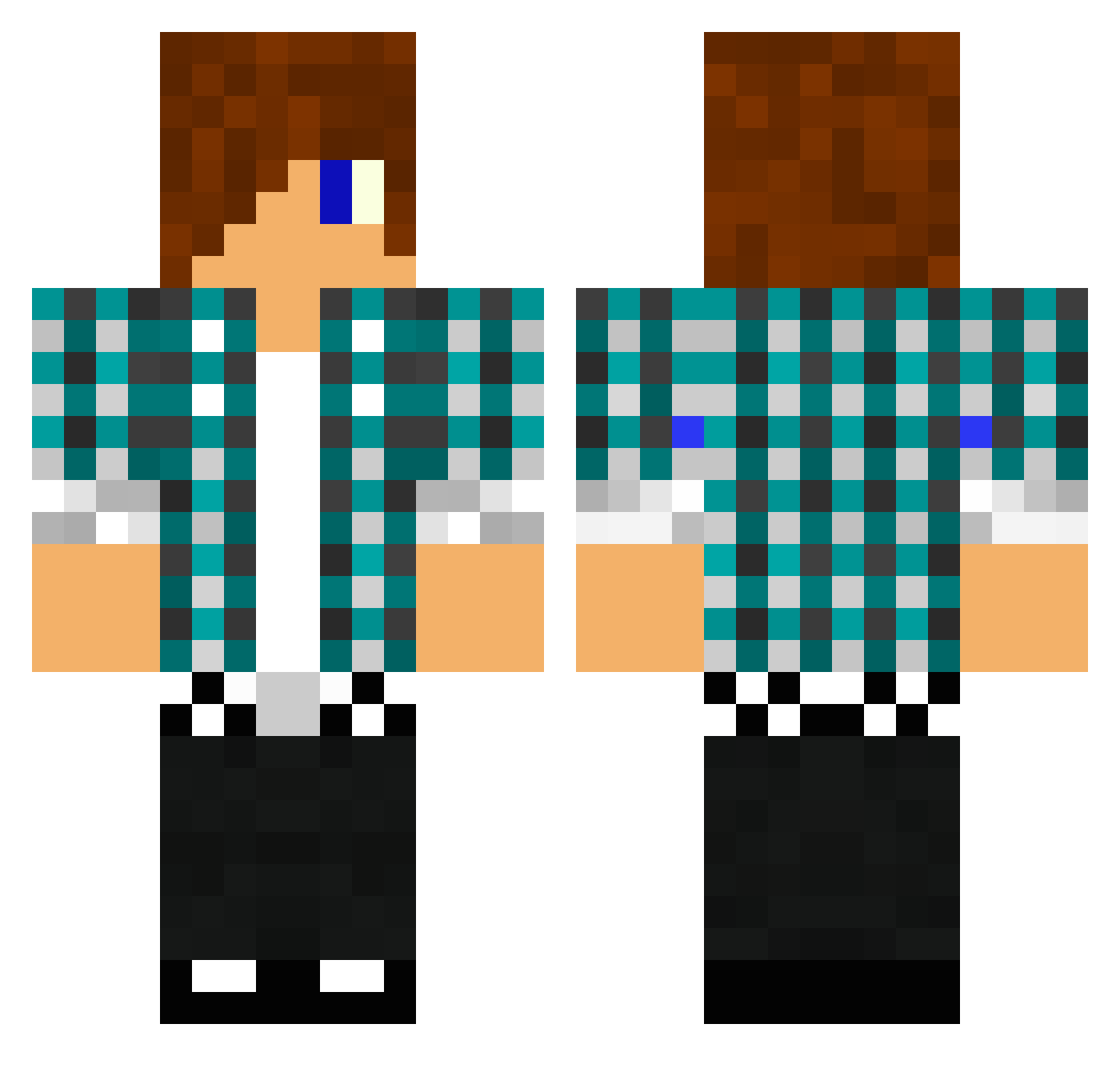
Current Minecraft skin of the player Brony1001, loaded from the official Mojang API. Rotate the 3D model with your mouse or finger, then download the skin as a PNG file and use it in Minecraft: Bedrock Edition or Java Edition for free. When Brony1001 changes their skin, this page updates automatically and the old skin stays in the history below.
Other players with this skin (1475)
Brony1001 was the 1321st player we have seen with this skin, first spotted on 01.11.2026. The same skin was seen on these players. Open a nickname to see their current skin and skin history.
 KJ1__12 suppergosh BMXgutt1 DIBUR cyrocks123 Kaishadow somedude2010 Mightypupusito Philosophizing Sclhughes Novvax saintcerneuf brutal601 mrkamil2 dankarization_ jucoullerez mavyiscool Deathnips levimorris Septocon Zse17 ellisjosie mlgpro55 jamiewallace redscorpio5 Akmird willsanford DJWombats JumPiiik oBPKo_SPAzZ killerrr modizzle99 Fenifiks Stormbase benny_cohen Todd200000 Dylan11109 eagleone21 micolajj mpsanders impulse9174 smartbum mrmasuno NinjaGinja23 celestron5000 masterdan1 KingLeo86 auzziekidd Bhelli AlexFitzzz Benc101101 Meggemuh GoingInsaane valdemar_jo Danman092003 CrazyJLS 98Simon sanped02 92Toni joshstan8
More Emo Minecraft skins
How to install the Brony1001 skin
- Press the Download button above to save the skin as a PNG file.
- Minecraft: Bedrock Edition (PE): open the Dressing Room from the main menu (or tap your character → Edit Character), go to Classic Skins → Owned, press the + (new skin) button, choose the downloaded PNG and pick the Classic (Steve) model. Works on PC and mobile; consoles cannot import custom skins.
- Minecraft: Java Edition: open the Minecraft Launcher, go to the Skins tab, click New Skin, load the PNG, pick the Classic (Steve) model and press Save & Use. You can also upload it at minecraft.net → Profile → Change Skin.
The skin does not show up after import - what should I do?
Restart Minecraft and open the Dressing Room again - imported skins sometimes appear only after a restart. Also make sure you selected the imported skin and picked the Classic (Steve) model.
Which model should I choose, Classic or Slim?
This skin is designed for the Classic (Steve) model. If you pick the wrong model, the arms of the skin will look stretched or squeezed.
Is the skin of Brony1001 free to download?
Yes. Press Download, save the PNG file and use it in Minecraft: Bedrock Edition or Java Edition - no payment or registration needed. The skin also works on multiplayer servers and Realms.
More skins
Looking for more? Go back to all Minecraft skins and check the top skins of the week, month and all time, or find any player's skin by nickname.