
Brian990103 - Minecraft Skins & Skin History
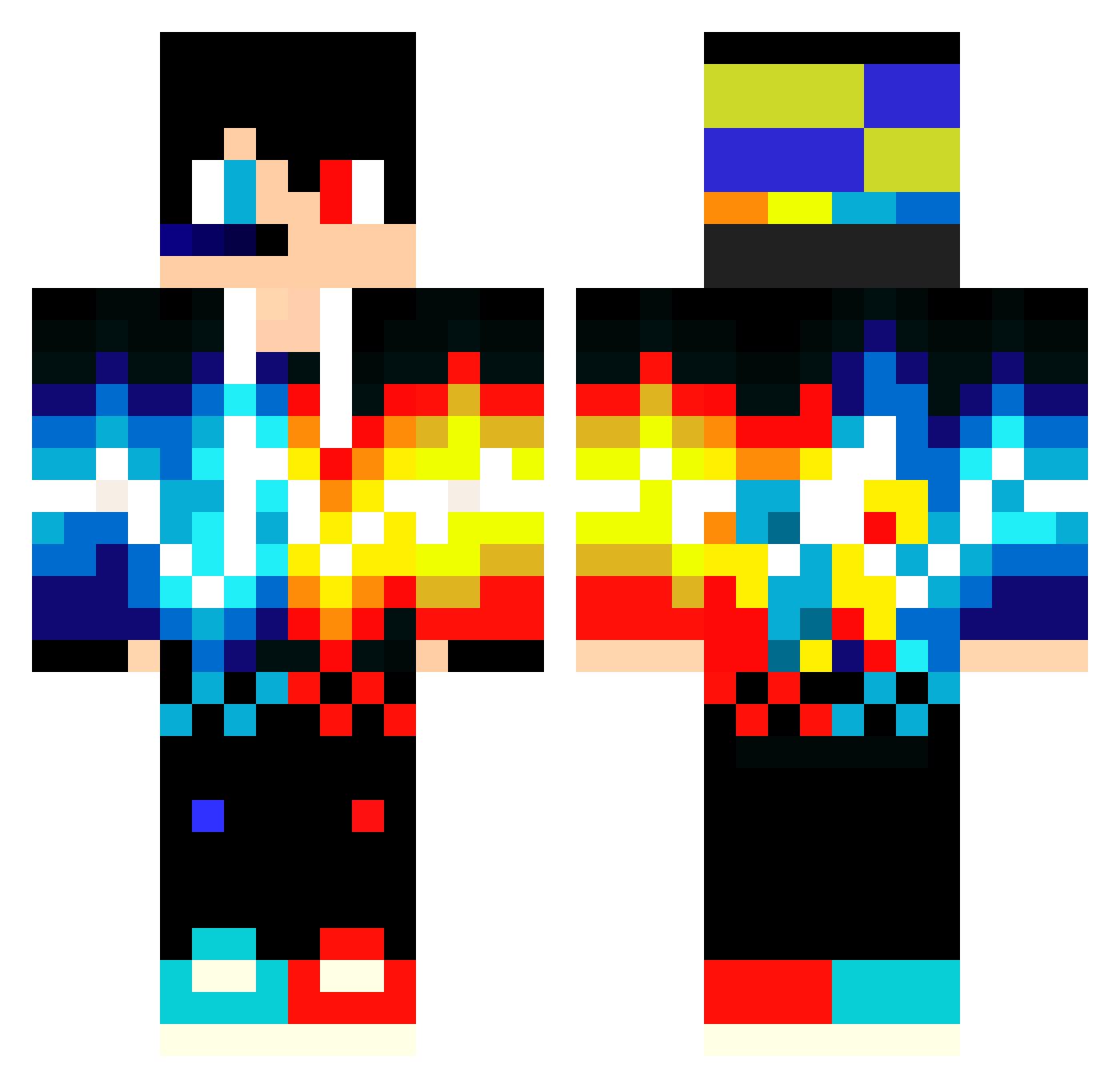
Current Minecraft skin of the player Brian990103, loaded from the official Mojang API. Rotate the 3D model with your mouse or finger, then download the skin as a PNG file and use it in Minecraft: Bedrock Edition or Java Edition for free. When Brian990103 changes their skin, this page updates automatically and the old skin stays in the history below.
Other players with this skin (549)
Brian990103 was the 534th player we have seen with this skin, first spotted on 29.10.2026. The same skin was seen on these players. Open a nickname to see their current skin and skin history.
 Furious_85 ayumu_78 ur_a_bot Taavett1 agent_087 zeezz galfrab fun3661 SENA2525 JJayCobb Amirnp MSI_Gamer_01 Enrico3377 Souman22 piggylemonade bodman77 Ninja_2_ Krater2200 kaho626 _Judge__ parexam samar0205 Hoshine_Freedom CrazyBuster4K Gamepanda05 CH0NP01_ dondiego0501 Nerushimy KookyBoy28 DeBerik ReTr0ze CimSooxd26 DonFerez GokuBlack_007 miniRitter Arturus34 willcc12 AzuSaKia cahyogamingYT gaurav8888 EspinhoGamer13 w0xq 43X0 Gabitccho Krystof_jozka10 Rambo2705 KhoaBeoBiGay turkbeywt MrCool819 jNikoF dancohen CapitanRed _DABACON X_iaoH_ong Enis_Ozturk Factor007 koko_1005 KingEX ArthurM1371 mori_hayashi2407
More Fire And Ice Minecraft skins
See all 696 Fire And Ice skins
How to install the Brian990103 skin
- Press the Download button above to save the skin as a PNG file.
- Minecraft: Bedrock Edition (PE): open the Dressing Room from the main menu (or tap your character → Edit Character), go to Classic Skins → Owned, press the + (new skin) button, choose the downloaded PNG and pick the Classic (Steve) model. Works on PC and mobile; consoles cannot import custom skins.
- Minecraft: Java Edition: open the Minecraft Launcher, go to the Skins tab, click New Skin, load the PNG, pick the Classic (Steve) model and press Save & Use. You can also upload it at minecraft.net → Profile → Change Skin.
The skin does not show up after import - what should I do?
Restart Minecraft and open the Dressing Room again - imported skins sometimes appear only after a restart. Also make sure you selected the imported skin and picked the Classic (Steve) model.
Which model should I choose, Classic or Slim?
This skin is designed for the Classic (Steve) model. If you pick the wrong model, the arms of the skin will look stretched or squeezed.
Is the skin of Brian990103 free to download?
Yes. Press Download, save the PNG file and use it in Minecraft: Bedrock Edition or Java Edition - no payment or registration needed. The skin also works on multiplayer servers and Realms.
More skins
Looking for more? Go back to all Minecraft skins and check the top skins of the week, month and all time, or find any player's skin by nickname.