
Br1ghtzz - Minecraft Skins & Skin History
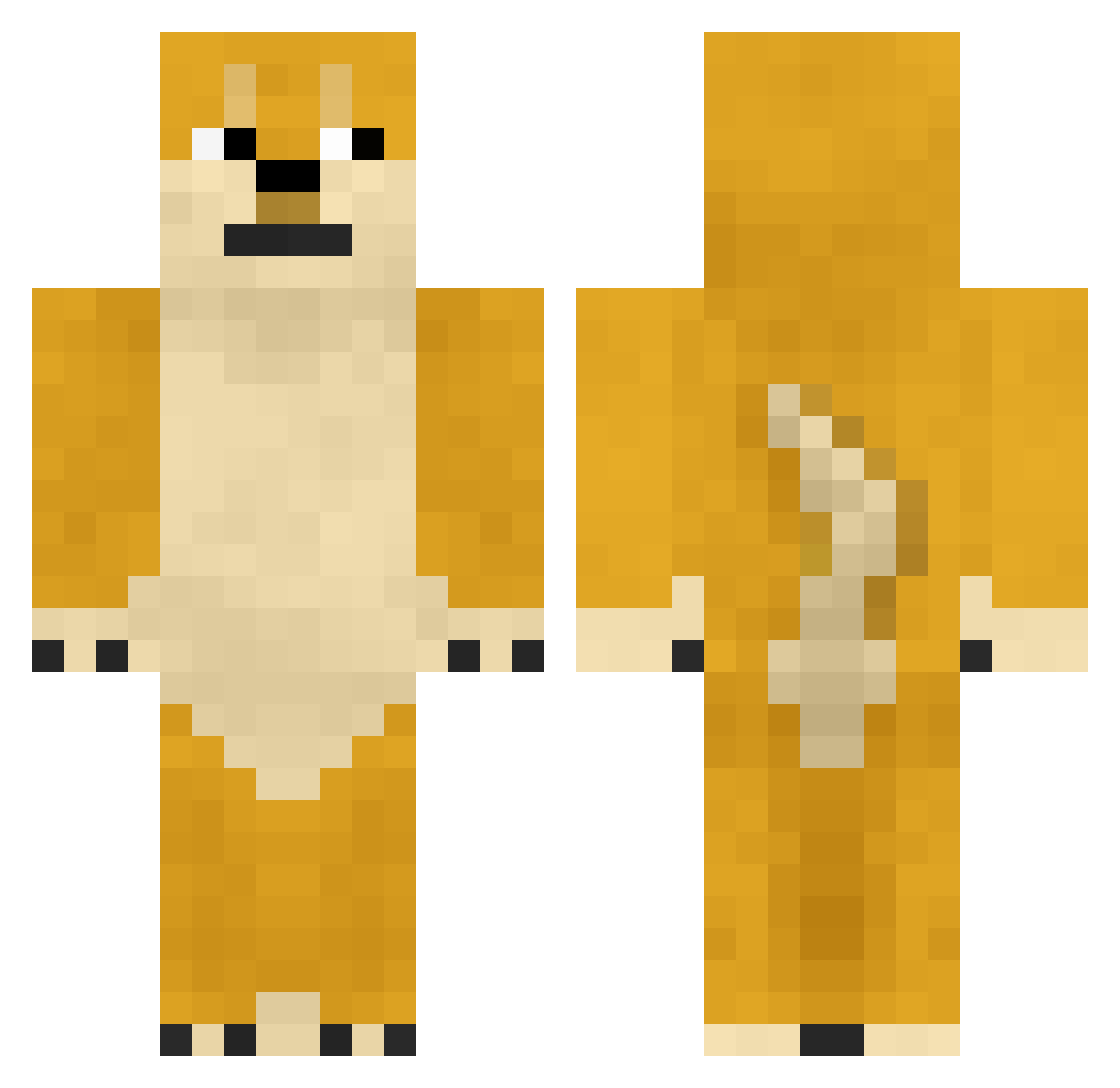
Current Minecraft skin of the player Br1ghtzz, loaded from the official Mojang API. Rotate the 3D model with your mouse or finger, then download the skin as a PNG file and use it in Minecraft: Bedrock Edition or Java Edition for free. When Br1ghtzz changes their skin, this page updates automatically and the old skin stays in the history below.
Other players with this skin (728)
Br1ghtzz was the 681st player we have seen with this skin, first spotted on 23.10.2026. The same skin was seen on these players. Open a nickname to see their current skin and skin history.
 zhetang ben00001 fight68 Pesik1337 dygousansui Jethro6329 VoxelArchitect sn1ker12 European_Dog kongcl_ Hurry_is_ Jayskyy yuuuuukill nuojo jiho0519 GooMiner a_reprezenpohang kfgma666 Cre4t3 cutijuhyek Eternal_Pierozek Jason90001 gpereira DogCha Szymonitooo markdh39_fork Frank_flower kalmia0034 Duckrowboats TheMoShang CreepingMenace HakunaTematata yeona5592 DongDongNB RWGG liujc8848 DaSousa e_furry Kirito_ian YFLOVEZQ huixiao LSJ_1023 millhouse999 lockline KOMIODI aire_mc WBW_IKUN playerguy_911 Cost173 Wai_ve Monkeyneygar XinYuny1 damaktadi kms2001 QiXiao521 JuhoM 270727 jyakijyaki ChenG050417 boneboom
More Shiba Inu Minecraft skins
How to install the Br1ghtzz skin
- Press the Download button above to save the skin as a PNG file.
- Minecraft: Bedrock Edition (PE): open the Dressing Room from the main menu (or tap your character → Edit Character), go to Classic Skins → Owned, press the + (new skin) button, choose the downloaded PNG and pick the Classic (Steve) model. Works on PC and mobile; consoles cannot import custom skins.
- Minecraft: Java Edition: open the Minecraft Launcher, go to the Skins tab, click New Skin, load the PNG, pick the Classic (Steve) model and press Save & Use. You can also upload it at minecraft.net → Profile → Change Skin.
The skin does not show up after import - what should I do?
Restart Minecraft and open the Dressing Room again - imported skins sometimes appear only after a restart. Also make sure you selected the imported skin and picked the Classic (Steve) model.
Which model should I choose, Classic or Slim?
This skin is designed for the Classic (Steve) model. If you pick the wrong model, the arms of the skin will look stretched or squeezed.
Is the skin of Br1ghtzz free to download?
Yes. Press Download, save the PNG file and use it in Minecraft: Bedrock Edition or Java Edition - no payment or registration needed. The skin also works on multiplayer servers and Realms.
More skins
Looking for more? Go back to all Minecraft skins and check the top skins of the week, month and all time, or find any player's skin by nickname.