
BoutG0D - Minecraft Skins & Skin History
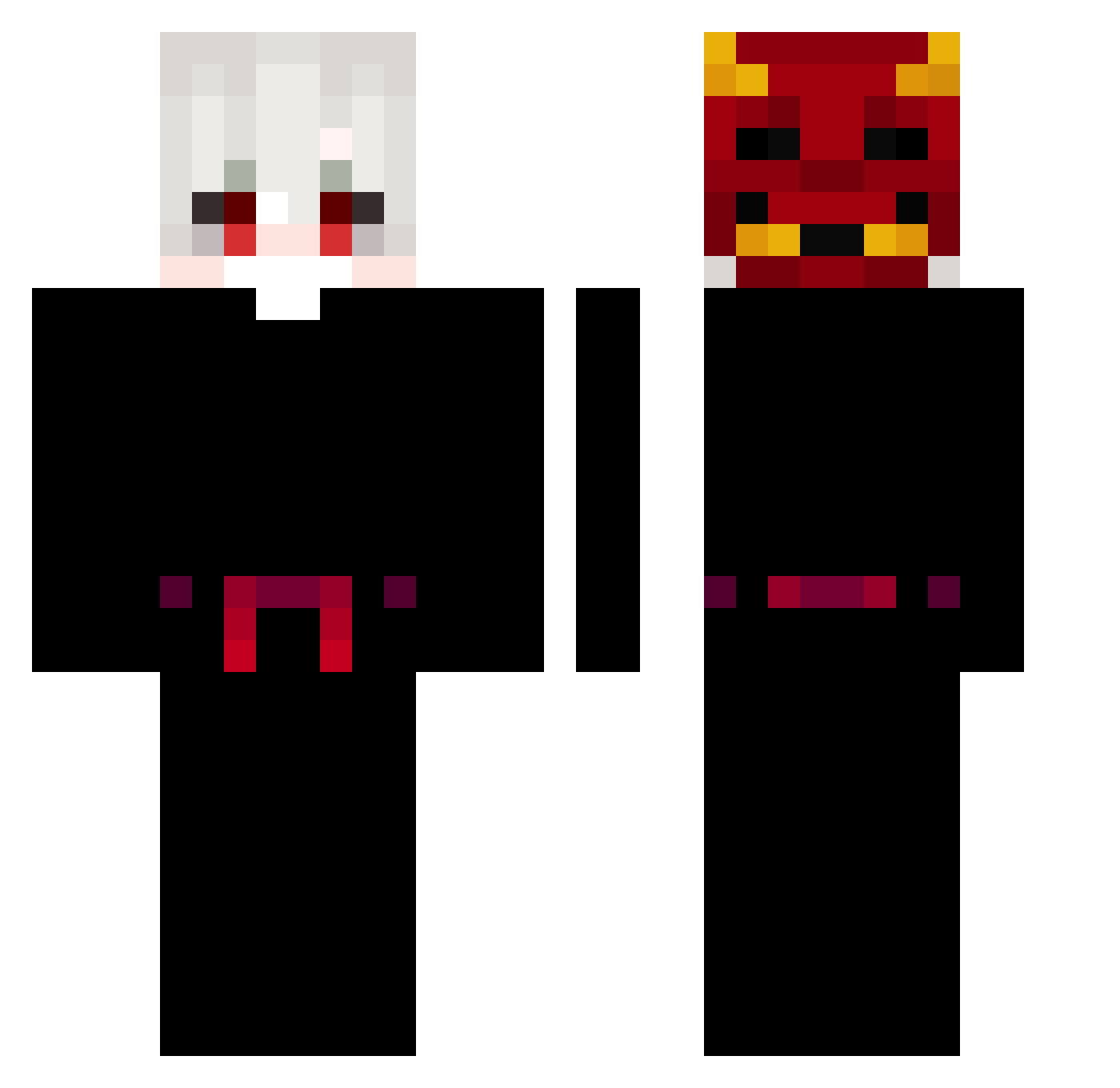
Current Minecraft skin of the player BoutG0D, loaded from the official Mojang API. Rotate the 3D model with your mouse or finger, then download the skin as a PNG file and use it in Minecraft: Bedrock Edition or Java Edition for free. When BoutG0D changes their skin, this page updates automatically and the old skin stays in the history below.
Other players with this skin (153)
BoutG0D was the 1st player we have seen with this skin, first spotted on 22.07.2026. The same skin was seen on these players. Open a nickname to see their current skin and skin history.
 goodromel A_kh La_cl vxlente DIEUUU_ cndbtls Fawkinbtw Nezyak worstSystem KXWAI LahMow CpvpAbanoub bobugi_ skljkxdead imyahstah tirexlag76 vxrq_ chillwave1 Gotmoney101 Didiqing Thaiiel KazoBey_V1 RandomTV92 1mpal1On Activetorz BigSmokeGawd Desactivar ZERO2614 Woxie1 tlsaudwo1577 Decay_____ Zura_Ultraman125 surfersquirrel Synicks_ SLSunny SenseiiKewox lateamoffiTV MakotoSinSin Faaael Eliaht steqv chachecho Zackkz DoutorBola downloadr jonnbutler Calvinhbtl dgtgrytyyruy ivz1 RauliGT L_RisingSun _vepexEr 9url xMissaky XieeXieee MarcFlexis Wolf837 supernik19 Daemonic_3 dalbianco
More Oni Mask Minecraft skins
How to install the BoutG0D skin
- Press the Download button above to save the skin as a PNG file.
- Minecraft: Bedrock Edition (PE): open the Dressing Room from the main menu (or tap your character → Edit Character), go to Classic Skins → Owned, press the + (new skin) button, choose the downloaded PNG and pick the Classic (Steve) model. Works on PC and mobile; consoles cannot import custom skins.
- Minecraft: Java Edition: open the Minecraft Launcher, go to the Skins tab, click New Skin, load the PNG, pick the Classic (Steve) model and press Save & Use. You can also upload it at minecraft.net → Profile → Change Skin.
The skin does not show up after import - what should I do?
Restart Minecraft and open the Dressing Room again - imported skins sometimes appear only after a restart. Also make sure you selected the imported skin and picked the Classic (Steve) model.
Which model should I choose, Classic or Slim?
This skin is designed for the Classic (Steve) model. If you pick the wrong model, the arms of the skin will look stretched or squeezed.
Is the skin of BoutG0D free to download?
Yes. Press Download, save the PNG file and use it in Minecraft: Bedrock Edition or Java Edition - no payment or registration needed. The skin also works on multiplayer servers and Realms.
More skins
Looking for more? Go back to all Minecraft skins and check the top skins of the week, month and all time, or find any player's skin by nickname.