
BouncNite - Minecraft Skins & Skin History
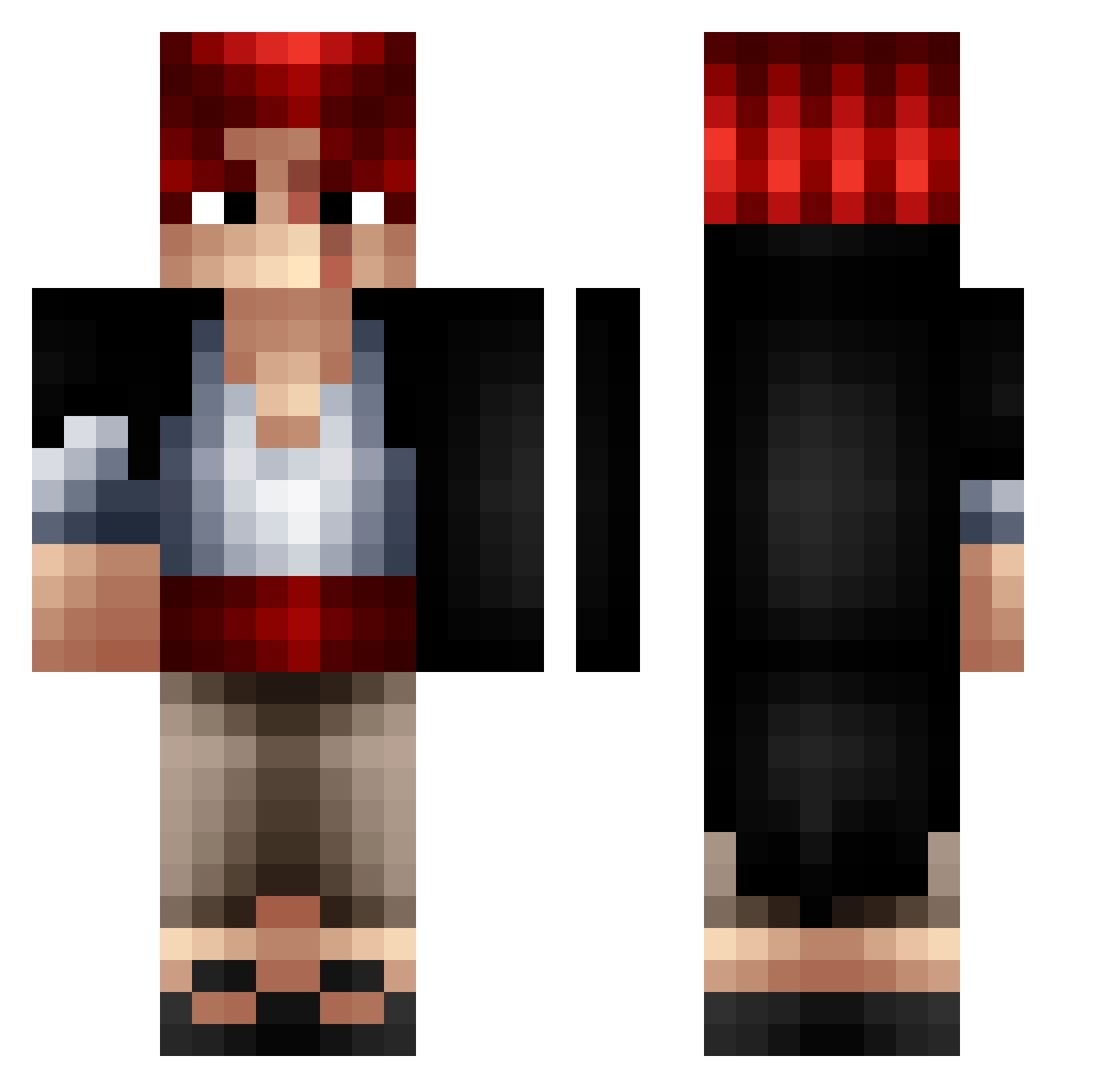
Current Minecraft skin of the player BouncNite, loaded from the official Mojang API. Rotate the 3D model with your mouse or finger, then download the skin as a PNG file and use it in Minecraft: Bedrock Edition or Java Edition for free. When BouncNite changes their skin, this page updates automatically and the old skin stays in the history below.
Other players with this skin (364)
BouncNite was the 181st player we have seen with this skin, first spotted on 18.09.2026. The same skin was seen on these players. Open a nickname to see their current skin and skin history.
 Facupan LaetaOdium MonkeyMak RixCs78 Vip14357 zovae sequelado99 Ritcey05 Carrrlitos ktospizdilmoynik cray4life Nota74 kovi21 koomyungjun Ro_tti Canant assfingles1 Clarkyn OX3N_ TherealGus_69 Riizoos69 Ionakam SkybFly Blazar09 wrld_hyper 5stargaming82 AlanBerrolah ShanksLeRoux_ Noooooin n0varoo kechissimo Bourbon0935 joy902br Sebisebeau omegaflame27 Romumuu Kalypsow kimkix 31erzLecra Cremie33 Doblevee C0inDeTable SmokK23 piothaus Vortex_93 dmelihb90 Luzrod1 NikiHunter MWS2006 Herr_Schaft
 lovel0 leno0 johnnyamate CheXienHea Javierhdezp ritata18 youngbaleb Kikizer05 Chyrios dikan271
More Shanks Minecraft skins
How to install the BouncNite skin
- Press the Download button above to save the skin as a PNG file.
- Minecraft: Bedrock Edition (PE): open the Dressing Room from the main menu (or tap your character → Edit Character), go to Classic Skins → Owned, press the + (new skin) button, choose the downloaded PNG and pick the Classic (Steve) model. Works on PC and mobile; consoles cannot import custom skins.
- Minecraft: Java Edition: open the Minecraft Launcher, go to the Skins tab, click New Skin, load the PNG, pick the Classic (Steve) model and press Save & Use. You can also upload it at minecraft.net → Profile → Change Skin.
The skin does not show up after import - what should I do?
Restart Minecraft and open the Dressing Room again - imported skins sometimes appear only after a restart. Also make sure you selected the imported skin and picked the Classic (Steve) model.
Which model should I choose, Classic or Slim?
This skin is designed for the Classic (Steve) model. If you pick the wrong model, the arms of the skin will look stretched or squeezed.
Is the skin of BouncNite free to download?
Yes. Press Download, save the PNG file and use it in Minecraft: Bedrock Edition or Java Edition - no payment or registration needed. The skin also works on multiplayer servers and Realms.
More skins
Looking for more? Go back to all Minecraft skins and check the top skins of the week, month and all time, or find any player's skin by nickname.