
Bog74 - Minecraft Skins & Skin History
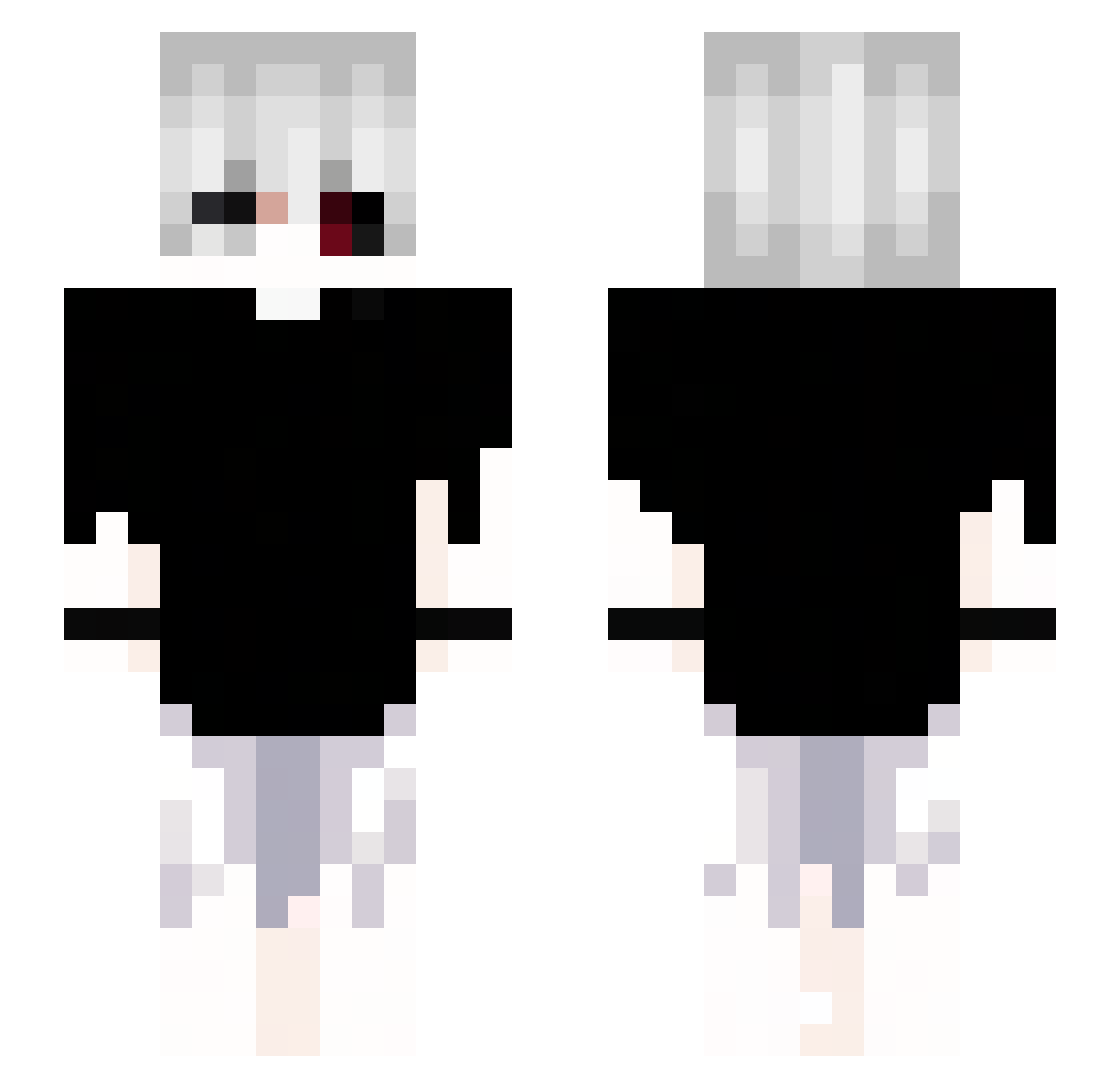
Current Minecraft skin of the player Bog74, loaded from the official Mojang API. Rotate the 3D model with your mouse or finger, then download the skin as a PNG file and use it in Minecraft: Bedrock Edition or Java Edition for free. When Bog74 changes their skin, this page updates automatically and the old skin stays in the history below.
Other players with this skin (98)
Bog74 was the 62nd player we have seen with this skin, first spotted on 27.09.2026. The same skin was seen on these players. Open a nickname to see their current skin and skin history.
 LukecSkywalker Psudex Slowzzyy02 VarickV kasperske Crizteck Moranguinm Dusk2kx QUIXTTY taemin1209 zAckerman_ Poof_boy EVIL_H4T3R Pigius_ unfamous Ixan_0897 busygettingracks AlbuqerK_ darebearrrr Xion_xt Twix_wow Resuedings trusteddd Michal1Tag SusOblivioned iblamefili deadqna Kawasaki73 edrickz Sammy2279 3taro3 Tobi2806_ Sergiiix zxcosminn EREN_YEAGER47 KillSwitch0521
 TheShuTing queuedebillard77 Rzydsonek_PL MugetsuEverlong
 iTz_n0th1ng JPLeakedmynumber OneEyedDevil Microveaw ju4nn7_ ylucks__ BLGXunoio Batjuschka M4jest1c Louislek mamaki54 Fiizzy_ francomith01 Xeagon51 KOUKS27 T1ccc Lilita_te_Carrio texmutant CrazyClown8806 ArdvarkoREAL
More Kaneki Minecraft skins
How to install the Bog74 skin
- Press the Download button above to save the skin as a PNG file.
- Minecraft: Bedrock Edition (PE): open the Dressing Room from the main menu (or tap your character → Edit Character), go to Classic Skins → Owned, press the + (new skin) button, choose the downloaded PNG and pick the Slim (Alex) model. Works on PC and mobile; consoles cannot import custom skins.
- Minecraft: Java Edition: open the Minecraft Launcher, go to the Skins tab, click New Skin, load the PNG, pick the Slim (Alex) model and press Save & Use. You can also upload it at minecraft.net → Profile → Change Skin.
The skin does not show up after import - what should I do?
Restart Minecraft and open the Dressing Room again - imported skins sometimes appear only after a restart. Also make sure you selected the imported skin and picked the Slim (Alex) model.
Which model should I choose, Classic or Slim?
This skin is designed for the Slim (Alex) model. If you pick the wrong model, the arms of the skin will look stretched or squeezed.
Is the skin of Bog74 free to download?
Yes. Press Download, save the PNG file and use it in Minecraft: Bedrock Edition or Java Edition - no payment or registration needed. The skin also works on multiplayer servers and Realms.
More skins
Looking for more? Go back to all Minecraft skins and check the top skins of the week, month and all time, or find any player's skin by nickname.