
BobEpongeMagic - Minecraft Skins & Skin History
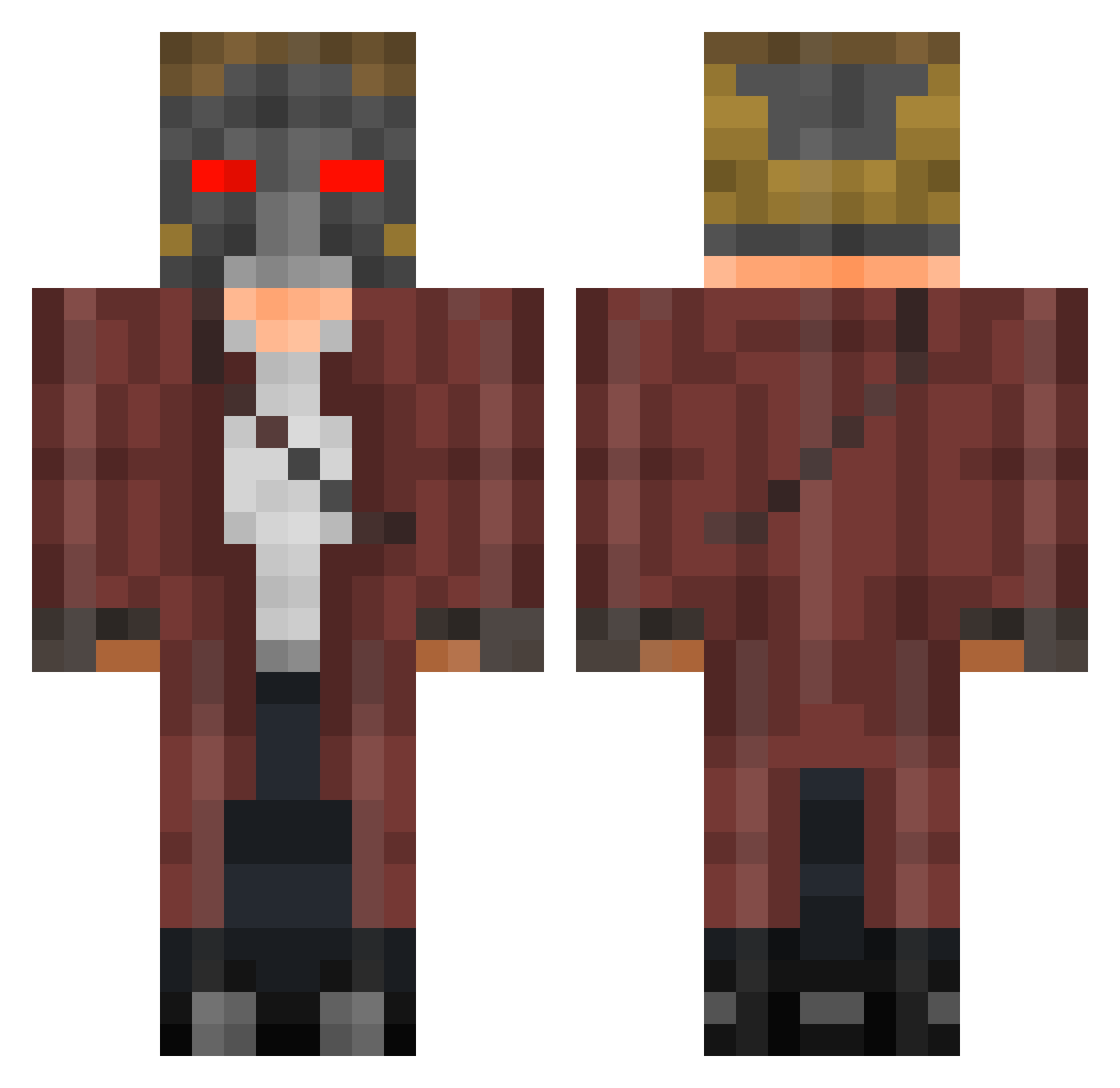
Current Minecraft skin of the player BobEpongeMagic, loaded from the official Mojang API. Rotate the 3D model with your mouse or finger, then download the skin as a PNG file and use it in Minecraft: Bedrock Edition or Java Edition for free. When BobEpongeMagic changes their skin, this page updates automatically and the old skin stays in the history below.
Other players with this skin (253)
BobEpongeMagic was the 128th player we have seen with this skin, first spotted on 19.09.2026. The same skin was seen on these players. Open a nickname to see their current skin and skin history.
 Jr0d21 bigheadzach Camopicasso MXCS scoutingforgrill Brock5575 Killer_Back cormig qazwsx225 cheeseymind Marshismello Dalton_Danger Utobis ShadowSoldier344 MrGoldenYT themysteron finalYew90883 Saltn15 GuardianOfTime Bajmaxx DilfDestr0yer RockSG Alexxelamm McPingkle KissMyAxe18 INVADER_X Surerinho JayHard04
 Mickzy94 TheNannuch Sewimerchant Pablokj9 LaGouth AshySlashy626 Dave436 Oza01 Mr_Tikey Blank0XIII TomasML CuloMisterioso Huitzil8 Dwayne_16 Cryinglilly starlor2123 Benjayaya jgreenmachine StarLord2b Veselchak Ragenold XJay55 CronusPrevails Bajdollu T3XX4S Zombalam 1_Niklas_4 Enchanted_Skies Screwtch19 Wolfay7 Vadim_Gfroid meliriano
More Star Lord Minecraft skins
How to install the BobEpongeMagic skin
- Press the Download button above to save the skin as a PNG file.
- Minecraft: Bedrock Edition (PE): open the Dressing Room from the main menu (or tap your character → Edit Character), go to Classic Skins → Owned, press the + (new skin) button, choose the downloaded PNG and pick the Classic (Steve) model. Works on PC and mobile; consoles cannot import custom skins.
- Minecraft: Java Edition: open the Minecraft Launcher, go to the Skins tab, click New Skin, load the PNG, pick the Classic (Steve) model and press Save & Use. You can also upload it at minecraft.net → Profile → Change Skin.
The skin does not show up after import - what should I do?
Restart Minecraft and open the Dressing Room again - imported skins sometimes appear only after a restart. Also make sure you selected the imported skin and picked the Classic (Steve) model.
Which model should I choose, Classic or Slim?
This skin is designed for the Classic (Steve) model. If you pick the wrong model, the arms of the skin will look stretched or squeezed.
Is the skin of BobEpongeMagic free to download?
Yes. Press Download, save the PNG file and use it in Minecraft: Bedrock Edition or Java Edition - no payment or registration needed. The skin also works on multiplayer servers and Realms.
More skins
Looking for more? Go back to all Minecraft skins and check the top skins of the week, month and all time, or find any player's skin by nickname.