
Blueuy - Minecraft Skins & Skin History
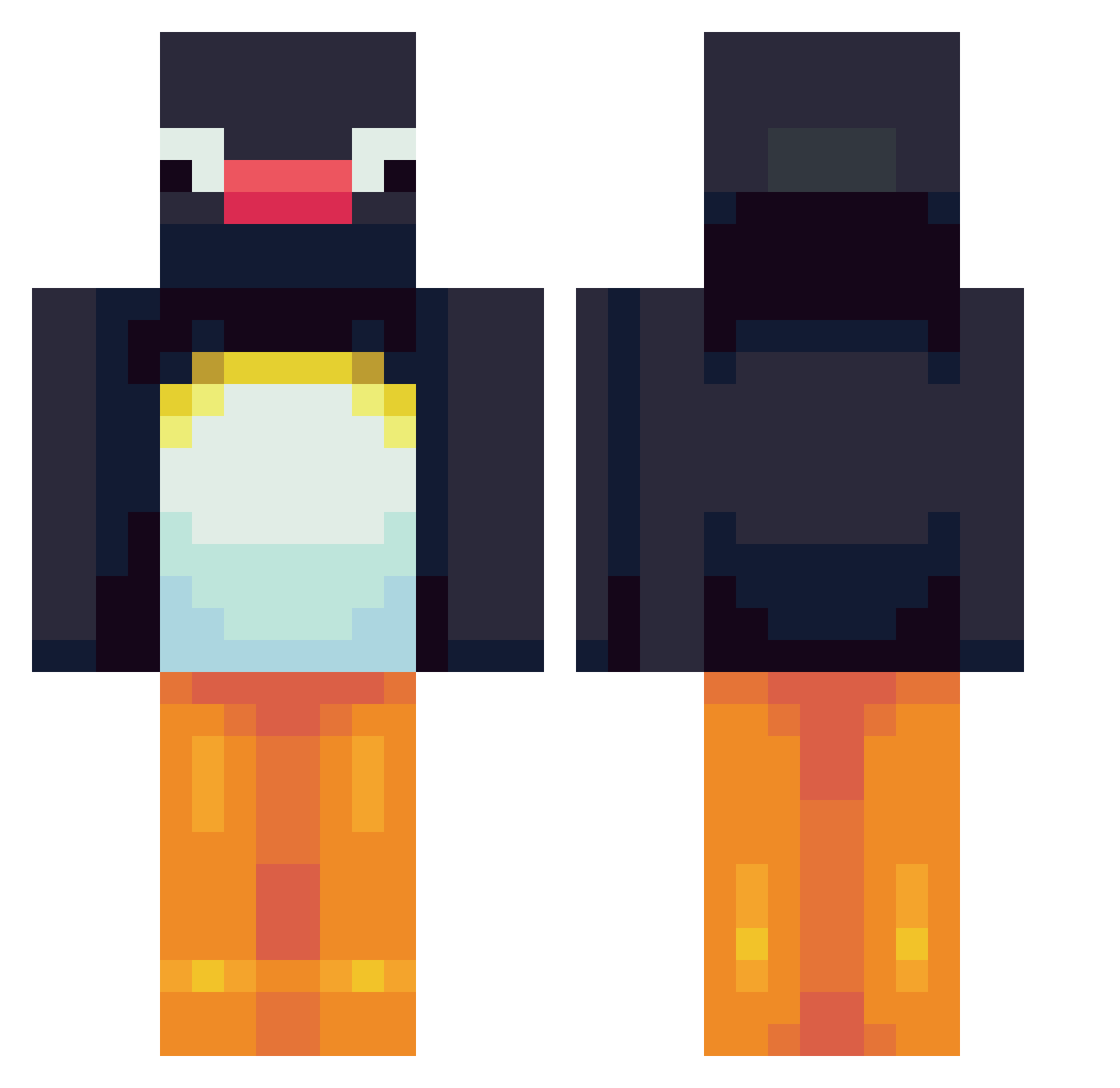
Current Minecraft skin of the player Blueuy, loaded from the official Mojang API. Rotate the 3D model with your mouse or finger, then download the skin as a PNG file and use it in Minecraft: Bedrock Edition or Java Edition for free. When Blueuy changes their skin, this page updates automatically and the old skin stays in the history below.
Other players with this skin (564)
Blueuy was the 454th player we have seen with this skin, first spotted on 06.10.2026. The same skin was seen on these players. Open a nickname to see their current skin and skin history.
 HeyChriss shyoo827 reilee24 Eraksterv0lger krichan ukko_pro Goigoosh COLEYBOY_7 DANB10 erin543 Yeetusdefeater Benny4488 Sludgester virtualhello Viggoh17 Giantfriend1095 Maxaman72 Tiiitaaa hyunho761 lil_tindies lau0725 martin0timer aaronp0520 OliwierSow2011 rhiannoniscool TheBigQt 28pickles PaperKetchup35 M0STWANTED javigm Jonas7821 BigGCookie WillyBunda lindaiscrazy Leonkidd7 deking09 DoDo_star_1 eduvargas20 ProfessoDepresso TuxPlayDE watermoolencow SleepyPyro kggg BlockyKrow zNochan Kimchunsam__ Szomy1 Toxistity I_like_Potatoes1 MeIceBird givensno WinterHawk_ Winonabee LiaKarlsen Woz1990 sejebobber MyBigDude contrarian_eros christianlynge finnhann
More Pingu Minecraft skins
How to install the Blueuy skin
- Press the Download button above to save the skin as a PNG file.
- Minecraft: Bedrock Edition (PE): open the Dressing Room from the main menu (or tap your character → Edit Character), go to Classic Skins → Owned, press the + (new skin) button, choose the downloaded PNG and pick the Classic (Steve) model. Works on PC and mobile; consoles cannot import custom skins.
- Minecraft: Java Edition: open the Minecraft Launcher, go to the Skins tab, click New Skin, load the PNG, pick the Classic (Steve) model and press Save & Use. You can also upload it at minecraft.net → Profile → Change Skin.
The skin does not show up after import - what should I do?
Restart Minecraft and open the Dressing Room again - imported skins sometimes appear only after a restart. Also make sure you selected the imported skin and picked the Classic (Steve) model.
Which model should I choose, Classic or Slim?
This skin is designed for the Classic (Steve) model. If you pick the wrong model, the arms of the skin will look stretched or squeezed.
Is the skin of Blueuy free to download?
Yes. Press Download, save the PNG file and use it in Minecraft: Bedrock Edition or Java Edition - no payment or registration needed. The skin also works on multiplayer servers and Realms.
More skins
Looking for more? Go back to all Minecraft skins and check the top skins of the week, month and all time, or find any player's skin by nickname.