
BluesII - Minecraft Skins & Skin History
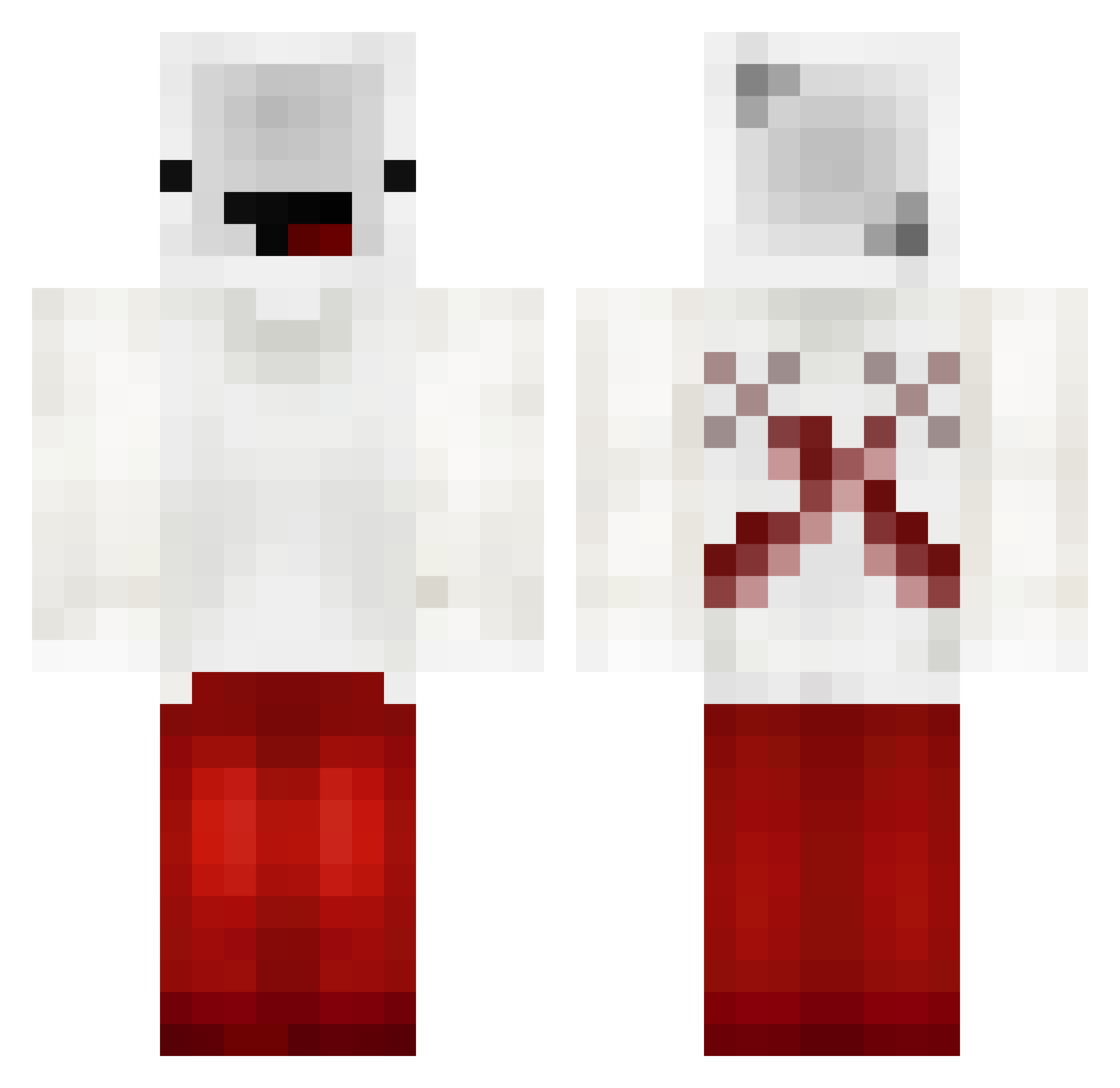
Current Minecraft skin of the player BluesII, loaded from the official Mojang API. Rotate the 3D model with your mouse or finger, then download the skin as a PNG file and use it in Minecraft: Bedrock Edition or Java Edition for free. When BluesII changes their skin, this page updates automatically and the old skin stays in the history below.
Other players with this skin (196)
BluesII was the 53rd player we have seen with this skin, first spotted on 30.08.2026. The same skin was seen on these players. Open a nickname to see their current skin and skin history.
 T_marco MetalTomcat2607 tomysdlr50 Xed___ KyojuroTas LEGIONPLAYZZ bedlessnoob11111 TheCreeper2406 Tiep BedllessPro JAY4773 Laksh_Gamer ItzAmericanPvp Gvga Oceans_Deep spartan__shiflet obvBedless cadentheboi QwepzzSNDX TFG_Deadpool SmolderingSyrup shmoee1111 HNF29 Montylovesoreos TimelyFerret834 Moskitonetz AARAVJAIN69420 StackableAlarm7 NikkuOnTop Abcmonkey12 dez1kk Nico279019 SikoYwas BedlessDJ BigTrigga Superhit2x lekkyysdad Altax_608 icedragon7152 BedlessNoobJr PhDAssistant_TW Nevo_noob _yoflo_ 1imx spiderxebi 797_ NoobObrine_YT dreamthe2 QQDoodle mino0421 CulpableTick79_ _Bedless_pro_ Artemis_Paul Zelivion Just290 doqrex purple_player_ HamzaSubhani01 HDeath Munkiseta
More Cross Minecraft skins
How to install the BluesII skin
- Press the Download button above to save the skin as a PNG file.
- Minecraft: Bedrock Edition (PE): open the Dressing Room from the main menu (or tap your character → Edit Character), go to Classic Skins → Owned, press the + (new skin) button, choose the downloaded PNG and pick the Classic (Steve) model. Works on PC and mobile; consoles cannot import custom skins.
- Minecraft: Java Edition: open the Minecraft Launcher, go to the Skins tab, click New Skin, load the PNG, pick the Classic (Steve) model and press Save & Use. You can also upload it at minecraft.net → Profile → Change Skin.
The skin does not show up after import - what should I do?
Restart Minecraft and open the Dressing Room again - imported skins sometimes appear only after a restart. Also make sure you selected the imported skin and picked the Classic (Steve) model.
Which model should I choose, Classic or Slim?
This skin is designed for the Classic (Steve) model. If you pick the wrong model, the arms of the skin will look stretched or squeezed.
Is the skin of BluesII free to download?
Yes. Press Download, save the PNG file and use it in Minecraft: Bedrock Edition or Java Edition - no payment or registration needed. The skin also works on multiplayer servers and Realms.
More skins
Looking for more? Go back to all Minecraft skins and check the top skins of the week, month and all time, or find any player's skin by nickname.