
BlueAnka - Minecraft Skins & Skin History
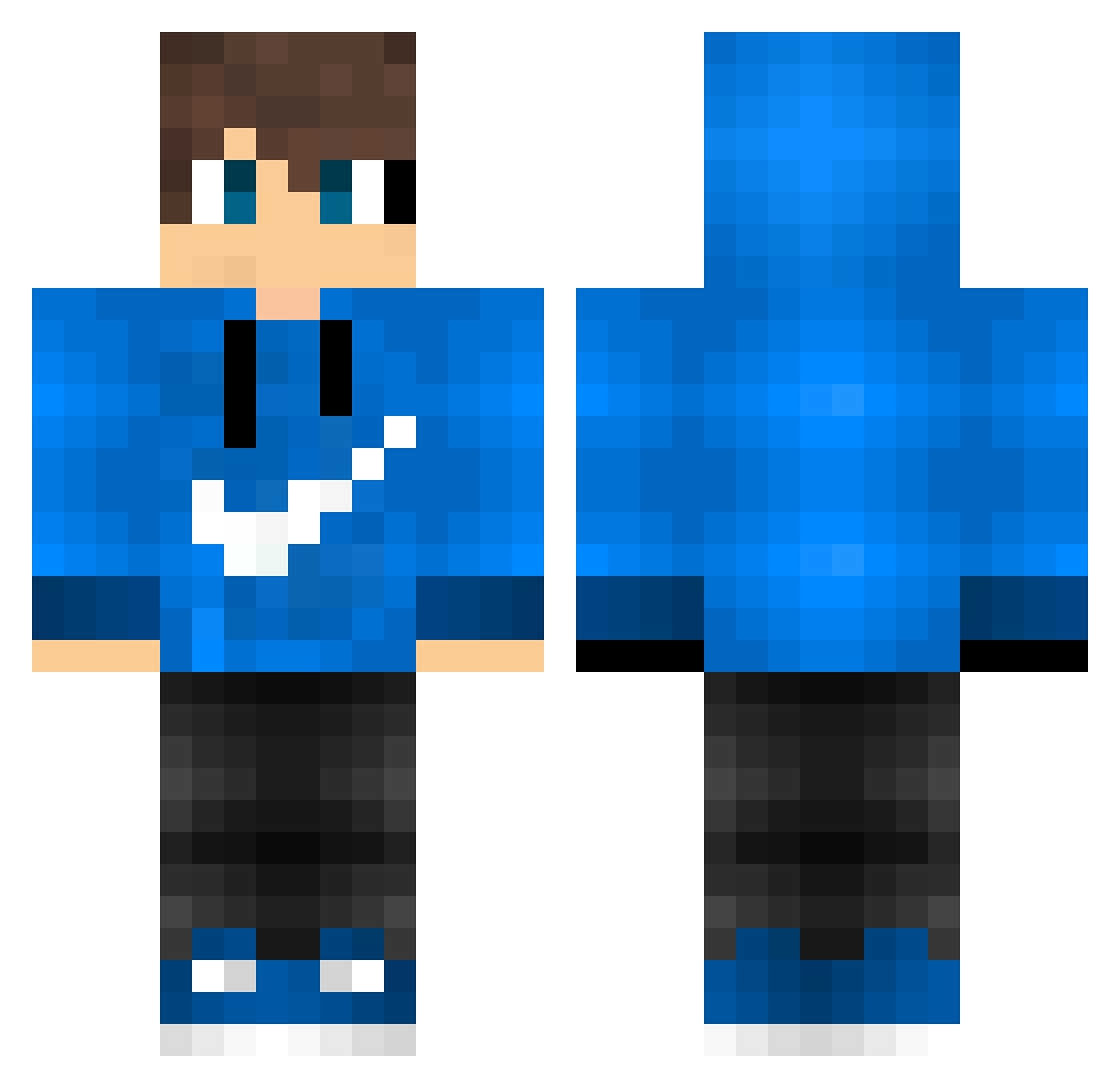
Current Minecraft skin of the player BlueAnka, loaded from the official Mojang API. Rotate the 3D model with your mouse or finger, then download the skin as a PNG file and use it in Minecraft: Bedrock Edition or Java Edition for free. When BlueAnka changes their skin, this page updates automatically and the old skin stays in the history below.
Other players with this skin (176)
BlueAnka was the 142nd player we have seen with this skin, first spotted on 26.10.2026. The same skin was seen on these players. Open a nickname to see their current skin and skin history.
 arthurrayner KJ741 Rafael20 Savannah_06 rdwan_imjfg lokosmotion DummLaufen MarsKung Superkid67 OrLenoKk FrostGamer02 Kacsa_98 Federico887 Bronnyjr AllanShowtime llSurfistall Sickless93 WolfNiguer TinTinKunG builderking2018 leslie6687 Feezox FelipeBr171 RembrandICE flyerz Xx_lorenzo04_Xx hudsonpanda8 howtowakeakar Maf3nic CartolaGamer567 TheMaster2401 vudex56 DenialRose VidaMestre jojo_de_07 BubSon904 Mineken50 YuJing1026 MilkTeaU SurerCapybara36 Flinsius Brennow_ ArthurMaximus adriandk Auroramk6 Steveneddu victorxis Fabi_PvP_01 hArpiano OGrandeGIO Juste_Comme_Ca Samsonic Sebastian9002 M_Abdelrehem _Levile_ panda78_ Stuadt_XD Lester_The_Guy xBuschix Braxras
How to install the BlueAnka skin
- Press the Download button above to save the skin as a PNG file.
- Minecraft: Bedrock Edition (PE): open the Dressing Room from the main menu (or tap your character → Edit Character), go to Classic Skins → Owned, press the + (new skin) button, choose the downloaded PNG and pick the Classic (Steve) model. Works on PC and mobile; consoles cannot import custom skins.
- Minecraft: Java Edition: open the Minecraft Launcher, go to the Skins tab, click New Skin, load the PNG, pick the Classic (Steve) model and press Save & Use. You can also upload it at minecraft.net → Profile → Change Skin.
The skin does not show up after import - what should I do?
Restart Minecraft and open the Dressing Room again - imported skins sometimes appear only after a restart. Also make sure you selected the imported skin and picked the Classic (Steve) model.
Which model should I choose, Classic or Slim?
This skin is designed for the Classic (Steve) model. If you pick the wrong model, the arms of the skin will look stretched or squeezed.
Is the skin of BlueAnka free to download?
Yes. Press Download, save the PNG file and use it in Minecraft: Bedrock Edition or Java Edition - no payment or registration needed. The skin also works on multiplayer servers and Realms.
More skins
Looking for more? Go back to all Minecraft skins and check the top skins of the week, month and all time, or find any player's skin by nickname.