
BlessedKing - Minecraft Skins & Skin History
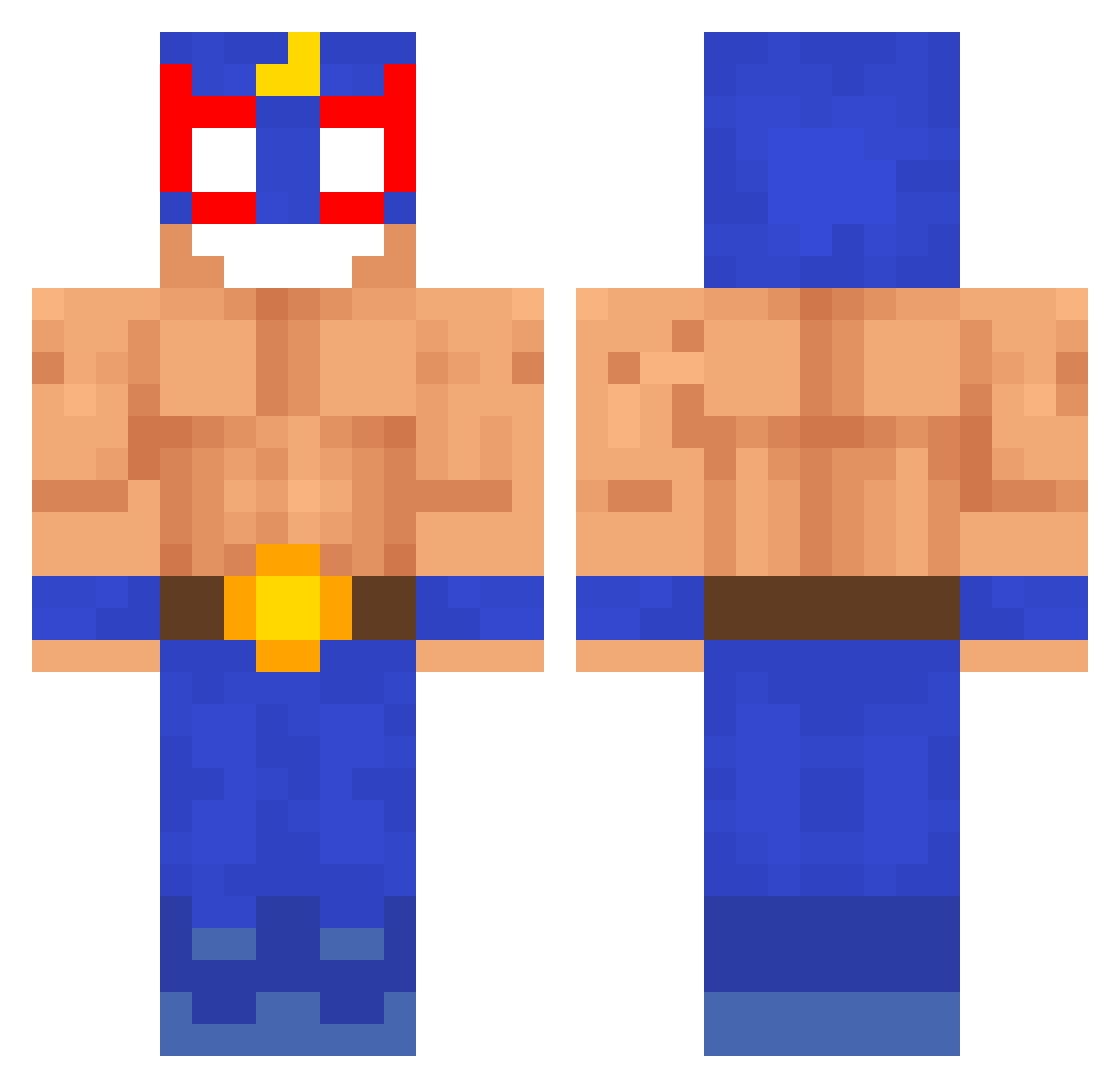
Current Minecraft skin of the player BlessedKing, loaded from the official Mojang API. Rotate the 3D model with your mouse or finger, then download the skin as a PNG file and use it in Minecraft: Bedrock Edition or Java Edition for free. When BlessedKing changes their skin, this page updates automatically and the old skin stays in the history below.
Other players with this skin (233)
BlessedKing was the 114th player we have seen with this skin, first spotted on 14.09.2026. The same skin was seen on these players. Open a nickname to see their current skin and skin history.
 ElFabiux caltan LeoRey47 batmanafuoco313 BlackFenixg bakunic KevinyQQ CuckooMC kasutoror122 Naya1429 _cvk gabosisas hampchung0 TRP_LBE maatann SoloRoko baiixa17 Gjilbert mishana159 vjfv dolidu CalebParky1 __sick__ ukwiiyQ ElPrimo8 VenezuelaGuy RuSaKK guillaume09009 Aircrusher_ Max_ist_cool GiuRes GottHelmeppo SANTOS2010 ElHuila MattiUwU_ JaPaPr Drewskiii23 techhnik DrippyFischy Bananenbrot_KIng Un1X_evd Exchanbee_ Leonidepuk mercenary1 t4c0s_ Dinnho SrUrdu59 Shinobi_Lord HolyLucas Maksiu12
 AlexYoshikage Kadzian CrocodiloLacoste dinoboy885 PanWladek TadeuszHulajnoga guaiumi duarteamc davidlira1006 SuperTurbo1028
More El Primo Minecraft skins
How to install the BlessedKing skin
- Press the Download button above to save the skin as a PNG file.
- Minecraft: Bedrock Edition (PE): open the Dressing Room from the main menu (or tap your character → Edit Character), go to Classic Skins → Owned, press the + (new skin) button, choose the downloaded PNG and pick the Classic (Steve) model. Works on PC and mobile; consoles cannot import custom skins.
- Minecraft: Java Edition: open the Minecraft Launcher, go to the Skins tab, click New Skin, load the PNG, pick the Classic (Steve) model and press Save & Use. You can also upload it at minecraft.net → Profile → Change Skin.
The skin does not show up after import - what should I do?
Restart Minecraft and open the Dressing Room again - imported skins sometimes appear only after a restart. Also make sure you selected the imported skin and picked the Classic (Steve) model.
Which model should I choose, Classic or Slim?
This skin is designed for the Classic (Steve) model. If you pick the wrong model, the arms of the skin will look stretched or squeezed.
Is the skin of BlessedKing free to download?
Yes. Press Download, save the PNG file and use it in Minecraft: Bedrock Edition or Java Edition - no payment or registration needed. The skin also works on multiplayer servers and Realms.
More skins
Looking for more? Go back to all Minecraft skins and check the top skins of the week, month and all time, or find any player's skin by nickname.