
BitaZaile - Minecraft Skins & Skin History
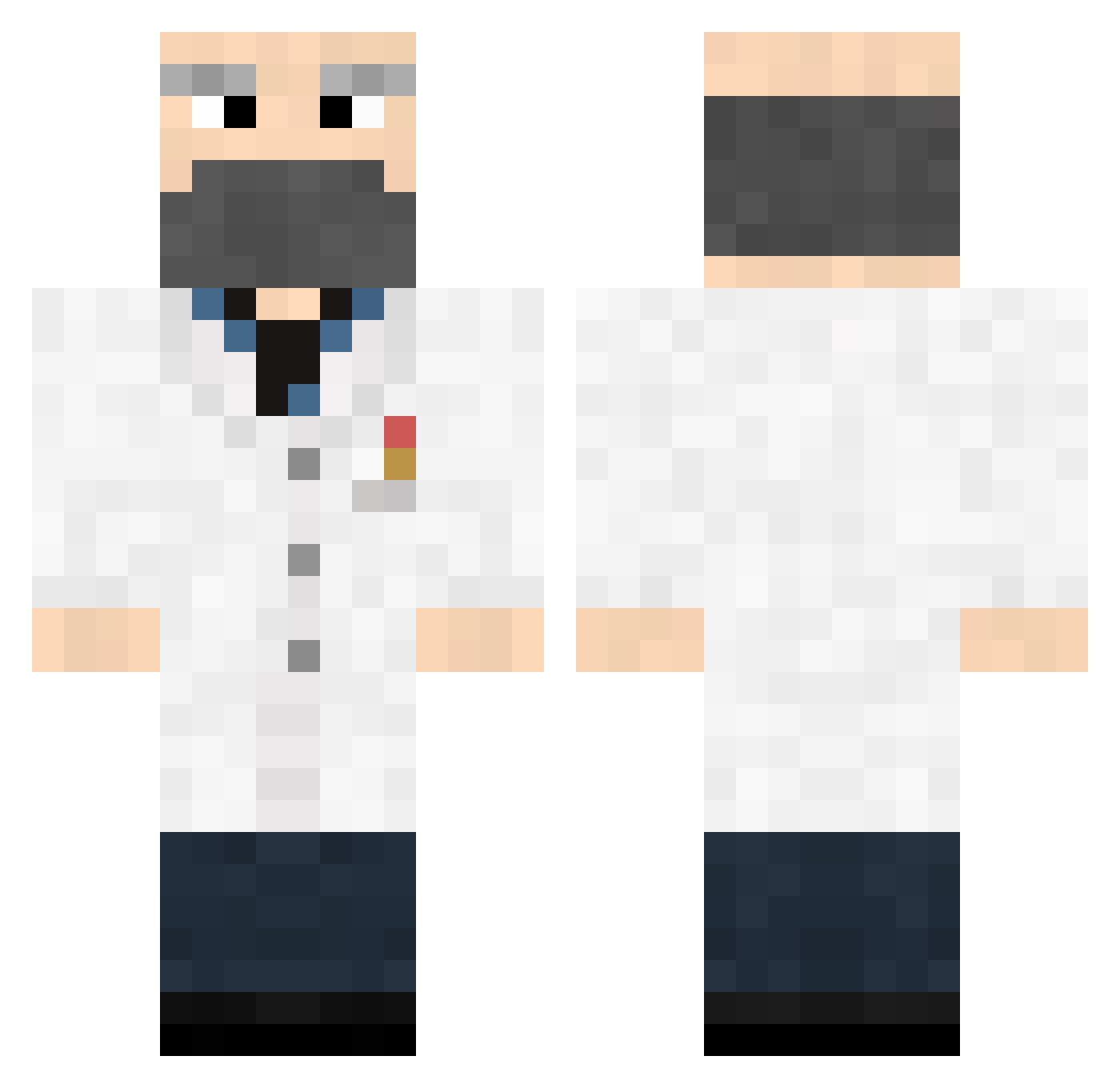
Current Minecraft skin of the player BitaZaile, loaded from the official Mojang API. Rotate the 3D model with your mouse or finger, then download the skin as a PNG file and use it in Minecraft: Bedrock Edition or Java Edition for free. When BitaZaile changes their skin, this page updates automatically and the old skin stays in the history below.
Other players with this skin (373)
BitaZaile was the 245th player we have seen with this skin, first spotted on 29.09.2026. The same skin was seen on these players. Open a nickname to see their current skin and skin history.
 Killjoy706 Maybsparta squishymac DisableMe BloodW00D BlackBug39 Asadien Clonefarmer funkiimunkee el64caminoman Pacifique QED10 cruise66 de_GoR Malapathius dumpledoo Svein HOINB liverlylives Topguide iSoldMyMomForDia celianoren eyeronMan andyboy123455432 _H4avok naelh8 FappyTheYOLO MadScientistIL BAGELSforDAYS shortpeople33 CoenDoorn1 Zimon LucasIsCrafting GrosserMolfin VeloxDigitis raiff285 Contrasam Bradboy352 Peiperson6289 brendan387 panzzerrr Mukabe zebbit75 159213 dmitro02 ronaldishome Keoskies Byerly_Factor xxflyingdogxx Awalanche LangarmMarco RootyTheFruity davinci26 dingo1234567890 krodning TechKnowCat Zada RodrigoMats Scraggesh Jiivey
More Doctor Minecraft skins
How to install the BitaZaile skin
- Press the Download button above to save the skin as a PNG file.
- Minecraft: Bedrock Edition (PE): open the Dressing Room from the main menu (or tap your character → Edit Character), go to Classic Skins → Owned, press the + (new skin) button, choose the downloaded PNG and pick the Classic (Steve) model. Works on PC and mobile; consoles cannot import custom skins.
- Minecraft: Java Edition: open the Minecraft Launcher, go to the Skins tab, click New Skin, load the PNG, pick the Classic (Steve) model and press Save & Use. You can also upload it at minecraft.net → Profile → Change Skin.
The skin does not show up after import - what should I do?
Restart Minecraft and open the Dressing Room again - imported skins sometimes appear only after a restart. Also make sure you selected the imported skin and picked the Classic (Steve) model.
Which model should I choose, Classic or Slim?
This skin is designed for the Classic (Steve) model. If you pick the wrong model, the arms of the skin will look stretched or squeezed.
Is the skin of BitaZaile free to download?
Yes. Press Download, save the PNG file and use it in Minecraft: Bedrock Edition or Java Edition - no payment or registration needed. The skin also works on multiplayer servers and Realms.
More skins
Looking for more? Go back to all Minecraft skins and check the top skins of the week, month and all time, or find any player's skin by nickname.