
BiscuitDad - Minecraft Skins & Skin History
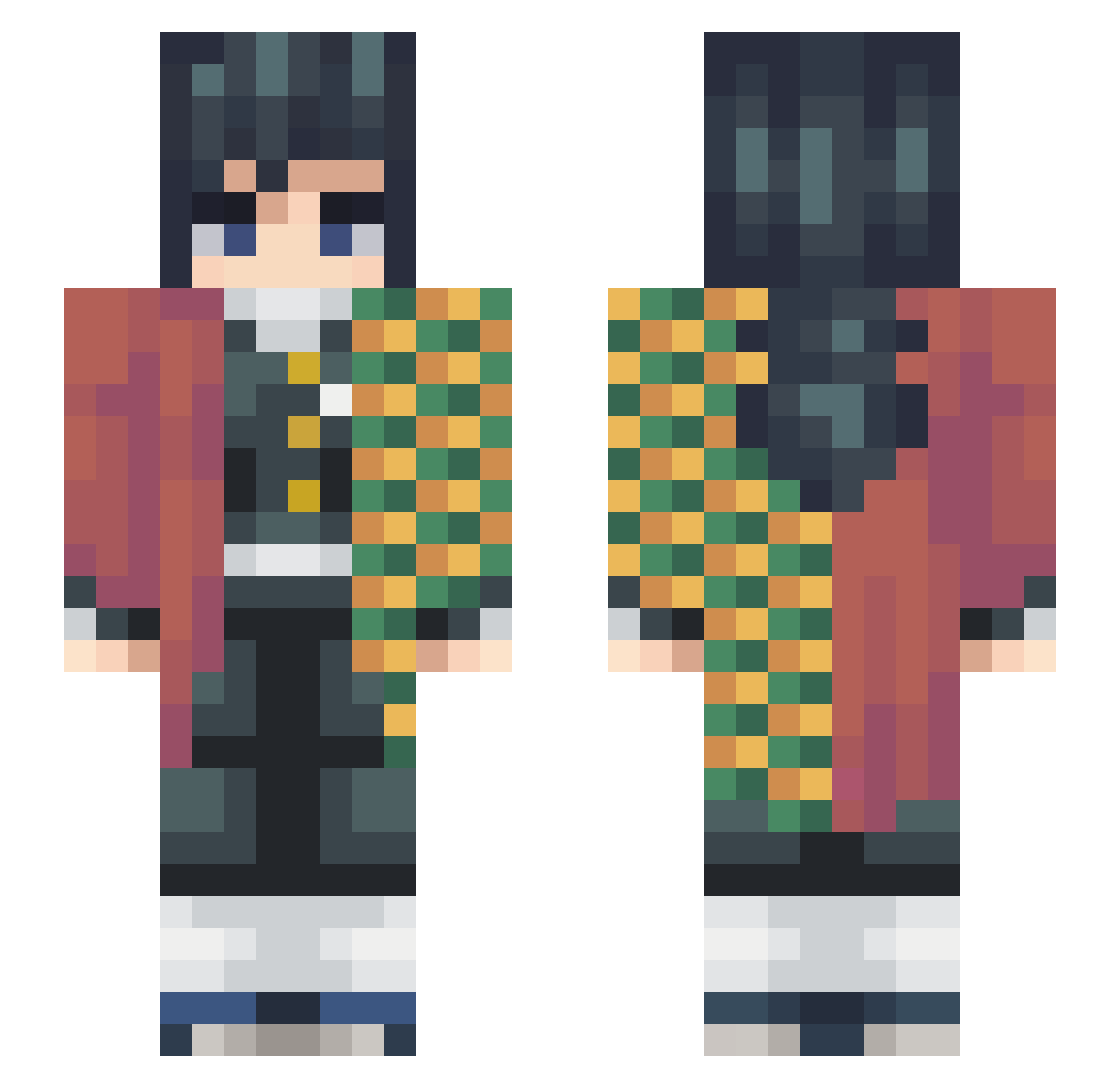
Current Minecraft skin of the player BiscuitDad, loaded from the official Mojang API. Rotate the 3D model with your mouse or finger, then download the skin as a PNG file and use it in Minecraft: Bedrock Edition or Java Edition for free. When BiscuitDad changes their skin, this page updates automatically and the old skin stays in the history below.
Other players with this skin (328)
BiscuitDad was the 305th player we have seen with this skin, first spotted on 13.11.2026. The same skin was seen on these players. Open a nickname to see their current skin and skin history.
 kjellberg_lover Nuggles zmora001 JokaDorgas Incubo_ NoLxveJay Zymuk ePootato Huang0108 MrTyler1019 Aramatoz Malfuuu PorkBellyy ArthurGames1190 GhostKingIX LetzErn logeebear3 Killaqueeen Syn_The_Demon PancakeMafia_ aleka123 melonpan100 Ayaya1028 C1KuNx Ethxn1023 xKaizera Megaultraton keichiro56 captainwhiteboy planktonvibes oRuss_ G3nzai SolitaryGhost DarKnight016 KTDSZ Giyuu fragile_heart SirPandaKun AndarielSama NattyCon501st CrimsonBlood CLamerd PYRE32 Pooheat zesuna xDaundy DriftKing5503 Belcross8 Wezerlh iSmeeth OfficialFallen Guixzo Kroten_xd1 HollywoodJawn AuxiliaryHood RikaChan424 bravislo75 BDAWG14214 Dino_jin Austgreen
More Hashira Minecraft skins
How to install the BiscuitDad skin
- Press the Download button above to save the skin as a PNG file.
- Minecraft: Bedrock Edition (PE): open the Dressing Room from the main menu (or tap your character → Edit Character), go to Classic Skins → Owned, press the + (new skin) button, choose the downloaded PNG and pick the Slim (Alex) model. Works on PC and mobile; consoles cannot import custom skins.
- Minecraft: Java Edition: open the Minecraft Launcher, go to the Skins tab, click New Skin, load the PNG, pick the Slim (Alex) model and press Save & Use. You can also upload it at minecraft.net → Profile → Change Skin.
The skin does not show up after import - what should I do?
Restart Minecraft and open the Dressing Room again - imported skins sometimes appear only after a restart. Also make sure you selected the imported skin and picked the Slim (Alex) model.
Which model should I choose, Classic or Slim?
This skin is designed for the Slim (Alex) model. If you pick the wrong model, the arms of the skin will look stretched or squeezed.
Is the skin of BiscuitDad free to download?
Yes. Press Download, save the PNG file and use it in Minecraft: Bedrock Edition or Java Edition - no payment or registration needed. The skin also works on multiplayer servers and Realms.
More skins
Looking for more? Go back to all Minecraft skins and check the top skins of the week, month and all time, or find any player's skin by nickname.