
Bippy_103 - Minecraft Skins & Skin History
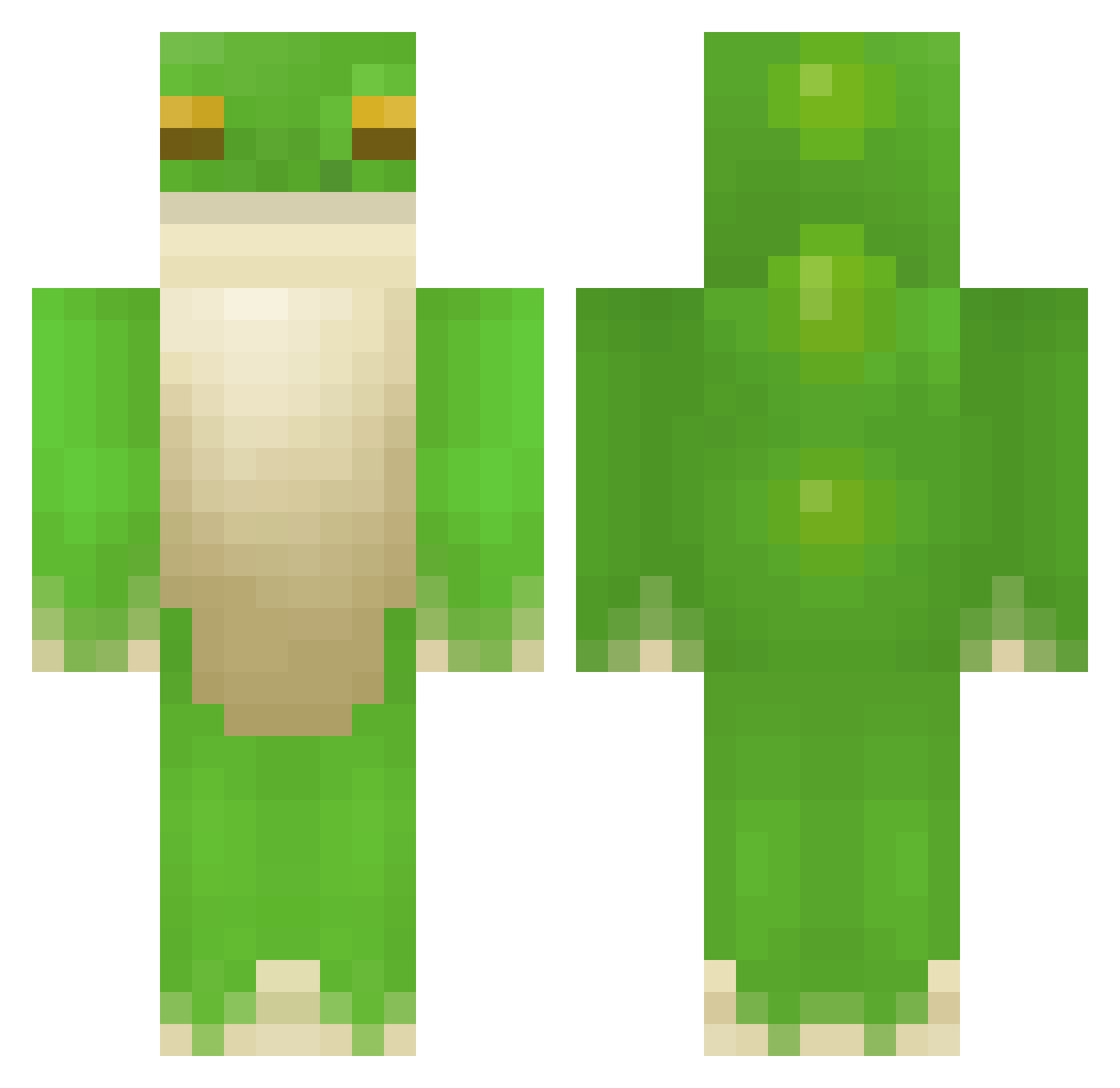
Current Minecraft skin of the player Bippy_103, loaded from the official Mojang API. Rotate the 3D model with your mouse or finger, then download the skin as a PNG file and use it in Minecraft: Bedrock Edition or Java Edition for free. When Bippy_103 changes their skin, this page updates automatically and the old skin stays in the history below.
Other players with this skin (506)
Bippy_103 was the 450th player we have seen with this skin, first spotted on 08.11.2026. The same skin was seen on these players. Open a nickname to see their current skin and skin history.
 illnuss borklord reaganomics1000 ghostiiiee Pelcool Gezah tode255 LTS_PRO_MAX NyUuEE Wadusan reeman_ SwaggyPanda28 12pint Shute_ Belac8 Huanss FroggieGerardo ThouSSSand Lizaczkie Brickfroggue MRVEGGIEE _UserRemoved_ SatelliteJuice Bachovette PinkishBear Nikoxd1902 LyagushkaEbaka Juhjiis Zawale SQLLIE hardrocker7302 squidinthemaking Froglights Forge85 Jac0_8 dingdangmiao FrogTree1 superbatw Not_Amelia2 LordOfFrogs123 hug_1 froggy_100 Ambrozjowy2002 Frug313 Hondo101 Majestey Angrite Turtyl_ Urethruhh FLINTC0AL frog984 Frauleiinn pimpdaddyabbeyog copun BalsamicBoi Busemann adellaa WeatheringWithYu Salaxadim Riodude4
More Frog Minecraft skins
How to install the Bippy_103 skin
- Press the Download button above to save the skin as a PNG file.
- Minecraft: Bedrock Edition (PE): open the Dressing Room from the main menu (or tap your character → Edit Character), go to Classic Skins → Owned, press the + (new skin) button, choose the downloaded PNG and pick the Classic (Steve) model. Works on PC and mobile; consoles cannot import custom skins.
- Minecraft: Java Edition: open the Minecraft Launcher, go to the Skins tab, click New Skin, load the PNG, pick the Classic (Steve) model and press Save & Use. You can also upload it at minecraft.net → Profile → Change Skin.
The skin does not show up after import - what should I do?
Restart Minecraft and open the Dressing Room again - imported skins sometimes appear only after a restart. Also make sure you selected the imported skin and picked the Classic (Steve) model.
Which model should I choose, Classic or Slim?
This skin is designed for the Classic (Steve) model. If you pick the wrong model, the arms of the skin will look stretched or squeezed.
Is the skin of Bippy_103 free to download?
Yes. Press Download, save the PNG file and use it in Minecraft: Bedrock Edition or Java Edition - no payment or registration needed. The skin also works on multiplayer servers and Realms.
More skins
Looking for more? Go back to all Minecraft skins and check the top skins of the week, month and all time, or find any player's skin by nickname.