
BiopticJeans266 - Minecraft Skins & Skin History
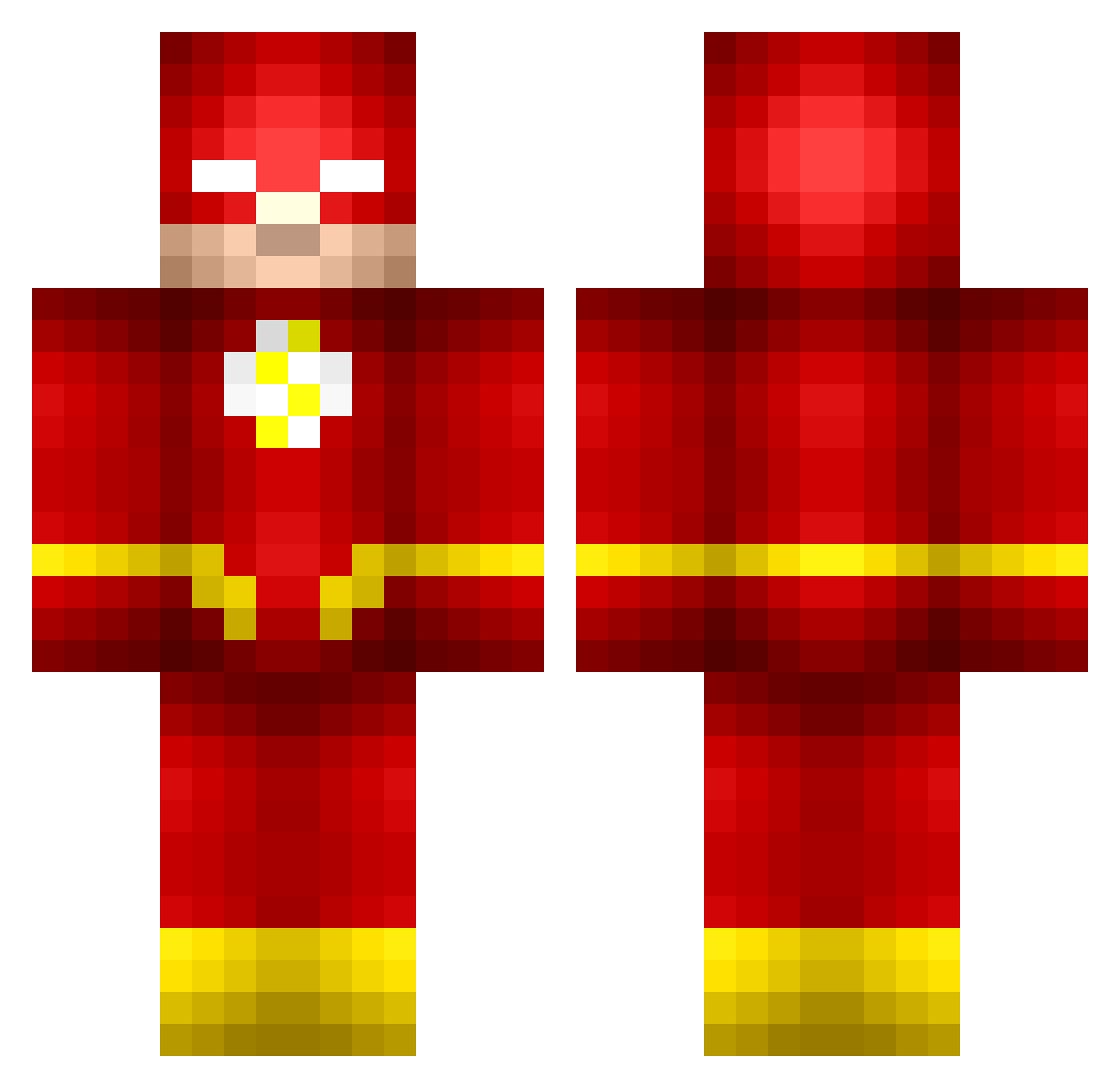
Current Minecraft skin of the player BiopticJeans266, loaded from the official Mojang API. Rotate the 3D model with your mouse or finger, then download the skin as a PNG file and use it in Minecraft: Bedrock Edition or Java Edition for free. When BiopticJeans266 changes their skin, this page updates automatically and the old skin stays in the history below.
Other players with this skin (515)
BiopticJeans266 was the 425th player we have seen with this skin, first spotted on 05.10.2026. The same skin was seen on these players. Open a nickname to see their current skin and skin history.
 ROYDENSTORM Andi1990bbg NathanRaiz StopDithering DevilTwin_03 Fre3d0m DaddyGoHarder crackpot2k15 Blastoise420 Enzonic 44BlackOut44 zoomthekid Naythin groovinhard Mattihoi G_Thang27 RUDDERS19 SwaggitySwoog Capt_Chaos jmaster66 JoshuaK4294 CRILIX JarBoss PreShift Flora87934 ManilaThrilla ACE2506 Master0808 jensnib Leanderoskui dodoralus Fishy41 Obenater krakens_ink CraftGod060 King_of_Cuba MrPharmaBro MajesticButterLC arkaniian EB9102 Pentacory xl3ie3ttGaMlE3r King_Flash96 smart586 JO3_G Izzwop Greatodins007 MyNameIsWallace axelxxx04 andrew12129 affropanda72 CastExpert4 goldenadam2004 ItzGrilly Antony_1743 alexmainardi zammyr Pearlhawk2755 joonatuomioja Kodak_Yellow
More The Flash Minecraft skins
How to install the BiopticJeans266 skin
- Press the Download button above to save the skin as a PNG file.
- Minecraft: Bedrock Edition (PE): open the Dressing Room from the main menu (or tap your character → Edit Character), go to Classic Skins → Owned, press the + (new skin) button, choose the downloaded PNG and pick the Classic (Steve) model. Works on PC and mobile; consoles cannot import custom skins.
- Minecraft: Java Edition: open the Minecraft Launcher, go to the Skins tab, click New Skin, load the PNG, pick the Classic (Steve) model and press Save & Use. You can also upload it at minecraft.net → Profile → Change Skin.
The skin does not show up after import - what should I do?
Restart Minecraft and open the Dressing Room again - imported skins sometimes appear only after a restart. Also make sure you selected the imported skin and picked the Classic (Steve) model.
Which model should I choose, Classic or Slim?
This skin is designed for the Classic (Steve) model. If you pick the wrong model, the arms of the skin will look stretched or squeezed.
Is the skin of BiopticJeans266 free to download?
Yes. Press Download, save the PNG file and use it in Minecraft: Bedrock Edition or Java Edition - no payment or registration needed. The skin also works on multiplayer servers and Realms.
More skins
Looking for more? Go back to all Minecraft skins and check the top skins of the week, month and all time, or find any player's skin by nickname.