
Bio_117 - Minecraft Skins & Skin History
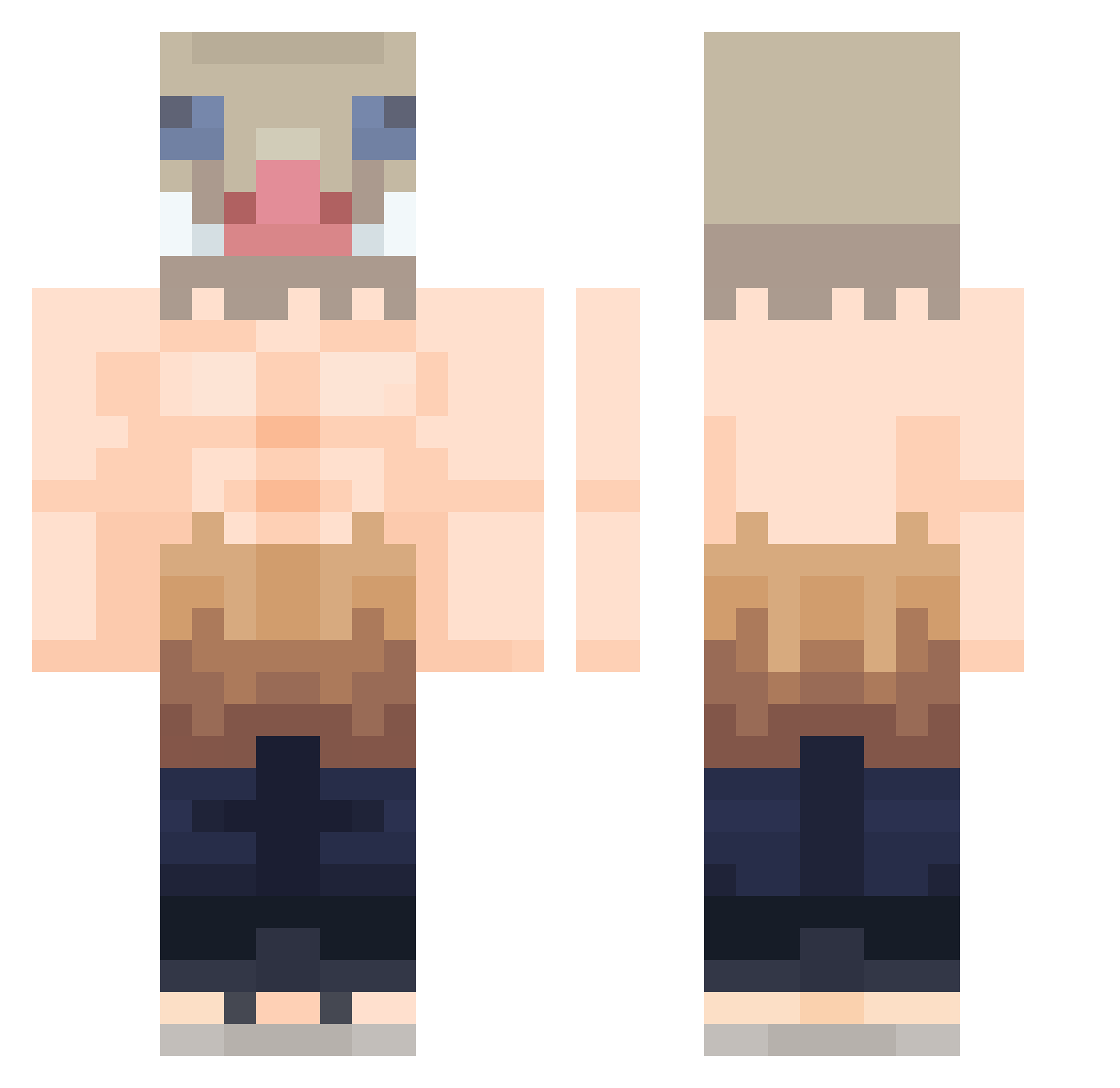
Current Minecraft skin of the player Bio_117, loaded from the official Mojang API. Rotate the 3D model with your mouse or finger, then download the skin as a PNG file and use it in Minecraft: Bedrock Edition or Java Edition for free. When Bio_117 changes their skin, this page updates automatically and the old skin stays in the history below.
Other players with this skin (424)
Bio_117 was the 405th player we have seen with this skin, first spotted on 26.10.2026. The same skin was seen on these players. Open a nickname to see their current skin and skin history.
 dominbikcz PedroPineiro23 elmafias96 ayozmo Aloha_1812 CommanderChicken DevanMC Inosuke519 charlis_ jamh99 Piggietheone iNgl05 Beer4U CarpinchoFurioso LitQN Sirope87 ShadeHC MrYisus04 6LOCAL6 BIR4G Dodong9123 Migdady14 Siliot KoopaCabana Creylon Steba24 Ukkon Mash2447 psocio TioHellix lolly_corny AZOVx babo_merong Snowcrowx LonelyWolf2067 _molecule_ Kishisaru IHAWKEN Luiix_ marvinem13 1krome Ricrd Impala_1953 iemakai JohnnyT_T Inosuke_Desu DoubleDroop Lanster Spooky9115 JJ_Lethal nachistio4000 Mi43Hi MissPanda0906 UIZEM Teroblade Elivate OllieGreen05 fuguiyzz JayDexPlay ElPompas
More Boar Mask Minecraft skins
How to install the Bio_117 skin
- Press the Download button above to save the skin as a PNG file.
- Minecraft: Bedrock Edition (PE): open the Dressing Room from the main menu (or tap your character → Edit Character), go to Classic Skins → Owned, press the + (new skin) button, choose the downloaded PNG and pick the Classic (Steve) model. Works on PC and mobile; consoles cannot import custom skins.
- Minecraft: Java Edition: open the Minecraft Launcher, go to the Skins tab, click New Skin, load the PNG, pick the Classic (Steve) model and press Save & Use. You can also upload it at minecraft.net → Profile → Change Skin.
The skin does not show up after import - what should I do?
Restart Minecraft and open the Dressing Room again - imported skins sometimes appear only after a restart. Also make sure you selected the imported skin and picked the Classic (Steve) model.
Which model should I choose, Classic or Slim?
This skin is designed for the Classic (Steve) model. If you pick the wrong model, the arms of the skin will look stretched or squeezed.
Is the skin of Bio_117 free to download?
Yes. Press Download, save the PNG file and use it in Minecraft: Bedrock Edition or Java Edition - no payment or registration needed. The skin also works on multiplayer servers and Realms.
More skins
Looking for more? Go back to all Minecraft skins and check the top skins of the week, month and all time, or find any player's skin by nickname.