
Bingle69 - Minecraft Skins & Skin History
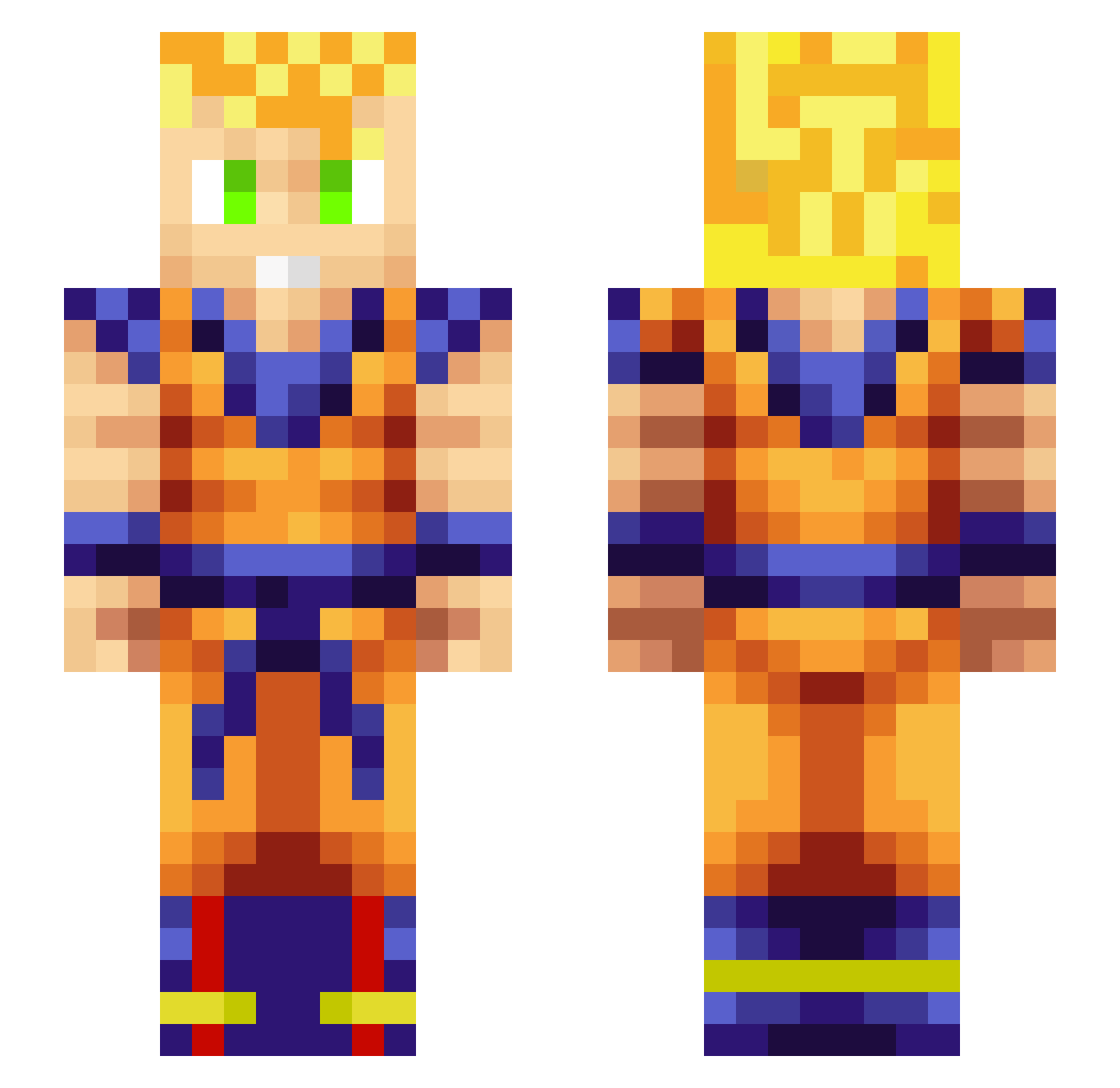
Current Minecraft skin of the player Bingle69, loaded from the official Mojang API. Rotate the 3D model with your mouse or finger, then download the skin as a PNG file and use it in Minecraft: Bedrock Edition or Java Edition for free. When Bingle69 changes their skin, this page updates automatically and the old skin stays in the history below.
Other players with this skin (397)
Bingle69 was the 354th player we have seen with this skin, first spotted on 09.11.2026. The same skin was seen on these players. Open a nickname to see their current skin and skin history.
 _Albert_12 MorseV Bhristopher rav1337 themasterfleix hhcc_ karpuzarda 0Junkbot010 Keton Zhery_4 bigboymah Zkttls sallad11 ElRefo Astr0nawt99 razaali SirCassel wcg_cui bardok34 andydoom009 jezel10 GaGHD RipperVipe7121 Scrox98 jeanpier99 Lociip METHR0 Vybzx0 FFSM mania33610 bzeall 4k3nG luiyin DivineDonkey Phargaught999 KingKnaller MrChaos44 yodxz Pacsiku lovedzuo043 Aturian HeineKing11 DemonLiberty DDLightBringer SmokeZ_HD That_One_Guy2001 LeatherDragon569 coinbag69 Modrag28 CarlerMC brichards RPFCC HeBBBBB DaddydongR ItsMeTAKA Mei_milk Moustair jacobdiamond367 SazaUchiha GreatDez
More Goku Minecraft skins
How to install the Bingle69 skin
- Press the Download button above to save the skin as a PNG file.
- Minecraft: Bedrock Edition (PE): open the Dressing Room from the main menu (or tap your character → Edit Character), go to Classic Skins → Owned, press the + (new skin) button, choose the downloaded PNG and pick the Slim (Alex) model. Works on PC and mobile; consoles cannot import custom skins.
- Minecraft: Java Edition: open the Minecraft Launcher, go to the Skins tab, click New Skin, load the PNG, pick the Slim (Alex) model and press Save & Use. You can also upload it at minecraft.net → Profile → Change Skin.
The skin does not show up after import - what should I do?
Restart Minecraft and open the Dressing Room again - imported skins sometimes appear only after a restart. Also make sure you selected the imported skin and picked the Slim (Alex) model.
Which model should I choose, Classic or Slim?
This skin is designed for the Slim (Alex) model. If you pick the wrong model, the arms of the skin will look stretched or squeezed.
Is the skin of Bingle69 free to download?
Yes. Press Download, save the PNG file and use it in Minecraft: Bedrock Edition or Java Edition - no payment or registration needed. The skin also works on multiplayer servers and Realms.
More skins
Looking for more? Go back to all Minecraft skins and check the top skins of the week, month and all time, or find any player's skin by nickname.