
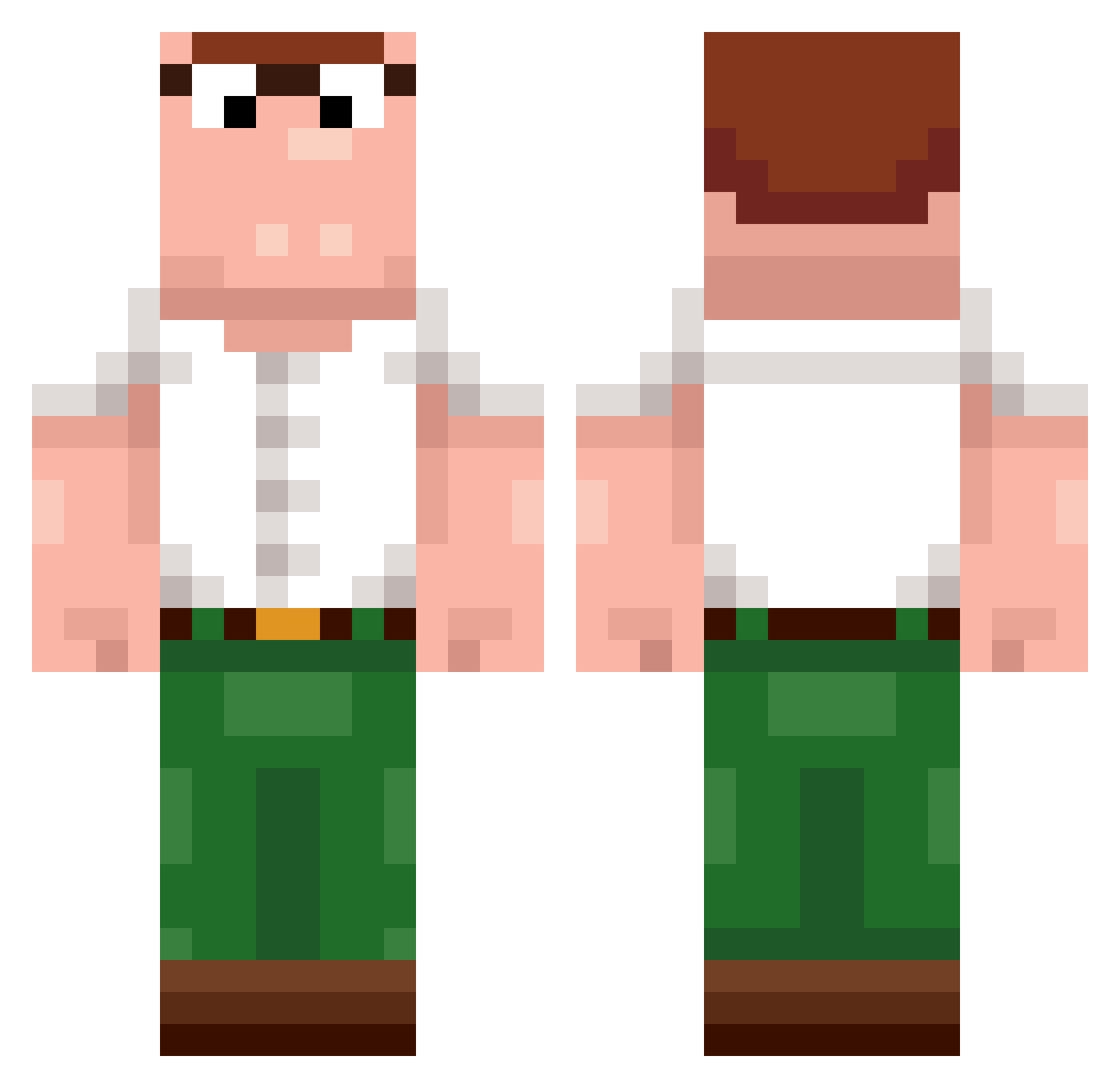
Current Minecraft skin of the player BigJoMC, loaded from the official Mojang API. Rotate the 3D model with your mouse or finger, then download the skin as a PNG file and use it in Minecraft: Bedrock Edition or Java Edition for free. When BigJoMC changes their skin, this page updates automatically and the old skin stays in the history below.
Other players with this skin (186)
BigJoMC was the 47th player we have seen with this skin, first spotted on 13.08.2026. The same skin was seen on these players. Open a nickname to see their current skin and skin history.
 Bazss gladius323 SassyKitty34
 dabuluW38 Zamon2 Kitchen_Glock Dryhiow dxypa Majito1020 Grzehuta Send_Toe Lunkus426 kadereqq legumeee deeznut123
 Borsuk_Zwierz ItNate RuntyRaskal _theoretical vviixo brunogglad jin2000ex
 KIraSanchik PLminecrafterPL Riiivotril PlayDong rudywaliwiadro LiLStone ssmokecigg kiciakocia2137 KaiC _Scribs Chopin4387 MothersMilkAU
 Chaos_Phoe Vroplease CaiZzier gulliblenelson MatuGotz
 yryen BabaYaga_B1 Jinxjz ewwyc0 YEKINDAR512 DrDog0 v555c KaotiK_ recoil_tv EduardoCss1123 Mxacz MaarkTV cutegirlDaisy Hatnis Apfelmann_HD BlackVinegar123 dgzaooo Pixer69 Zigzaw_ AlpakaRosa MlodyTomasz69
More Peter Griffin Minecraft skins
See all 201 Peter Griffin skins
How to install the BigJoMC skin
- Press the Download button above to save the skin as a PNG file.
- Minecraft: Bedrock Edition (PE): open the Dressing Room from the main menu (or tap your character → Edit Character), go to Classic Skins → Owned, press the + (new skin) button, choose the downloaded PNG and pick the Classic (Steve) model. Works on PC and mobile; consoles cannot import custom skins.
- Minecraft: Java Edition: open the Minecraft Launcher, go to the Skins tab, click New Skin, load the PNG, pick the Classic (Steve) model and press Save & Use. You can also upload it at minecraft.net → Profile → Change Skin.
The skin does not show up after import - what should I do?
Restart Minecraft and open the Dressing Room again - imported skins sometimes appear only after a restart. Also make sure you selected the imported skin and picked the Classic (Steve) model.
Which model should I choose, Classic or Slim?
This skin is designed for the Classic (Steve) model. If you pick the wrong model, the arms of the skin will look stretched or squeezed.
Is the skin of BigJoMC free to download?
Yes. Press Download, save the PNG file and use it in Minecraft: Bedrock Edition or Java Edition - no payment or registration needed. The skin also works on multiplayer servers and Realms.
More skins
Looking for more? Go back to all Minecraft skins and check the top skins of the week, month and all time, or find any player's skin by nickname.