
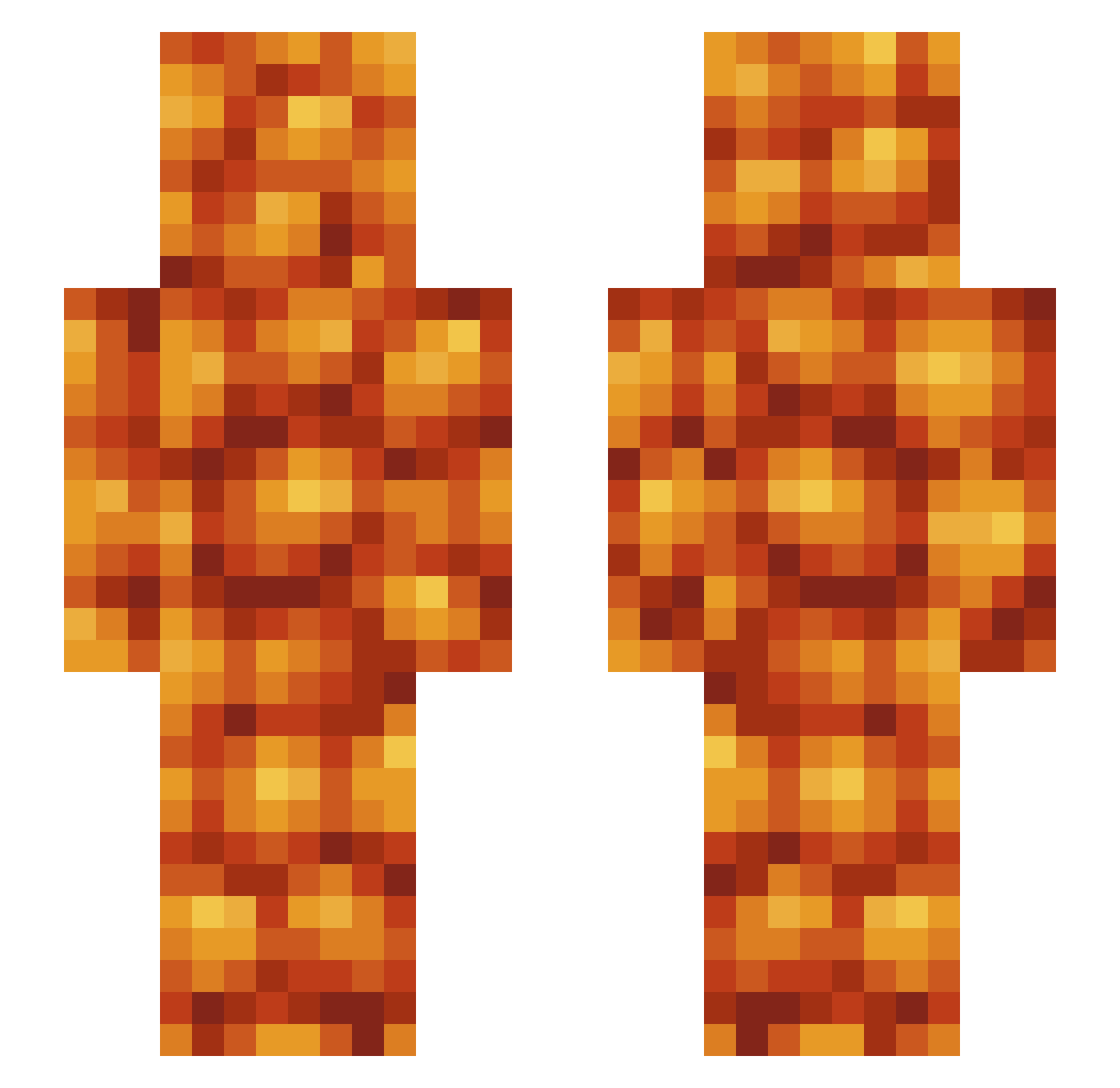
Current Minecraft skin of the player BigBrained2k69, loaded from the official Mojang API. Rotate the 3D model with your mouse or finger, then download the skin as a PNG file and use it in Minecraft: Bedrock Edition or Java Edition for free. When BigBrained2k69 changes their skin, this page updates automatically and the old skin stays in the history below.
Other players with this skin (427)
BigBrained2k69 was the 266th player we have seen with this skin, first spotted on 18.09.2026. The same skin was seen on these players. Open a nickname to see their current skin and skin history.
 clsrtothehrt AgentBOOM8 abrooks82 roll11tide ZtrawbZ Clawfreak01 AlexFlu Yakobos _Sauced_ TheCardiB BushsBeanMan pop_magoot LGBT_WARRIOR Beansli Bruhmemes0207 ArxMagnum rxvsee porotos_man unplexus phillnill123 The_Stomp flonamij torby678 S1LUN SpriteCrnbry_ JitteryJared2 KonradKyle kylo_addax _sofeea HonigLiz Shuspicious Charlitos_ BuddahNooBluhd spykedarrow Skile GorillaNuts928 xApollo420x canadianriceguy bigPPg FlickShrek beanzzz_ DogInPants PopeStroganoff BIGBarra drplatypus79 Rompleculos StephenSwagg imawesomeyurnot NotGshift WrekHouse PortCeiling YourNanLovesToes NonStickPants Tommibean CaptnBimmy It_Dont Upset_Toaster RealCrayons Safeaspie BangTheWall
More Baked Beans Minecraft skins
How to install the BigBrained2k69 skin
- Press the Download button above to save the skin as a PNG file.
- Minecraft: Bedrock Edition (PE): open the Dressing Room from the main menu (or tap your character → Edit Character), go to Classic Skins → Owned, press the + (new skin) button, choose the downloaded PNG and pick the Slim (Alex) model. Works on PC and mobile; consoles cannot import custom skins.
- Minecraft: Java Edition: open the Minecraft Launcher, go to the Skins tab, click New Skin, load the PNG, pick the Slim (Alex) model and press Save & Use. You can also upload it at minecraft.net → Profile → Change Skin.
The skin does not show up after import - what should I do?
Restart Minecraft and open the Dressing Room again - imported skins sometimes appear only after a restart. Also make sure you selected the imported skin and picked the Slim (Alex) model.
Which model should I choose, Classic or Slim?
This skin is designed for the Slim (Alex) model. If you pick the wrong model, the arms of the skin will look stretched or squeezed.
Is the skin of BigBrained2k69 free to download?
Yes. Press Download, save the PNG file and use it in Minecraft: Bedrock Edition or Java Edition - no payment or registration needed. The skin also works on multiplayer servers and Realms.
More skins
Looking for more? Go back to all Minecraft skins and check the top skins of the week, month and all time, or find any player's skin by nickname.