
Beteache - Minecraft Skins & Skin History
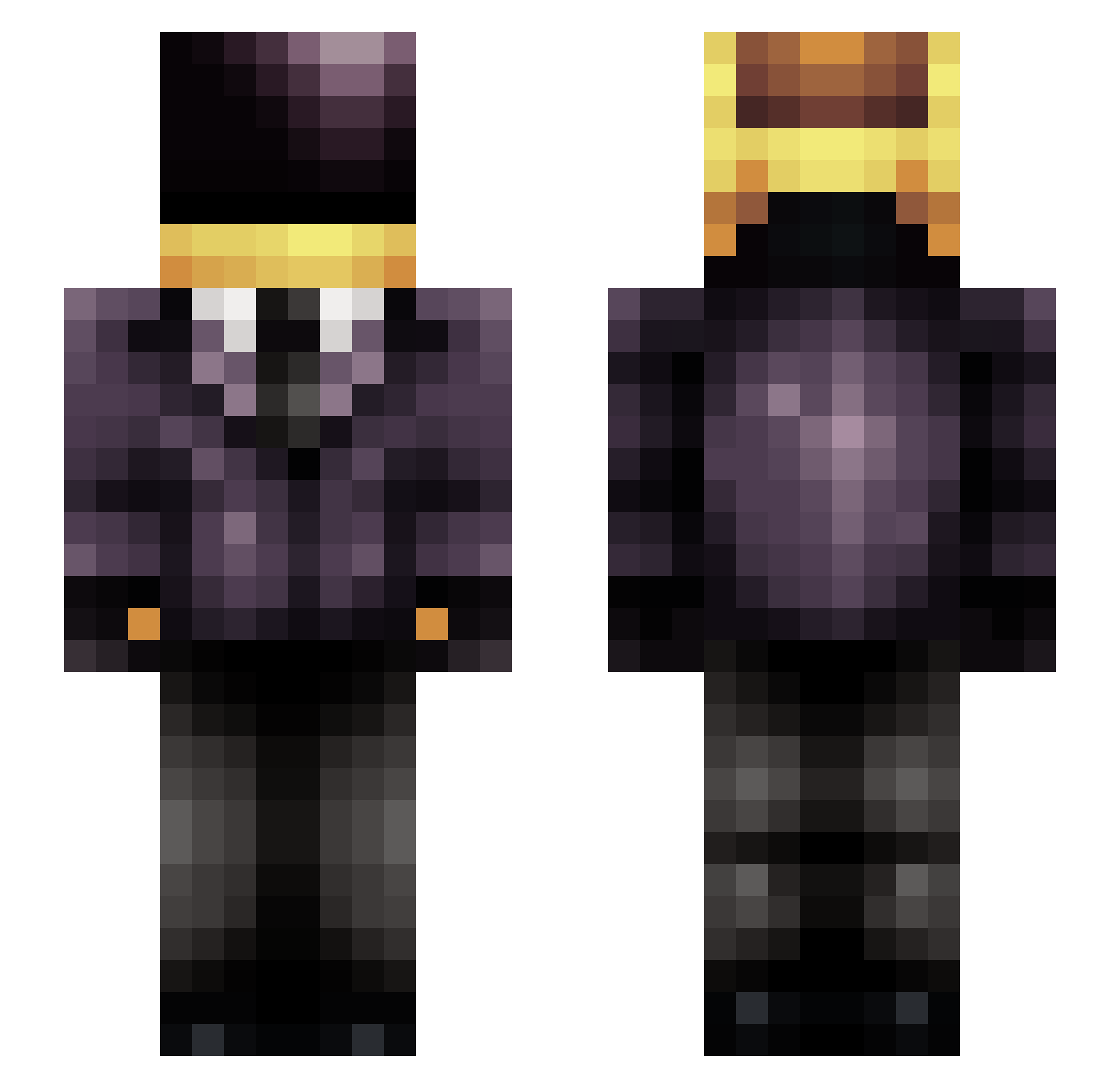
Current Minecraft skin of the player Beteache, loaded from the official Mojang API. Rotate the 3D model with your mouse or finger, then download the skin as a PNG file and use it in Minecraft: Bedrock Edition or Java Edition for free. When Beteache changes their skin, this page updates automatically and the old skin stays in the history below.
Other players with this skin (243)
Beteache was the 15th player we have seen with this skin, first spotted on 02.08.2026. The same skin was seen on these players. Open a nickname to see their current skin and skin history.
 Ikkitsu UniformCell666 B4rtouille rurouni_x wilsmith82 bita4 ThatOneFeller carbono11 Taip3 ShadowRevenge Drippyman78 vlvethund Shchill Stalem_te dj0nt_b0i cr0cus nahralho Stork68 serahmist chhackl GHCzech speedracerz642 Dinamooo Krigas
 Oxek06 Tiguan_pepere KyleBelyk KanaNugu robinash BlazeOM koose666 BruneIIeschi LOLMAN_4 fernass21 Hasas Moumouou kamuisari __RINZLER__ tcherman MIRIK77 xxGearMachine zapphique SpeyRoyal Zeusoiden rTeczek Beeg_ND DrMuffinPhD GanDalfDaBlack What_Bro GODBRRT Large_Daddy_13 _Asuha_ bbx1337 Rivaquai MIMIC3006 cheapot Dahu_1 AgileLAgile ArcboundX HiddenSquid27
More Daft Punk Minecraft skins
How to install the Beteache skin
- Press the Download button above to save the skin as a PNG file.
- Minecraft: Bedrock Edition (PE): open the Dressing Room from the main menu (or tap your character → Edit Character), go to Classic Skins → Owned, press the + (new skin) button, choose the downloaded PNG and pick the Slim (Alex) model. Works on PC and mobile; consoles cannot import custom skins.
- Minecraft: Java Edition: open the Minecraft Launcher, go to the Skins tab, click New Skin, load the PNG, pick the Slim (Alex) model and press Save & Use. You can also upload it at minecraft.net → Profile → Change Skin.
The skin does not show up after import - what should I do?
Restart Minecraft and open the Dressing Room again - imported skins sometimes appear only after a restart. Also make sure you selected the imported skin and picked the Slim (Alex) model.
Which model should I choose, Classic or Slim?
This skin is designed for the Slim (Alex) model. If you pick the wrong model, the arms of the skin will look stretched or squeezed.
Is the skin of Beteache free to download?
Yes. Press Download, save the PNG file and use it in Minecraft: Bedrock Edition or Java Edition - no payment or registration needed. The skin also works on multiplayer servers and Realms.
More skins
Looking for more? Go back to all Minecraft skins and check the top skins of the week, month and all time, or find any player's skin by nickname.