
BenjaminNL - Minecraft Skins & Skin History
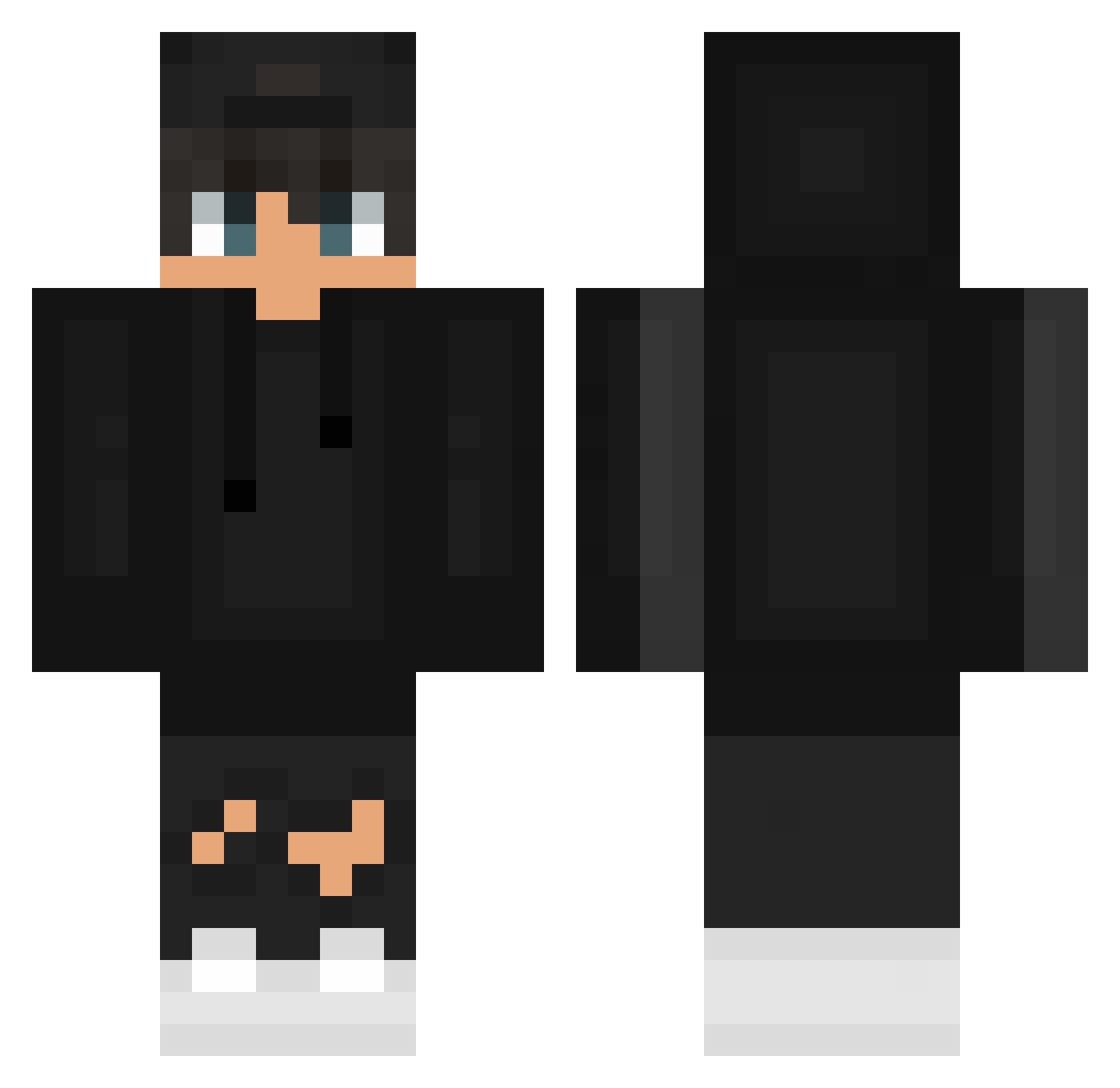
Current Minecraft skin of the player BenjaminNL, loaded from the official Mojang API. Rotate the 3D model with your mouse or finger, then download the skin as a PNG file and use it in Minecraft: Bedrock Edition or Java Edition for free. When BenjaminNL changes their skin, this page updates automatically and the old skin stays in the history below.
Other players with this skin (627)
BenjaminNL was the 237th player we have seen with this skin, first spotted on 08.09.2026. The same skin was seen on these players. Open a nickname to see their current skin and skin history.
 Keev1n
 evancassidymusic xB3isterPlayZx ItsJusTris Notreas1 Ameroo_10 bevoYT ohver xcd192 Shaiyax theszymonn o290 o0o3ov name3412 L3G3nD1 positivefive233 SnipiPL gali8_ GardenGray Jin0911doublej xStalynx Sweaty_Sinzz MURILLOEVITOR patryk2257 zeroldee4867 Marcusz_21 D3VL_23 _Xenon12_ airkmo IVAN4IK321 Mrg4brogamesac2 Esprit_Brise AxisAl goodnightmaxik NOKS757
 TheFallen08 Exisual amoebavidaloka2 MastDio19 SeeFar PerfoDeX MathThePlayer movieking1224 alan_7 theRUSTINNES KillerXCloudy Kranez c_junxi ItsBode algrazaar ThrillStorm AnonymosBR1 Souuup152 enzowcs DRX_LEpro Synts23 NegoDoce7 LosteerX duque9292 TFBreezy
How to install the BenjaminNL skin
- Press the Download button above to save the skin as a PNG file.
- Minecraft: Bedrock Edition (PE): open the Dressing Room from the main menu (or tap your character → Edit Character), go to Classic Skins → Owned, press the + (new skin) button, choose the downloaded PNG and pick the Classic (Steve) model. Works on PC and mobile; consoles cannot import custom skins.
- Minecraft: Java Edition: open the Minecraft Launcher, go to the Skins tab, click New Skin, load the PNG, pick the Classic (Steve) model and press Save & Use. You can also upload it at minecraft.net → Profile → Change Skin.
The skin does not show up after import - what should I do?
Restart Minecraft and open the Dressing Room again - imported skins sometimes appear only after a restart. Also make sure you selected the imported skin and picked the Classic (Steve) model.
Which model should I choose, Classic or Slim?
This skin is designed for the Classic (Steve) model. If you pick the wrong model, the arms of the skin will look stretched or squeezed.
Is the skin of BenjaminNL free to download?
Yes. Press Download, save the PNG file and use it in Minecraft: Bedrock Edition or Java Edition - no payment or registration needed. The skin also works on multiplayer servers and Realms.
More skins
Looking for more? Go back to all Minecraft skins and check the top skins of the week, month and all time, or find any player's skin by nickname.