
Bellfire05 - Minecraft Skins & Skin History
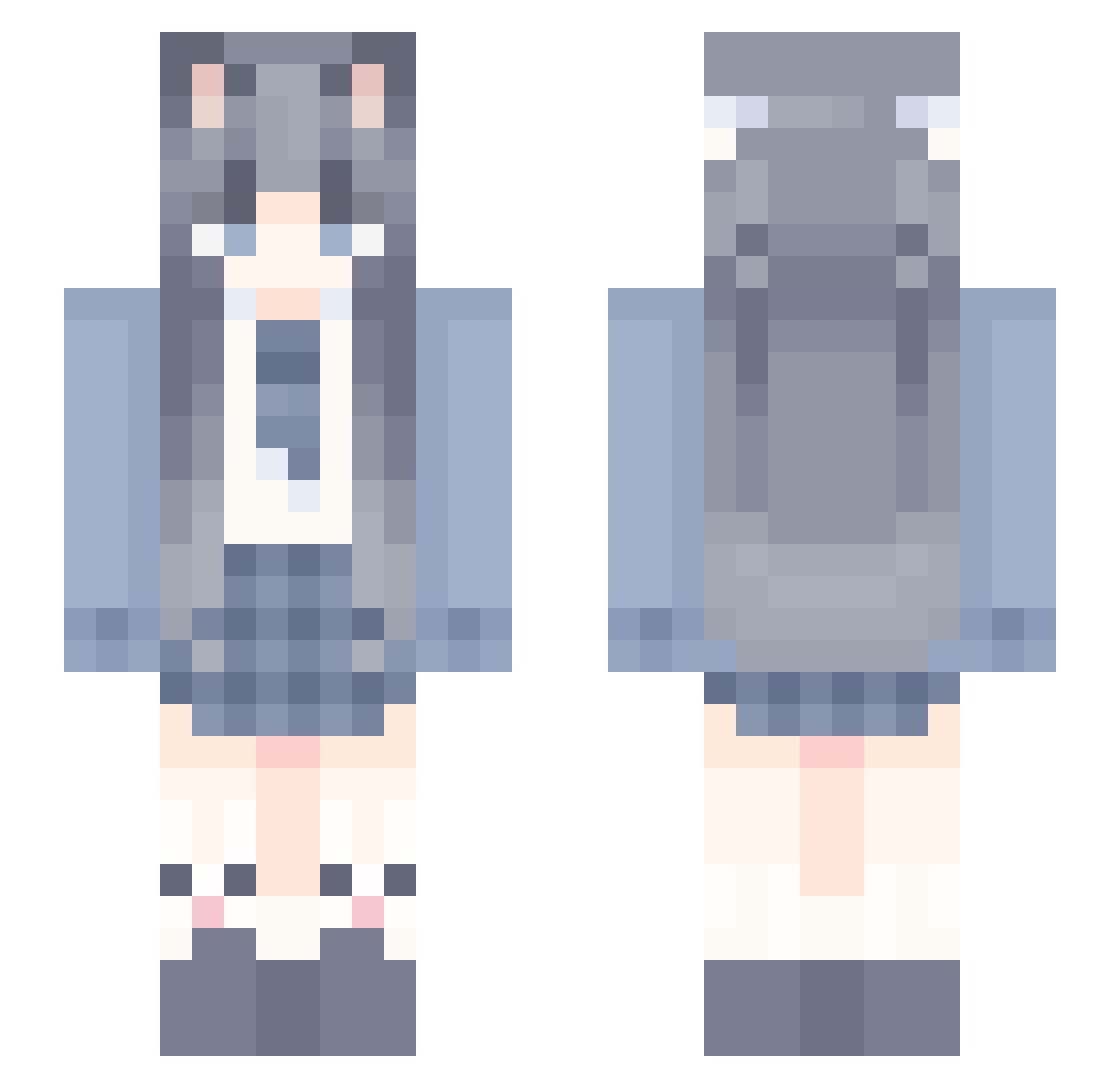
Current Minecraft skin of the player Bellfire05, loaded from the official Mojang API. Rotate the 3D model with your mouse or finger, then download the skin as a PNG file and use it in Minecraft: Bedrock Edition or Java Edition for free. When Bellfire05 changes their skin, this page updates automatically and the old skin stays in the history below.
Other players with this skin (994)
Bellfire05 was the 95th player we have seen with this skin, first spotted on 31.07.2026. The same skin was seen on these players. Open a nickname to see their current skin and skin history.
 ALICEECILA soil456 Hanqiii mengxinworld Billiy1342 xmcdk Furrrrrina Aie77 lost_melody wuili luoxi3 TibialTwo natsumi0 EIAI93 chencx AKIxixi zzy9931 linlic Irisviel_von Ultracapable b1tbb feifei114 Ofc_Cat irrorn Roxyyy1 MuChenSu BH_xiaoyu
 laixli666 StarkSpace JerryDZ youin30 tenthirteen mizukirakira jingjing66 Jfind3 fufufufu_ Nyushira woxiangdang049 illc4 AbuzzJeans tzi_fmiRm_07_22 gfhgte huiyu4 juilkoo None_snow Patchoul__i Liyian_ Ling_er_ya
 QwQx114 herb121 MinYooNa
 coffee_in witecats SaiyuPura ayzwlg233 MySevenDragons abgere Asterainana welin666 YangJinZhao
More School Uniform Minecraft skins
See all 6068 School Uniform skins
How to install the Bellfire05 skin
- Press the Download button above to save the skin as a PNG file.
- Minecraft: Bedrock Edition (PE): open the Dressing Room from the main menu (or tap your character → Edit Character), go to Classic Skins → Owned, press the + (new skin) button, choose the downloaded PNG and pick the Slim (Alex) model. Works on PC and mobile; consoles cannot import custom skins.
- Minecraft: Java Edition: open the Minecraft Launcher, go to the Skins tab, click New Skin, load the PNG, pick the Slim (Alex) model and press Save & Use. You can also upload it at minecraft.net → Profile → Change Skin.
The skin does not show up after import - what should I do?
Restart Minecraft and open the Dressing Room again - imported skins sometimes appear only after a restart. Also make sure you selected the imported skin and picked the Slim (Alex) model.
Which model should I choose, Classic or Slim?
This skin is designed for the Slim (Alex) model. If you pick the wrong model, the arms of the skin will look stretched or squeezed.
Is the skin of Bellfire05 free to download?
Yes. Press Download, save the PNG file and use it in Minecraft: Bedrock Edition or Java Edition - no payment or registration needed. The skin also works on multiplayer servers and Realms.
More skins
Looking for more? Go back to all Minecraft skins and check the top skins of the week, month and all time, or find any player's skin by nickname.