
BeiweiXH - Minecraft Skins & Skin History
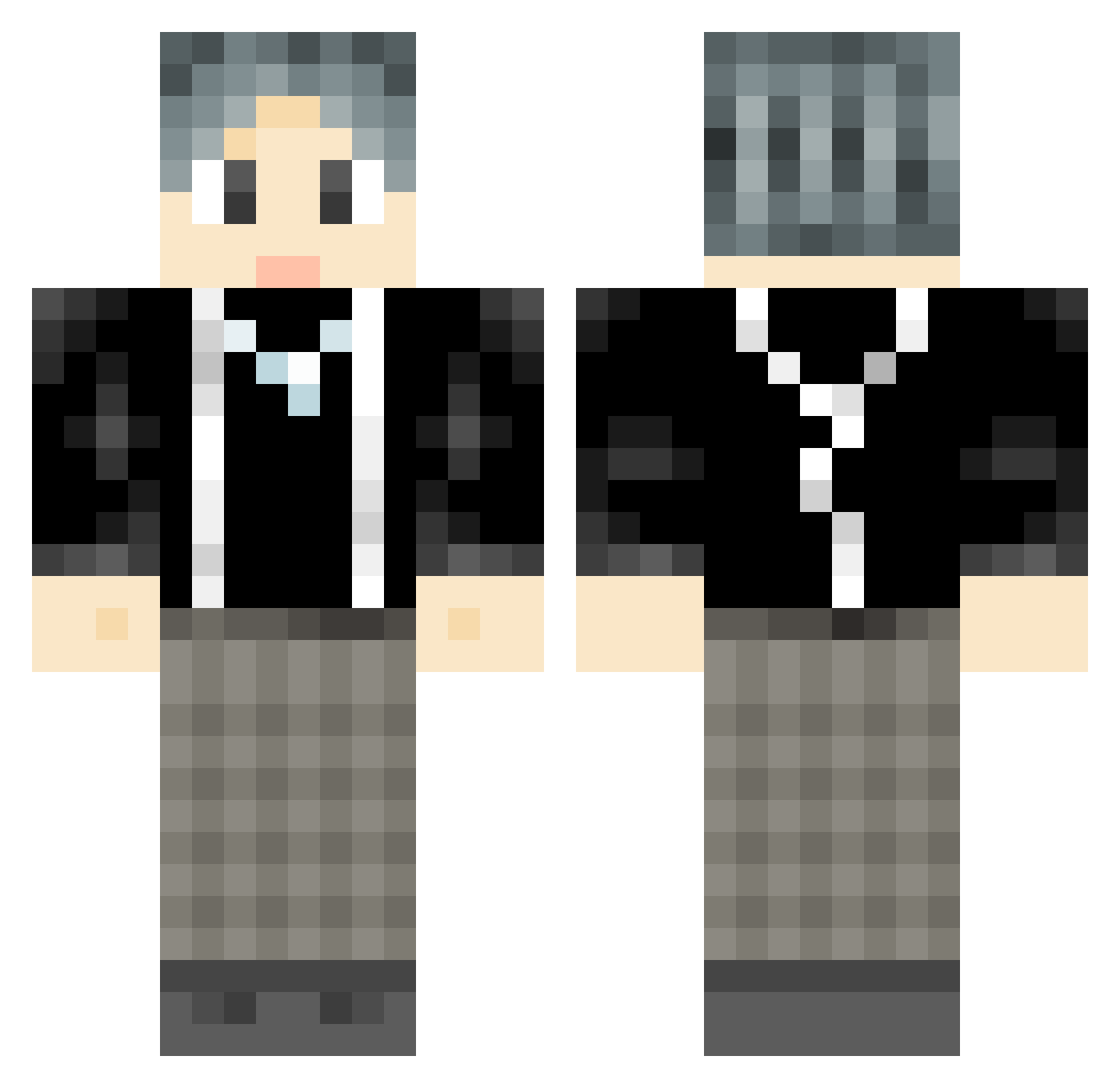
Current Minecraft skin of the player BeiweiXH, loaded from the official Mojang API. Rotate the 3D model with your mouse or finger, then download the skin as a PNG file and use it in Minecraft: Bedrock Edition or Java Edition for free. When BeiweiXH changes their skin, this page updates automatically and the old skin stays in the history below.
Other players with this skin (969)
BeiweiXH was the 804th player we have seen with this skin, first spotted on 25.10.2026. The same skin was seen on these players. Open a nickname to see their current skin and skin history.
 Sidecar_h BoKuD5 sekaruo DespicableMeo FMJ_M myh97 Lijilai1024 Azazel1212 PaperTigerSam aba_aba_a _Agent_X0 Hydra090 xiaolingxi666 Ferdinandtt amose13 leberone Raedf DEATHofSAUSE AxelHu42 SilentKing1 WZero333 IKUNzaf Taraku101 foxnb Cloudy12138 kunkun0818 24414 SWIKUN Dt_Demo StarPlatinum44 xyz3494 coko789 woshiGuhui chechedexiaogou Never1ess l_oxol bobo_2025 wxx606 bilibili654 GG163 Jason_Kave DARLINGYY Mo_bi666 shen_123 VagNh JingerHYS komeijiSator_JZ theresaclient DashingGalaxy schnb viper012844 Kotaki430 SkaiterCC Huangqing Xiaziyu99 laowu102 GGMMP kuankuang BELINGDA 110120
How to install the BeiweiXH skin
- Press the Download button above to save the skin as a PNG file.
- Minecraft: Bedrock Edition (PE): open the Dressing Room from the main menu (or tap your character → Edit Character), go to Classic Skins → Owned, press the + (new skin) button, choose the downloaded PNG and pick the Classic (Steve) model. Works on PC and mobile; consoles cannot import custom skins.
- Minecraft: Java Edition: open the Minecraft Launcher, go to the Skins tab, click New Skin, load the PNG, pick the Classic (Steve) model and press Save & Use. You can also upload it at minecraft.net → Profile → Change Skin.
The skin does not show up after import - what should I do?
Restart Minecraft and open the Dressing Room again - imported skins sometimes appear only after a restart. Also make sure you selected the imported skin and picked the Classic (Steve) model.
Which model should I choose, Classic or Slim?
This skin is designed for the Classic (Steve) model. If you pick the wrong model, the arms of the skin will look stretched or squeezed.
Is the skin of BeiweiXH free to download?
Yes. Press Download, save the PNG file and use it in Minecraft: Bedrock Edition or Java Edition - no payment or registration needed. The skin also works on multiplayer servers and Realms.
More skins
Looking for more? Go back to all Minecraft skins and check the top skins of the week, month and all time, or find any player's skin by nickname.