
BELINGDA - Minecraft Skins & Skin History
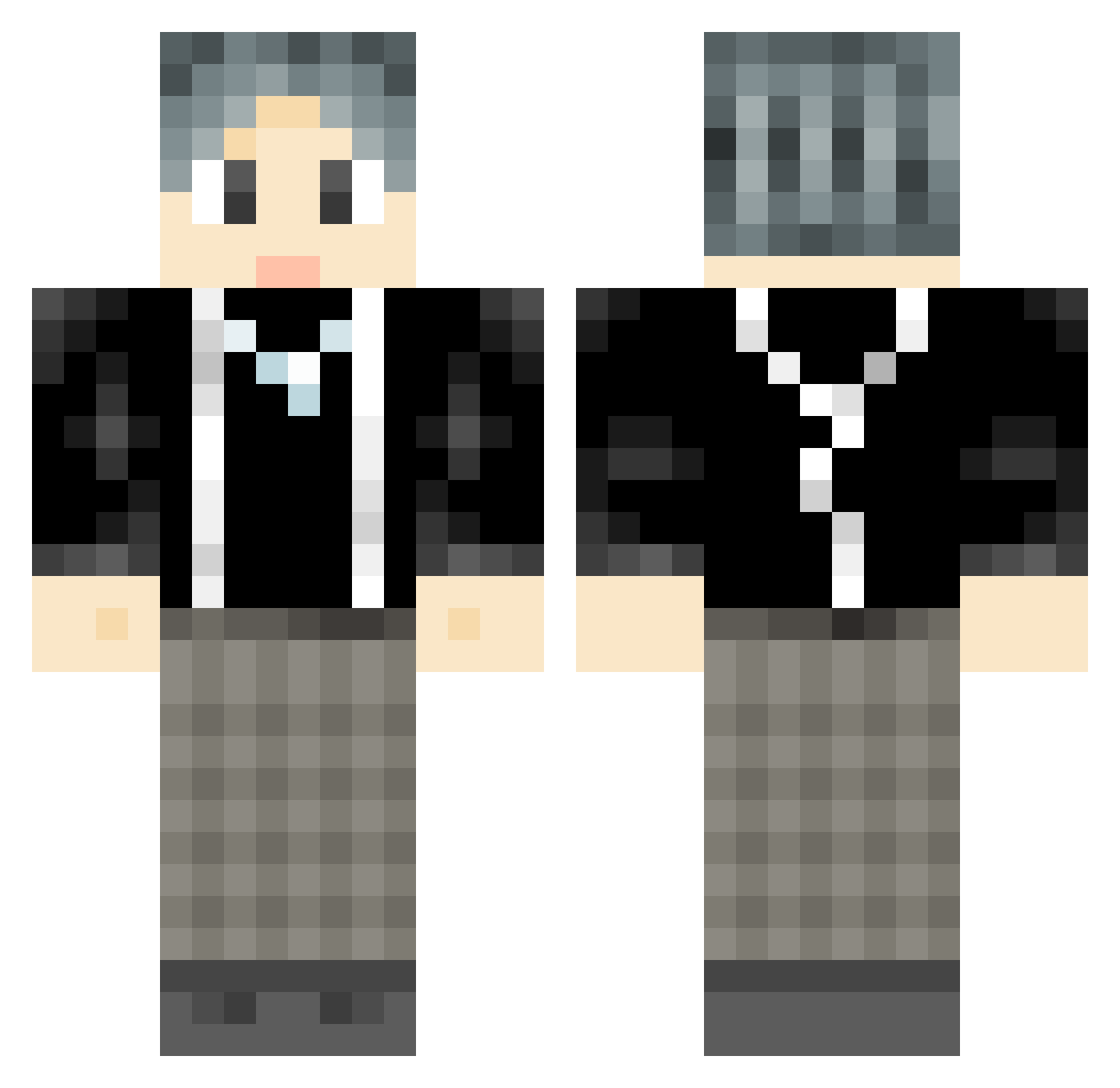
Current Minecraft skin of the player BELINGDA, loaded from the official Mojang API. Rotate the 3D model with your mouse or finger, then download the skin as a PNG file and use it in Minecraft: Bedrock Edition or Java Edition for free. When BELINGDA changes their skin, this page updates automatically and the old skin stays in the history below.
Other players with this skin (777)
BELINGDA was the 771st player we have seen with this skin, first spotted on 22.10.2026. The same skin was seen on these players. Open a nickname to see their current skin and skin history.
 kuankuang laowu102 Huangqing SkaiterCC viper012844 schnb PixelKooooo myg12 YYYYYHD solove_xhxt theresaclient GooLucky jujue0603 li_xiao_yao Wthaaa NiyoaY RyealAlts_213873 DMlag RuoChen404 VanYang1013 CandyArk qianzhijun DK_forever xiaochenyh JIALE_world lolrex21 Toudian Yun_Shuan shahac yiiann Melodious yylyylyyl132 yysjdy qasanp zhubizcm Ghran kaiklo000 ZenlinX banban122 ikunSS WEIKUN redhesingberg GIN_Asso Happyevday Kcmad11 VioletMO monochromicon HuaBaiH Heartwad Zhang0Fei MatzeLaible YRX2003 Butter_godfather lindazhi Hanyut TakeawayBrother Father_LJJ dW_Wb bokides zpwwdz
How to install the BELINGDA skin
- Press the Download button above to save the skin as a PNG file.
- Minecraft: Bedrock Edition (PE): open the Dressing Room from the main menu (or tap your character → Edit Character), go to Classic Skins → Owned, press the + (new skin) button, choose the downloaded PNG and pick the Classic (Steve) model. Works on PC and mobile; consoles cannot import custom skins.
- Minecraft: Java Edition: open the Minecraft Launcher, go to the Skins tab, click New Skin, load the PNG, pick the Classic (Steve) model and press Save & Use. You can also upload it at minecraft.net → Profile → Change Skin.
The skin does not show up after import - what should I do?
Restart Minecraft and open the Dressing Room again - imported skins sometimes appear only after a restart. Also make sure you selected the imported skin and picked the Classic (Steve) model.
Which model should I choose, Classic or Slim?
This skin is designed for the Classic (Steve) model. If you pick the wrong model, the arms of the skin will look stretched or squeezed.
Is the skin of BELINGDA free to download?
Yes. Press Download, save the PNG file and use it in Minecraft: Bedrock Edition or Java Edition - no payment or registration needed. The skin also works on multiplayer servers and Realms.
More skins
Looking for more? Go back to all Minecraft skins and check the top skins of the week, month and all time, or find any player's skin by nickname.