
BeccaLeigh - Minecraft Skins & Skin History
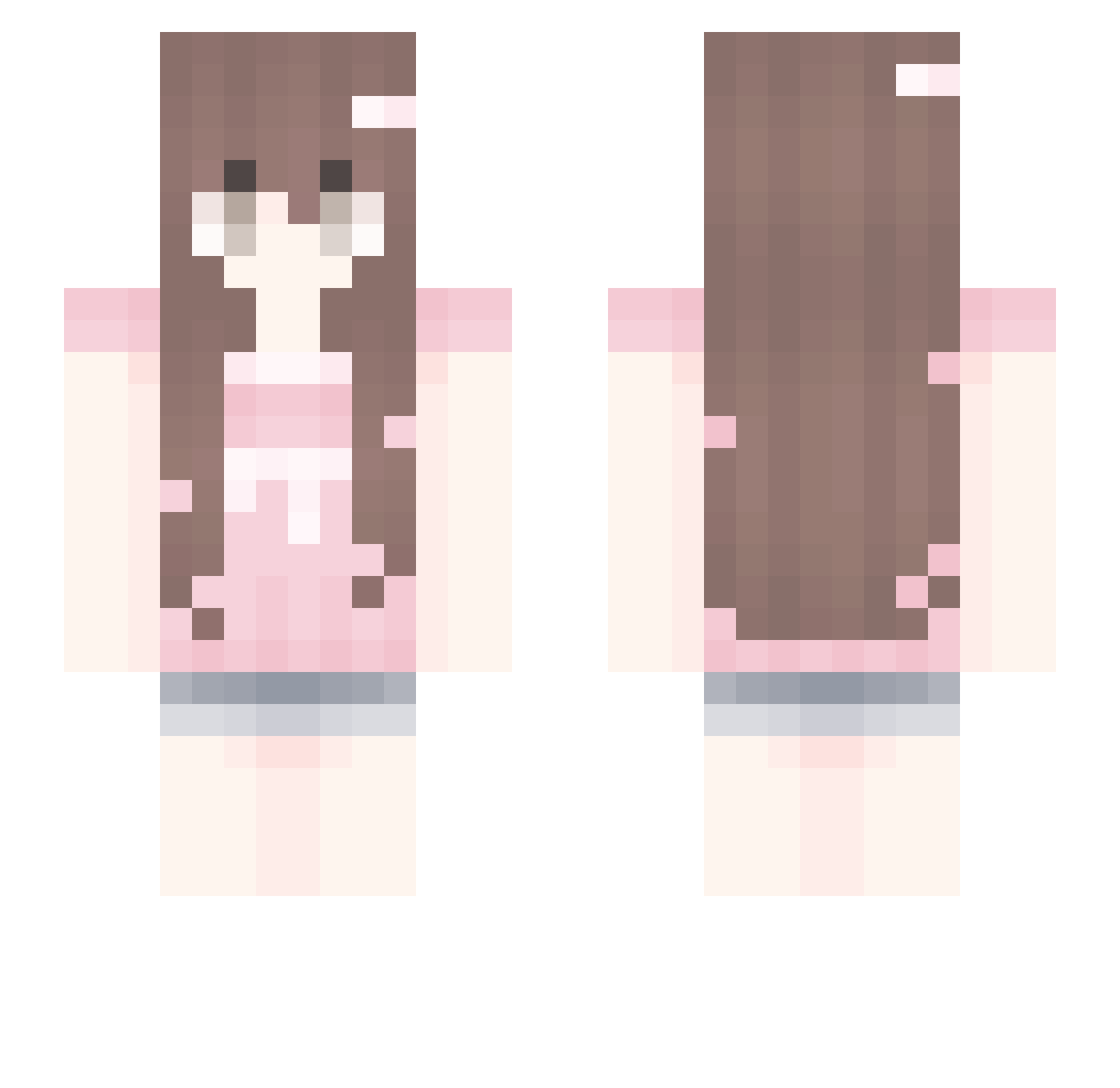
Current Minecraft skin of the player BeccaLeigh, loaded from the official Mojang API. Rotate the 3D model with your mouse or finger, then download the skin as a PNG file and use it in Minecraft: Bedrock Edition or Java Edition for free. When BeccaLeigh changes their skin, this page updates automatically and the old skin stays in the history below.
Other players with this skin (95)
BeccaLeigh was the 39th player we have seen with this skin, first spotted on 15.09.2026. The same skin was seen on these players. Open a nickname to see their current skin and skin history.
 rainyioo zeroconf Eli_kkkj DiscountPixies Kiaoma Isabelzxy LioNa0419 z_z28098 Si1houette_ tttarta Mankolo mwdeline Usemimic Alsubaie_ gxssb S33dy_ tiffanyyyyyyyyy IprobHateUUUUUU GABERX1231 SplycerP oO_Cinnamqn_Oo santiago7576 chrvlotte Rosalas Esgolofopeu 3Soap3 BerhaALKN BrokenArrows0_0 MowCat MilkySenpai03
 SwerveOwO aveiier lilm0c0mang GivingDATA jksnks Minecrafttae3164 Cototumare emilkaa08 mcwutie byui Lexyyli cinnamonfrog JENNlE Pitisuiis HestiaAmane NightMareCZ333 moon11ight
 catx_v joyooosss MLODY_PAN_HAN Jixytelol eva09876 MotherOfSMP WoofWoofPRIME xentaiiiii Yauuiur avaschmava KekeTenchix
 chmurunia Nazaret1730
More Cute Minecraft skins
How to install the BeccaLeigh skin
- Press the Download button above to save the skin as a PNG file.
- Minecraft: Bedrock Edition (PE): open the Dressing Room from the main menu (or tap your character → Edit Character), go to Classic Skins → Owned, press the + (new skin) button, choose the downloaded PNG and pick the Slim (Alex) model. Works on PC and mobile; consoles cannot import custom skins.
- Minecraft: Java Edition: open the Minecraft Launcher, go to the Skins tab, click New Skin, load the PNG, pick the Slim (Alex) model and press Save & Use. You can also upload it at minecraft.net → Profile → Change Skin.
The skin does not show up after import - what should I do?
Restart Minecraft and open the Dressing Room again - imported skins sometimes appear only after a restart. Also make sure you selected the imported skin and picked the Slim (Alex) model.
Which model should I choose, Classic or Slim?
This skin is designed for the Slim (Alex) model. If you pick the wrong model, the arms of the skin will look stretched or squeezed.
Is the skin of BeccaLeigh free to download?
Yes. Press Download, save the PNG file and use it in Minecraft: Bedrock Edition or Java Edition - no payment or registration needed. The skin also works on multiplayer servers and Realms.
More skins
Looking for more? Go back to all Minecraft skins and check the top skins of the week, month and all time, or find any player's skin by nickname.