
BauerBuchen - Minecraft Skins & Skin History
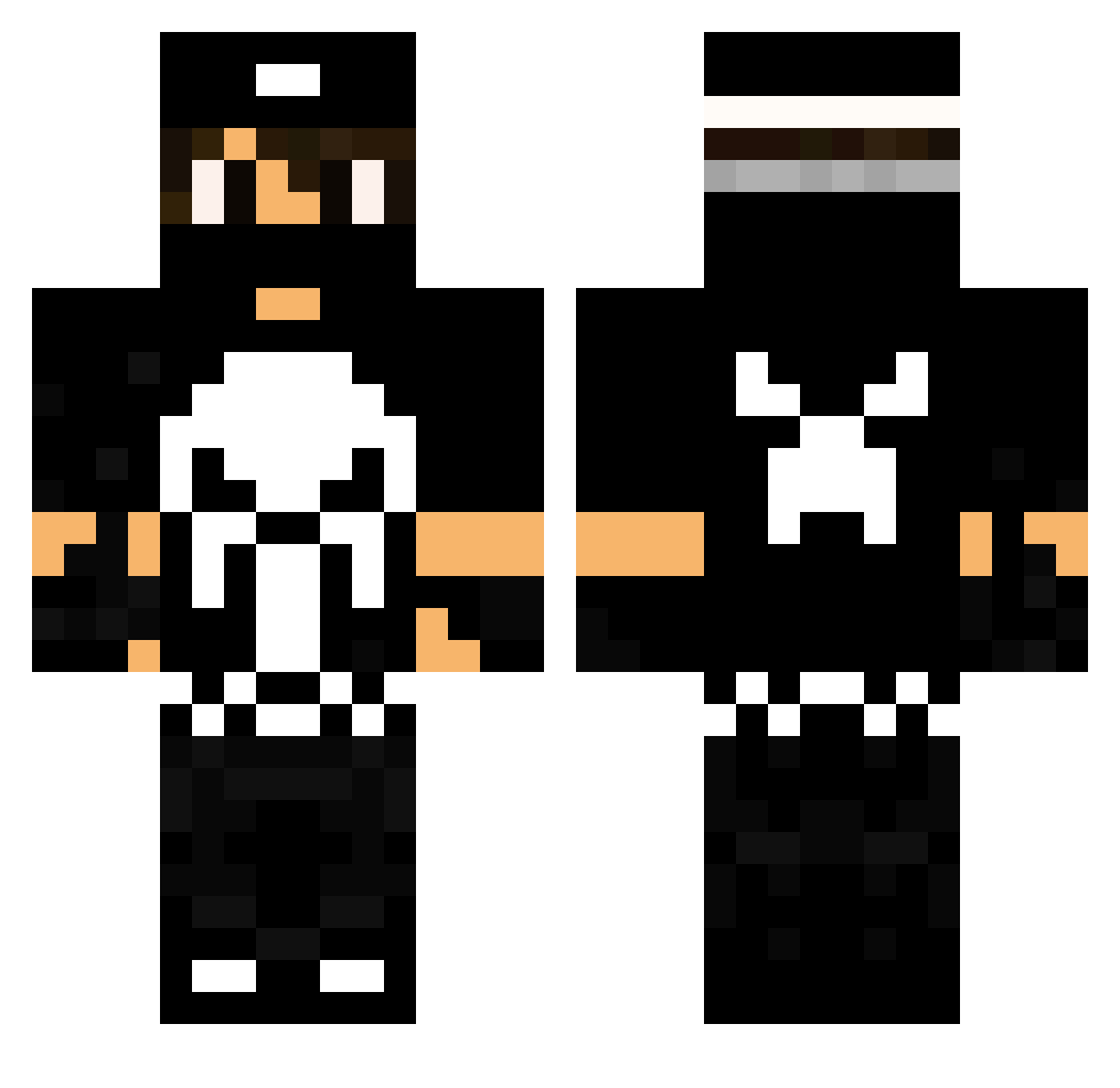
Current Minecraft skin of the player BauerBuchen, loaded from the official Mojang API. Rotate the 3D model with your mouse or finger, then download the skin as a PNG file and use it in Minecraft: Bedrock Edition or Java Edition for free. When BauerBuchen changes their skin, this page updates automatically and the old skin stays in the history below.
Other players with this skin (107)
BauerBuchen was the 69th player we have seen with this skin, first spotted on 27.09.2026. The same skin was seen on these players. Open a nickname to see their current skin and skin history.
 GesuIlMessia Ns_yozgatli Maxik231 freaksLpxy Chucky_82 matcraft51 GrandeHokage Kubexxx ThunderStuck335 Phoenix754 OMERFARUK123_ iiMHWoos98 Pitze1970 Blackdaz77 ItzMagnusMC YdrakeX Monster440 EOM315 TROLLTODEBIL kmarxvii Jacopo_Carlos The_Bullz_3y3 __wsoares__ MafiaGPlay Roger_Jackson brNZika IKEsan_X Methesda AndinhoPc Metalcrafter666 Kaze1n Dynamitte Masuelino KHRAUSSER_YT LuckyCR Paranormoli Black_Dragon_18 The_new_KKK Danielopes_ Flashdestruidor xTzGhost_ BruMoure dudi123 Codiak84 SHARK1_ BlackCharcoal lerodrigues1412 NinJuts4 Zennyboy101 jimboy4712 muraquinha Alberto024 RenanBortolo Yo_boi_546 erciocci UraMyll GodZxFuRiA kouillegoche grimreaper426 KireKiller
More The Punisher Minecraft skins
See all 155 The Punisher skins
How to install the BauerBuchen skin
- Press the Download button above to save the skin as a PNG file.
- Minecraft: Bedrock Edition (PE): open the Dressing Room from the main menu (or tap your character → Edit Character), go to Classic Skins → Owned, press the + (new skin) button, choose the downloaded PNG and pick the Classic (Steve) model. Works on PC and mobile; consoles cannot import custom skins.
- Minecraft: Java Edition: open the Minecraft Launcher, go to the Skins tab, click New Skin, load the PNG, pick the Classic (Steve) model and press Save & Use. You can also upload it at minecraft.net → Profile → Change Skin.
The skin does not show up after import - what should I do?
Restart Minecraft and open the Dressing Room again - imported skins sometimes appear only after a restart. Also make sure you selected the imported skin and picked the Classic (Steve) model.
Which model should I choose, Classic or Slim?
This skin is designed for the Classic (Steve) model. If you pick the wrong model, the arms of the skin will look stretched or squeezed.
Is the skin of BauerBuchen free to download?
Yes. Press Download, save the PNG file and use it in Minecraft: Bedrock Edition or Java Edition - no payment or registration needed. The skin also works on multiplayer servers and Realms.
More skins
Looking for more? Go back to all Minecraft skins and check the top skins of the week, month and all time, or find any player's skin by nickname.