
Battz0ck - Minecraft Skins & Skin History
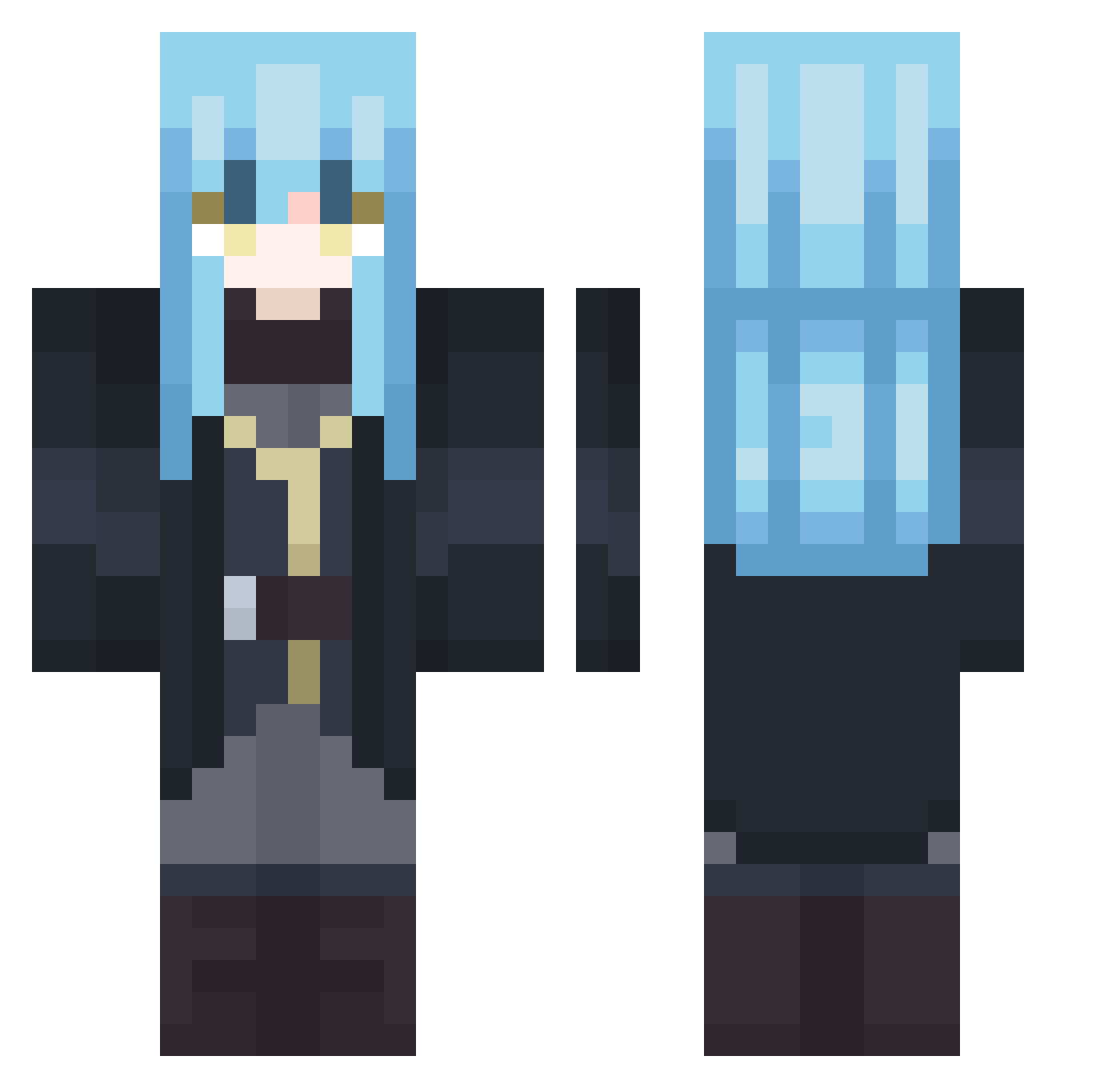
Current Minecraft skin of the player Battz0ck, loaded from the official Mojang API. Rotate the 3D model with your mouse or finger, then download the skin as a PNG file and use it in Minecraft: Bedrock Edition or Java Edition for free. When Battz0ck changes their skin, this page updates automatically and the old skin stays in the history below.
Other players with this skin (502)
Battz0ck was the 459th player we have seen with this skin, first spotted on 11.11.2026. The same skin was seen on these players. Open a nickname to see their current skin and skin history.
 krisoplt_ Lightningveil316 MatthewDaniels PantherKamaloen ScarHal GaitoKung Den9501 marcus794 SiryxRaton ImBatman13LATS jawad2011 Jota_Tempestade ArexyYT dyzjct Overdun ItzYuzuru RikkaTnS RAGNAROEK9908 DraKx78 Seniorsimo nebetsuu CanYee L1AR__ HyperNova200 Arut_5 DanielYsag Blindjustice01 Sevenseee Seaks_ Kira_Yoshikage2 yuto0529 nolicap Crimzzz Snnarh Fenive Register125 Spionfacha XxTheLoperxX Qwix890 Wu_Guo_ JemiLayLey Nazaruko SlayerOB23 milem_ice chayl Flower_w BlexisDeus LimuleT1 LuffyTempest Wlochacz1 NieRu KC_chipo Hanryx Cobi_Gamer Jusliko SH4646 Lakellef Banjoof SunnyJoy25 inkcatt
More Rimuru Tempest Minecraft skins
See all 283 Rimuru Tempest skins
How to install the Battz0ck skin
- Press the Download button above to save the skin as a PNG file.
- Minecraft: Bedrock Edition (PE): open the Dressing Room from the main menu (or tap your character → Edit Character), go to Classic Skins → Owned, press the + (new skin) button, choose the downloaded PNG and pick the Classic (Steve) model. Works on PC and mobile; consoles cannot import custom skins.
- Minecraft: Java Edition: open the Minecraft Launcher, go to the Skins tab, click New Skin, load the PNG, pick the Classic (Steve) model and press Save & Use. You can also upload it at minecraft.net → Profile → Change Skin.
The skin does not show up after import - what should I do?
Restart Minecraft and open the Dressing Room again - imported skins sometimes appear only after a restart. Also make sure you selected the imported skin and picked the Classic (Steve) model.
Which model should I choose, Classic or Slim?
This skin is designed for the Classic (Steve) model. If you pick the wrong model, the arms of the skin will look stretched or squeezed.
Is the skin of Battz0ck free to download?
Yes. Press Download, save the PNG file and use it in Minecraft: Bedrock Edition or Java Edition - no payment or registration needed. The skin also works on multiplayer servers and Realms.
More skins
Looking for more? Go back to all Minecraft skins and check the top skins of the week, month and all time, or find any player's skin by nickname.