
Banaritaz - Minecraft Skins & Skin History
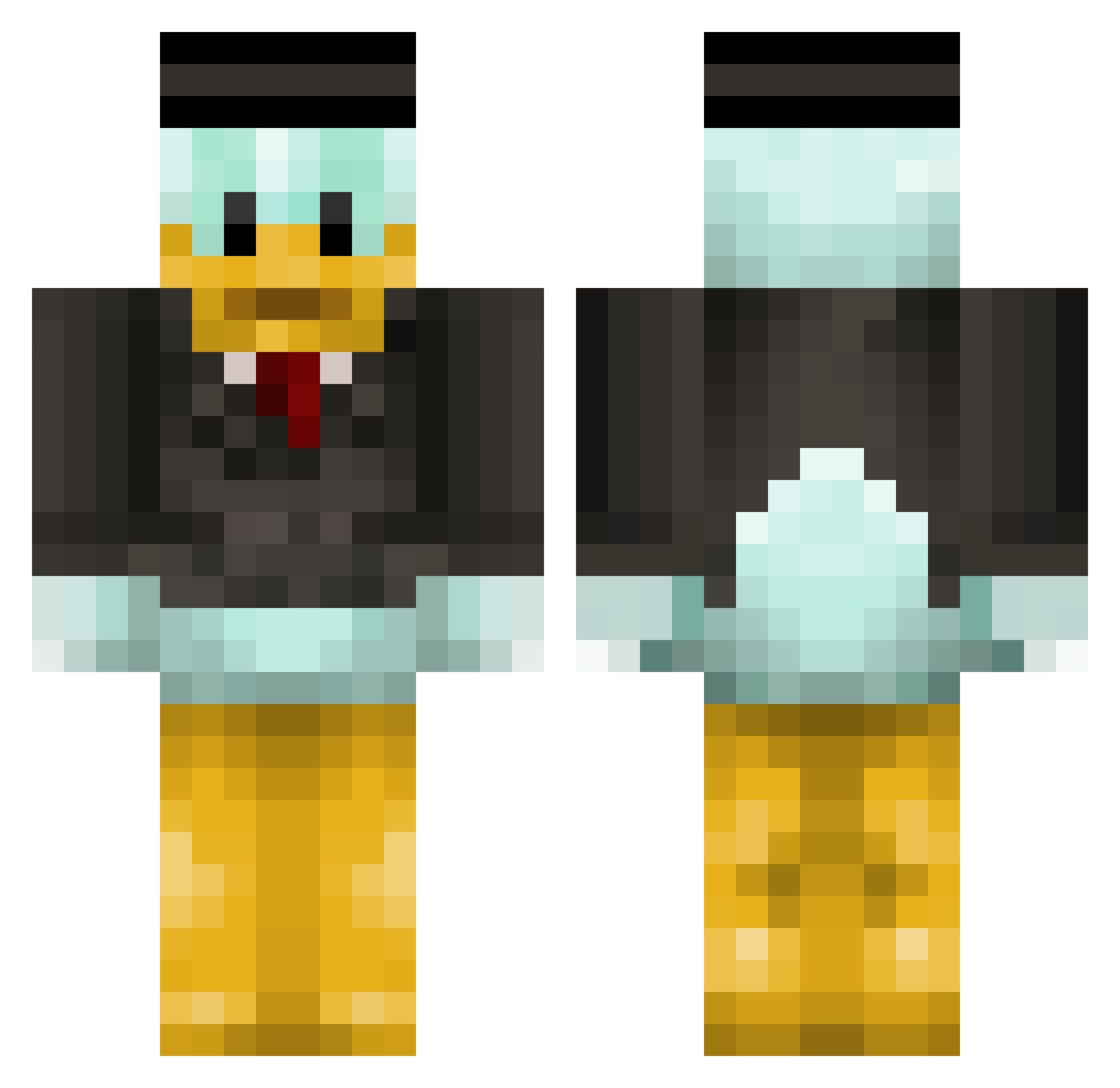
Current Minecraft skin of the player Banaritaz, loaded from the official Mojang API. Rotate the 3D model with your mouse or finger, then download the skin as a PNG file and use it in Minecraft: Bedrock Edition or Java Edition for free. When Banaritaz changes their skin, this page updates automatically and the old skin stays in the history below.
Other players with this skin (314)
Banaritaz was the 162nd player we have seen with this skin, first spotted on 11.09.2026. The same skin was seen on these players. Open a nickname to see their current skin and skin history.
 Lt_Duck sippxntea69 houou37 Bigkill18 OnlyJATT Maq4n negr221 Kukwa Darova_ Treeeeeez andriity HVH_BOY_HVH AhmetLut1iARS ateista34 duckymooboomboom Nedermings RustyRL potatoman2444 BlazeBound7 olta122 VGT_Omarwin10 soulimit1 55Duck55 kevinere elnunu Arti1113 Bartz2010 ayano__01 DarkMadDragon ADiSkywalker yqyyy16 Stafbir Devilcr0w EndernetLTU BakariBondhu litan_w jrpa2004 KrasiviySoup MikeNovember1 Twentytwoo OblongWool Joa1uim AlexGriff wagewan SebasXP EvandroBoaVista vlk1234 samysamy224 MISHANIA4 StarwarsSilas vexnotjake prceeek dexvert Krous_x Sagabaga1234 Jaronczq PrettyGoodman Varezal lover92 3X_Z1
More Scrooge Mcduck Minecraft skins
See all 27 Scrooge Mcduck skins
How to install the Banaritaz skin
- Press the Download button above to save the skin as a PNG file.
- Minecraft: Bedrock Edition (PE): open the Dressing Room from the main menu (or tap your character → Edit Character), go to Classic Skins → Owned, press the + (new skin) button, choose the downloaded PNG and pick the Classic (Steve) model. Works on PC and mobile; consoles cannot import custom skins.
- Minecraft: Java Edition: open the Minecraft Launcher, go to the Skins tab, click New Skin, load the PNG, pick the Classic (Steve) model and press Save & Use. You can also upload it at minecraft.net → Profile → Change Skin.
The skin does not show up after import - what should I do?
Restart Minecraft and open the Dressing Room again - imported skins sometimes appear only after a restart. Also make sure you selected the imported skin and picked the Classic (Steve) model.
Which model should I choose, Classic or Slim?
This skin is designed for the Classic (Steve) model. If you pick the wrong model, the arms of the skin will look stretched or squeezed.
Is the skin of Banaritaz free to download?
Yes. Press Download, save the PNG file and use it in Minecraft: Bedrock Edition or Java Edition - no payment or registration needed. The skin also works on multiplayer servers and Realms.
More skins
Looking for more? Go back to all Minecraft skins and check the top skins of the week, month and all time, or find any player's skin by nickname.