
BananaFish2762 - Minecraft Skins & Skin History
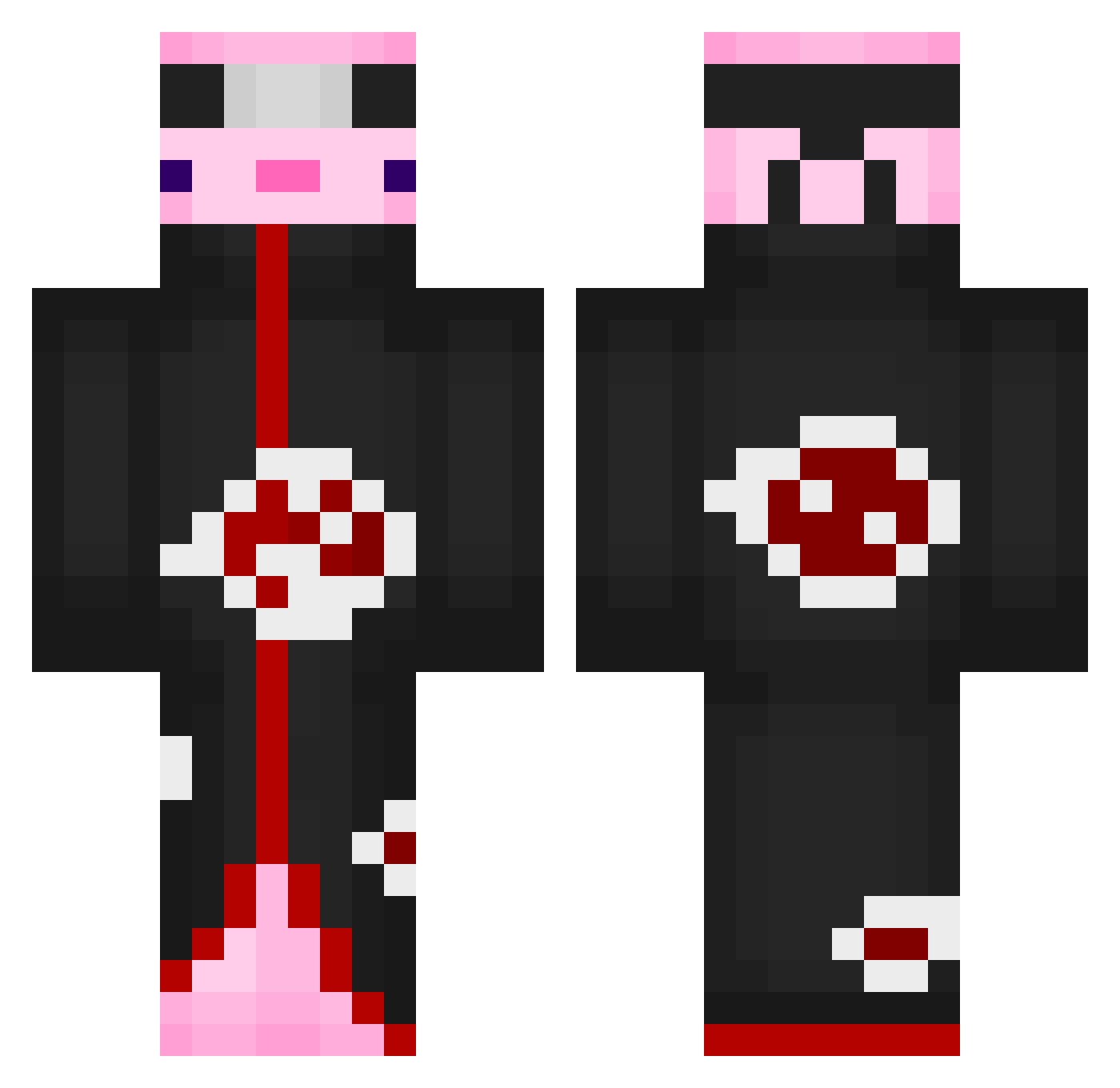
Current Minecraft skin of the player BananaFish2762, loaded from the official Mojang API. Rotate the 3D model with your mouse or finger, then download the skin as a PNG file and use it in Minecraft: Bedrock Edition or Java Edition for free. When BananaFish2762 changes their skin, this page updates automatically and the old skin stays in the history below.
Other players with this skin (554)
BananaFish2762 was the 329th player we have seen with this skin, first spotted on 22.09.2026. The same skin was seen on these players. Open a nickname to see their current skin and skin history.
 xPrinceRed Ermes_ HeroRune Yakurua rukiy611 kindredwolf0567 andreymlanhi S3N0R660 DEFchicken Vynex pikabi1ch pingasoo Dougraxs BAIEN06 GUTEXAS Azimcu smol_cake nino_cht ainn6957 THEDIAMOND4 Mauric1o Chriss1204 kyouder SrMomo miha63 SecretEloy summi2 girlboss2012 OfficerBlockBust nonename05 ItsaNoodle AstrtalisMax MasterNashi Uri7652 sooh_ jjjean KedouOuO ShadowBoy93333 Tamayoooo Nzymaa ShimShamy Dracarma Slixcee lolus31600 NaNasHi774_ NitramJerdna Squartlex burdener Hamzapinar tunasu OverallRock21 nurgoren Alekssander _gamerproxx_ RedGameatron PlayGGuys peter171028 Darkwave247 epicquickscope_4 dDragon_gambr
More Akatsuki Minecraft skins
How to install the BananaFish2762 skin
- Press the Download button above to save the skin as a PNG file.
- Minecraft: Bedrock Edition (PE): open the Dressing Room from the main menu (or tap your character → Edit Character), go to Classic Skins → Owned, press the + (new skin) button, choose the downloaded PNG and pick the Classic (Steve) model. Works on PC and mobile; consoles cannot import custom skins.
- Minecraft: Java Edition: open the Minecraft Launcher, go to the Skins tab, click New Skin, load the PNG, pick the Classic (Steve) model and press Save & Use. You can also upload it at minecraft.net → Profile → Change Skin.
The skin does not show up after import - what should I do?
Restart Minecraft and open the Dressing Room again - imported skins sometimes appear only after a restart. Also make sure you selected the imported skin and picked the Classic (Steve) model.
Which model should I choose, Classic or Slim?
This skin is designed for the Classic (Steve) model. If you pick the wrong model, the arms of the skin will look stretched or squeezed.
Is the skin of BananaFish2762 free to download?
Yes. Press Download, save the PNG file and use it in Minecraft: Bedrock Edition or Java Edition - no payment or registration needed. The skin also works on multiplayer servers and Realms.
More skins
Looking for more? Go back to all Minecraft skins and check the top skins of the week, month and all time, or find any player's skin by nickname.