
BananaBot_ - Minecraft Skins & Skin History
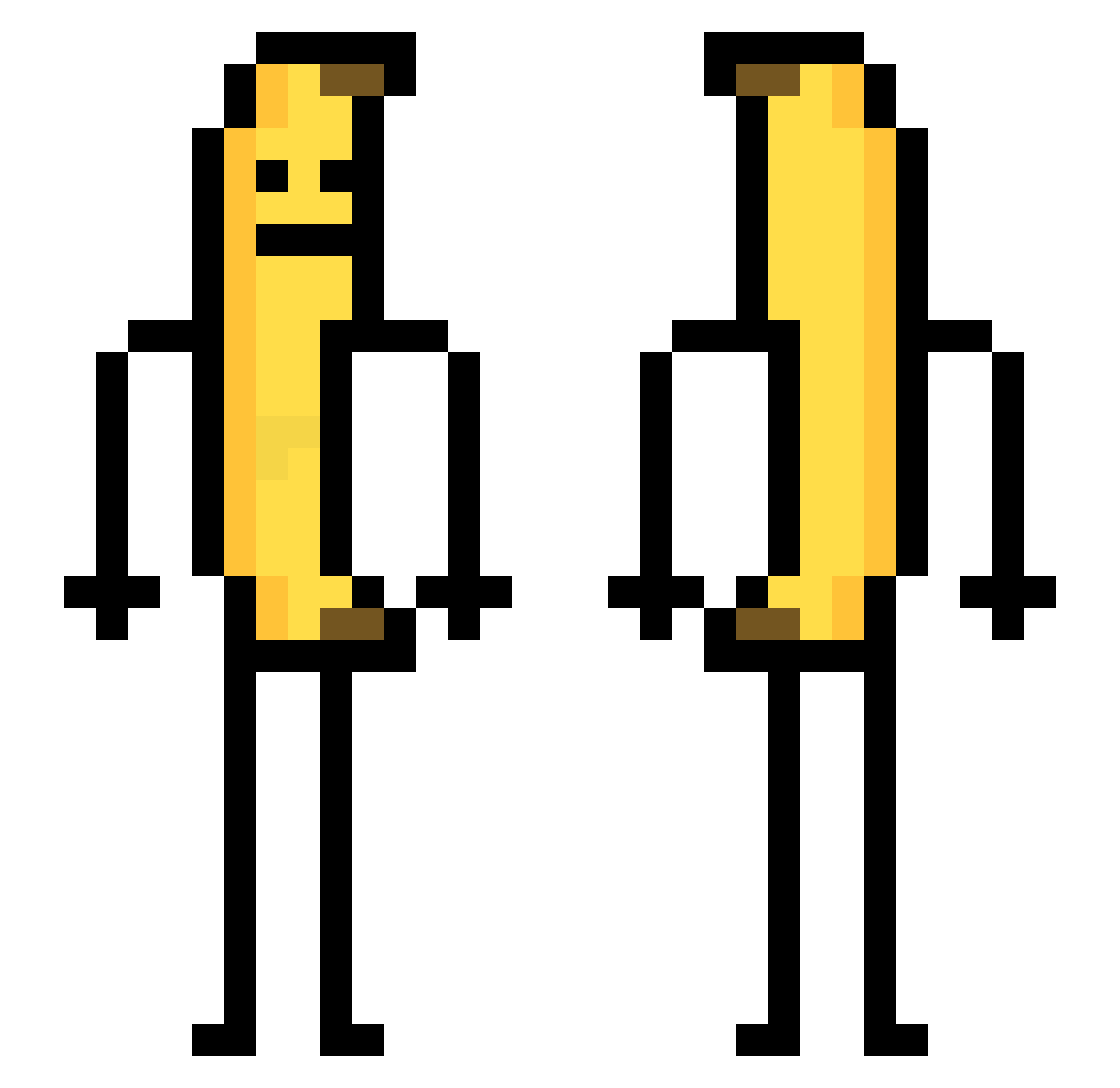
Current Minecraft skin of the player BananaBot_, loaded from the official Mojang API. Rotate the 3D model with your mouse or finger, then download the skin as a PNG file and use it in Minecraft: Bedrock Edition or Java Edition for free. When BananaBot_ changes their skin, this page updates automatically and the old skin stays in the history below.
Other players with this skin (738)
BananaBot_ was the 604th player we have seen with this skin, first spotted on 16.10.2026. The same skin was seen on these players. Open a nickname to see their current skin and skin history.
 Avcuu Jishboii OldBlackMan1 farts1 aletom934 junnyucc ZUTOMAYOYO abhizzy HyundaiSteel voldy7491 ImBlindSac Eraser0929 Linulu RawD_ twet RusoLD hypertron0713 jason981121 Elleverick ko0328 Da_Banana_God ebenezeer 7HEAVENN ReptilNecrosis Envylicious88 ManDu1029 NameThatsFunny Linzhi855 RamdonDaYullinha NoSoyAmaDeCasa NotAnNPCg shikazerone kripkee 104_019 perepo man_its_cold69 Zepdexx gusdlf2954 shadow_zhiyi Setomono RY0428 fivetsai Tarich44 ReaIMario Minjun0078 LuciTheAlpha Maddie_83 hamildollar BigYanana sigma_goober G1o_o cvdyn ICollectWood HAFAT95 Twitch_xswiz3rx xdmomo16 jaz_j3n chanwook_kim ARVINYM shuzi1101
More Banana Minecraft skins
How to install the BananaBot_ skin
- Press the Download button above to save the skin as a PNG file.
- Minecraft: Bedrock Edition (PE): open the Dressing Room from the main menu (or tap your character → Edit Character), go to Classic Skins → Owned, press the + (new skin) button, choose the downloaded PNG and pick the Classic (Steve) model. Works on PC and mobile; consoles cannot import custom skins.
- Minecraft: Java Edition: open the Minecraft Launcher, go to the Skins tab, click New Skin, load the PNG, pick the Classic (Steve) model and press Save & Use. You can also upload it at minecraft.net → Profile → Change Skin.
The skin does not show up after import - what should I do?
Restart Minecraft and open the Dressing Room again - imported skins sometimes appear only after a restart. Also make sure you selected the imported skin and picked the Classic (Steve) model.
Which model should I choose, Classic or Slim?
This skin is designed for the Classic (Steve) model. If you pick the wrong model, the arms of the skin will look stretched or squeezed.
Is the skin of BananaBot_ free to download?
Yes. Press Download, save the PNG file and use it in Minecraft: Bedrock Edition or Java Edition - no payment or registration needed. The skin also works on multiplayer servers and Realms.
More skins
Looking for more? Go back to all Minecraft skins and check the top skins of the week, month and all time, or find any player's skin by nickname.