
Bambo_123 - Minecraft Skins & Skin History
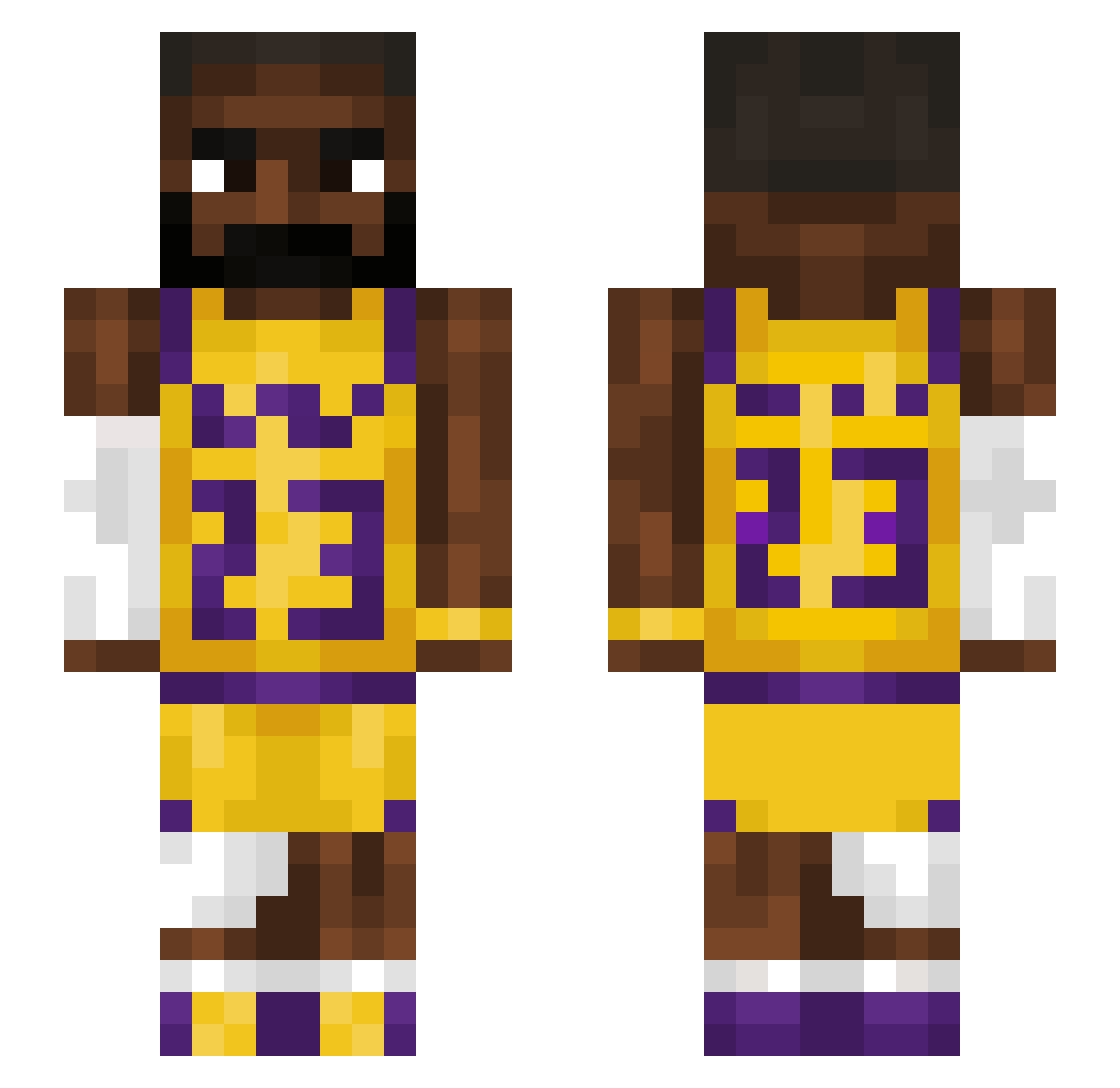
Current Minecraft skin of the player Bambo_123, loaded from the official Mojang API. Rotate the 3D model with your mouse or finger, then download the skin as a PNG file and use it in Minecraft: Bedrock Edition or Java Edition for free. When Bambo_123 changes their skin, this page updates automatically and the old skin stays in the history below.
Other players with this skin (1221)
Bambo_123 was the 93rd player we have seen with this skin, first spotted on 31.07.2026. The same skin was seen on these players. Open a nickname to see their current skin and skin history.
 Kallemalletin Emanboi21 eddyteddygoat Kubu1979 sameron1_V2 HeteroHenry rayzil04 gamercarrot15 Adrixon22 itsRagebtw EzeEnecoiz Caioba19 Skinke_Manden
 mznkey_man 77uran Hiphopaplottamus LokoMio Mrov1sek nitsuACS puyane9 Nathan2012X loponteg Quaki2010 Imalickyourballs MoneyGain ShiversSon BigD32 BaeJay macon44 princessbeldon KENTPIG FeeJee_ Nino___ NXXXER AwesomeTimeHD Raul_G101 Bean3ater YkDeyz_ Olie3552 Dwarfart
 JaspZam ttpt soggyballs_ tenny00 extreme168 Adoo__ dreadrogue CEDGOD ADHD_BARN JetRoboShark vroomvroom112 BO3S3 noyams xXbedwarsproxX13 Poppy_Sama ErikHeadass ozlin7 robkkable Daged_Out alannabanana_
More Lakers Minecraft skins
How to install the Bambo_123 skin
- Press the Download button above to save the skin as a PNG file.
- Minecraft: Bedrock Edition (PE): open the Dressing Room from the main menu (or tap your character → Edit Character), go to Classic Skins → Owned, press the + (new skin) button, choose the downloaded PNG and pick the Slim (Alex) model. Works on PC and mobile; consoles cannot import custom skins.
- Minecraft: Java Edition: open the Minecraft Launcher, go to the Skins tab, click New Skin, load the PNG, pick the Slim (Alex) model and press Save & Use. You can also upload it at minecraft.net → Profile → Change Skin.
The skin does not show up after import - what should I do?
Restart Minecraft and open the Dressing Room again - imported skins sometimes appear only after a restart. Also make sure you selected the imported skin and picked the Slim (Alex) model.
Which model should I choose, Classic or Slim?
This skin is designed for the Slim (Alex) model. If you pick the wrong model, the arms of the skin will look stretched or squeezed.
Is the skin of Bambo_123 free to download?
Yes. Press Download, save the PNG file and use it in Minecraft: Bedrock Edition or Java Edition - no payment or registration needed. The skin also works on multiplayer servers and Realms.
More skins
Looking for more? Go back to all Minecraft skins and check the top skins of the week, month and all time, or find any player's skin by nickname.