
Bajumi - Minecraft Skins & Skin History
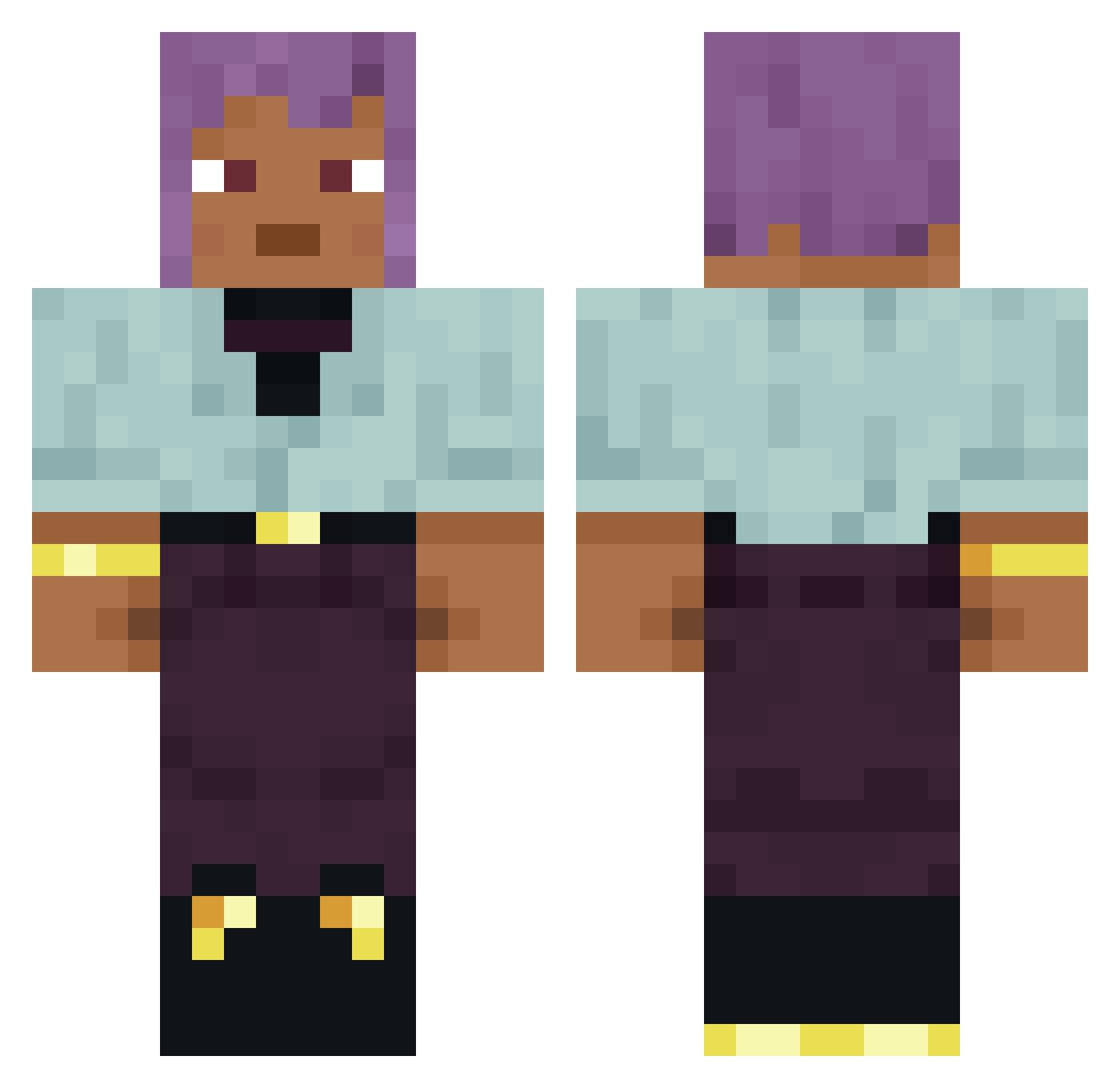
Current Minecraft skin of the player Bajumi, loaded from the official Mojang API. Rotate the 3D model with your mouse or finger, then download the skin as a PNG file and use it in Minecraft: Bedrock Edition or Java Edition for free. When Bajumi changes their skin, this page updates automatically and the old skin stays in the history below.
Other players with this skin (751)
Bajumi was the 8th player we have seen with this skin, first spotted on 21.07.2026. The same skin was seen on these players. Open a nickname to see their current skin and skin history.
 dnjsduddl stagnance ballhawk __Slyzz__ Shotten Ericaceae progu11 MahouFarmer drgregoryhouse chiggis panging ANDEEE BROLGA Xenophilous t0bi4444
 Dronque_ tridecyl Sesbania _pomang_ also ThatRacist1 HOGALALA Karbonie Wisehead AWM_1 R4ZEK kyoiku Signitor
 Michkaoff RedSouk orthopod Recour YaDebil kirkton Sosa0880 Dr_Pirilau Ankylos glutinous Astehisa millgraulzuummmm Croon Weirdlookingduck SirCar rivalee Contesters antipyretic suttle Blowby vlsi vallter9 Dutchess aaiza egret Scog Iterance _OnixC deaDemetra sleyer Crib Regreet
How to install the Bajumi skin
- Press the Download button above to save the skin as a PNG file.
- Minecraft: Bedrock Edition (PE): open the Dressing Room from the main menu (or tap your character → Edit Character), go to Classic Skins → Owned, press the + (new skin) button, choose the downloaded PNG and pick the Classic (Steve) model. Works on PC and mobile; consoles cannot import custom skins.
- Minecraft: Java Edition: open the Minecraft Launcher, go to the Skins tab, click New Skin, load the PNG, pick the Classic (Steve) model and press Save & Use. You can also upload it at minecraft.net → Profile → Change Skin.
The skin does not show up after import - what should I do?
Restart Minecraft and open the Dressing Room again - imported skins sometimes appear only after a restart. Also make sure you selected the imported skin and picked the Classic (Steve) model.
Which model should I choose, Classic or Slim?
This skin is designed for the Classic (Steve) model. If you pick the wrong model, the arms of the skin will look stretched or squeezed.
Is the skin of Bajumi free to download?
Yes. Press Download, save the PNG file and use it in Minecraft: Bedrock Edition or Java Edition - no payment or registration needed. The skin also works on multiplayer servers and Realms.
More skins
Looking for more? Go back to all Minecraft skins and check the top skins of the week, month and all time, or find any player's skin by nickname.