
Bailon14 - Minecraft Skins & Skin History
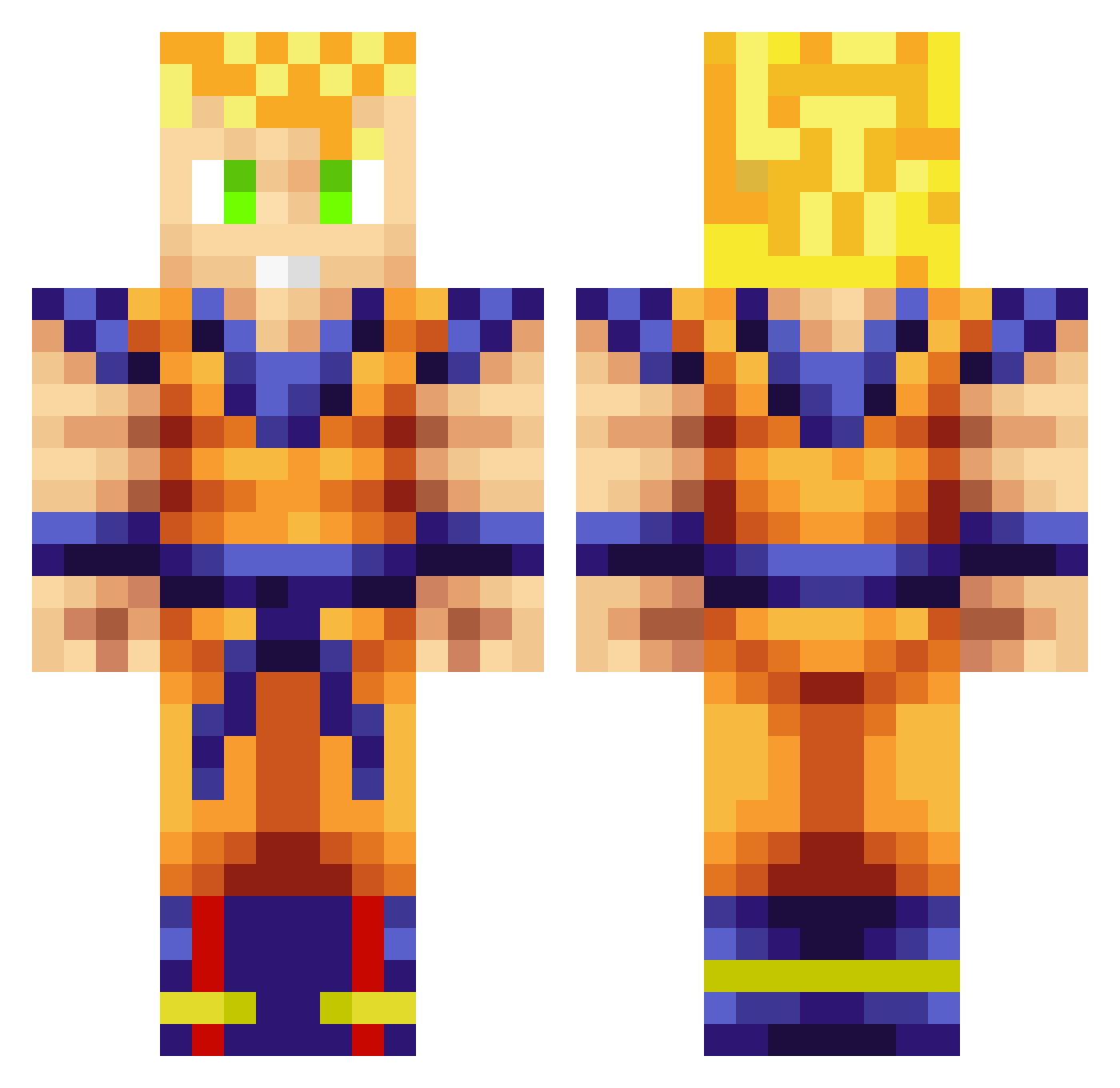
Current Minecraft skin of the player Bailon14, loaded from the official Mojang API. Rotate the 3D model with your mouse or finger, then download the skin as a PNG file and use it in Minecraft: Bedrock Edition or Java Edition for free. When Bailon14 changes their skin, this page updates automatically and the old skin stays in the history below.
Other players with this skin (313)
Bailon14 was the 309th player we have seen with this skin, first spotted on 17.11.2026. The same skin was seen on these players. Open a nickname to see their current skin and skin history.
 Lucas170203 HUYNHLOI Piliky XhklwlX KevenBak Alicaume BrolyDH Jiwy SalAndrews4K DrSangre Breg0tt SirPippo ismaam95 lemocosta SpaceKomo Voltshka Alveslittz Dejw97 Manws Erikuelo Roshi_Sama Zeroddd Cyadenz RafaelDevers Rokles qwerandy Roni87 sAXOph0niste DaisukiOni K4ntas wtthks John930919 MaVpK DMarec HZKK5 GAOBOSS Carlitospj LakuLong djgip luqsre5 JamesLGy Riesco87 yeenipsb Txanpi FelixK97 Marlanator MortAuTah tingyu1995 _Omy_ cocacola010 gothboy692004 Natoekazama nmjohn2000 ETOLogic ILPAT01 Makaay82 Kaiser83125 Scholvas playersito01 habbo666
More Goku Minecraft skins
How to install the Bailon14 skin
- Press the Download button above to save the skin as a PNG file.
- Minecraft: Bedrock Edition (PE): open the Dressing Room from the main menu (or tap your character → Edit Character), go to Classic Skins → Owned, press the + (new skin) button, choose the downloaded PNG and pick the Classic (Steve) model. Works on PC and mobile; consoles cannot import custom skins.
- Minecraft: Java Edition: open the Minecraft Launcher, go to the Skins tab, click New Skin, load the PNG, pick the Classic (Steve) model and press Save & Use. You can also upload it at minecraft.net → Profile → Change Skin.
The skin does not show up after import - what should I do?
Restart Minecraft and open the Dressing Room again - imported skins sometimes appear only after a restart. Also make sure you selected the imported skin and picked the Classic (Steve) model.
Which model should I choose, Classic or Slim?
This skin is designed for the Classic (Steve) model. If you pick the wrong model, the arms of the skin will look stretched or squeezed.
Is the skin of Bailon14 free to download?
Yes. Press Download, save the PNG file and use it in Minecraft: Bedrock Edition or Java Edition - no payment or registration needed. The skin also works on multiplayer servers and Realms.
More skins
Looking for more? Go back to all Minecraft skins and check the top skins of the week, month and all time, or find any player's skin by nickname.