
Baffooooo - Minecraft Skins & Skin History
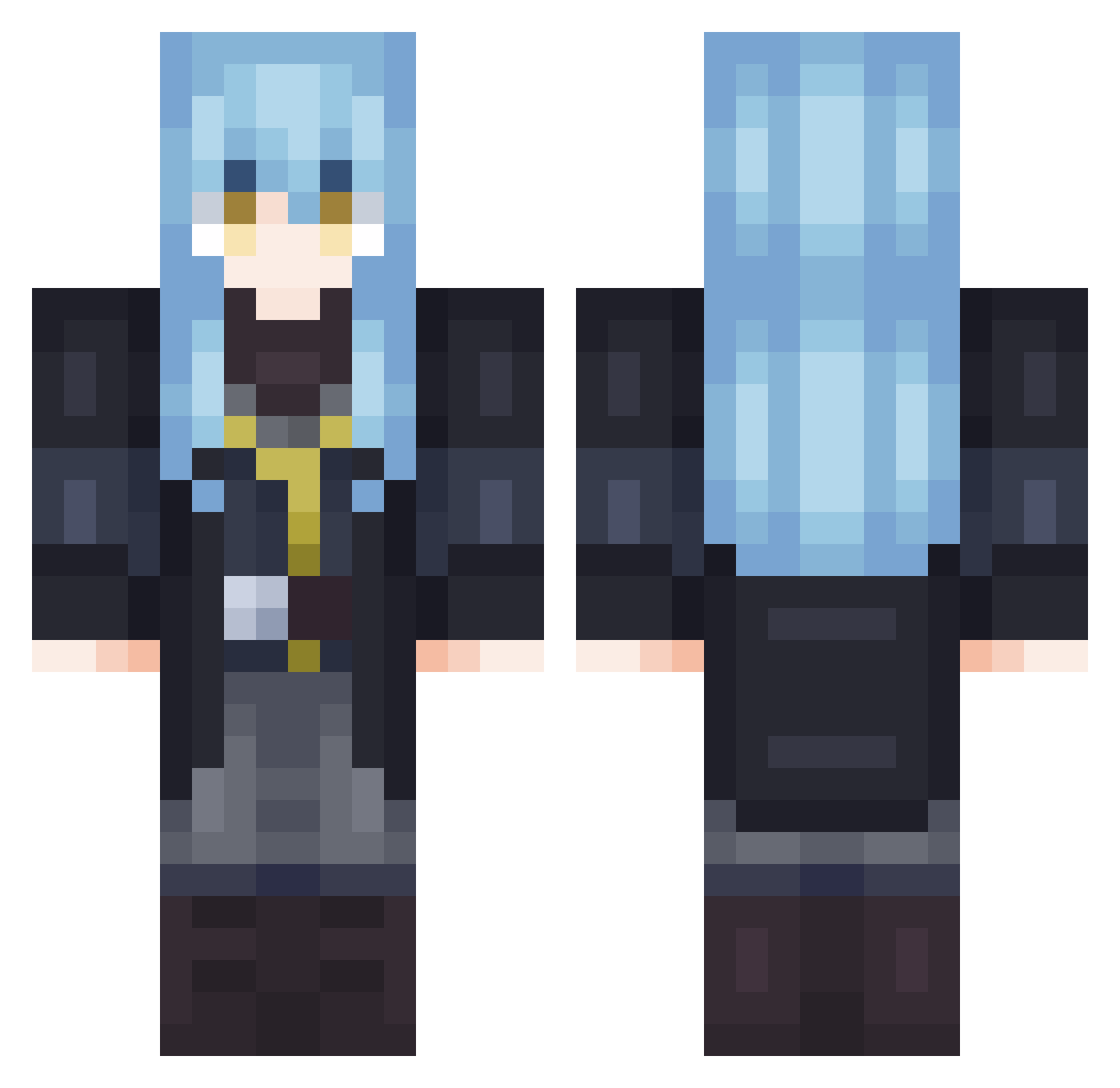
Current Minecraft skin of the player Baffooooo, loaded from the official Mojang API. Rotate the 3D model with your mouse or finger, then download the skin as a PNG file and use it in Minecraft: Bedrock Edition or Java Edition for free. When Baffooooo changes their skin, this page updates automatically and the old skin stays in the history below.
Other players with this skin (702)
Baffooooo was the 491st player we have seen with this skin, first spotted on 07.10.2026. The same skin was seen on these players. Open a nickname to see their current skin and skin history.
 AMO_MAN RaizouVR ItsPerr YUEHEN002 DewIzu lorddomenicLP BeanManJr Frezzy_Freestyl Max_ECR BrayanZx azzakoo annaftw _Valerios BRanvierS Mr_Patitas Kyojuro1 enes5457 mirksito R1mUru04 Zjiderveld K0sh1n4 Meklook jackylalala Tio_Cross SilverwolfLv_999 DocEsphio TheGUM69 TempestMyceon Golden_1028 ImOutdated21 Ze_Khoo svrph HaaDeath Yunghawk25 mindeullegon XventureMC MILIMU1 Crampedlizard3 SickYuki AlexCR11 Quain_QAQ x23i17npro gigel420 EsqBio Orunb Jujeen12 TodynhoLacta ExaltedReze luna_lunar28 Tru3P4nda TheRealBop888 liasunri RonanY2J nestorvelasco12 LolligeRimuru Dbl666 UltrasonicBear xylitle Harrynsqui Yixon_
More Rimuru Tempest Minecraft skins
See all 251 Rimuru Tempest skins
How to install the Baffooooo skin
- Press the Download button above to save the skin as a PNG file.
- Minecraft: Bedrock Edition (PE): open the Dressing Room from the main menu (or tap your character → Edit Character), go to Classic Skins → Owned, press the + (new skin) button, choose the downloaded PNG and pick the Classic (Steve) model. Works on PC and mobile; consoles cannot import custom skins.
- Minecraft: Java Edition: open the Minecraft Launcher, go to the Skins tab, click New Skin, load the PNG, pick the Classic (Steve) model and press Save & Use. You can also upload it at minecraft.net → Profile → Change Skin.
The skin does not show up after import - what should I do?
Restart Minecraft and open the Dressing Room again - imported skins sometimes appear only after a restart. Also make sure you selected the imported skin and picked the Classic (Steve) model.
Which model should I choose, Classic or Slim?
This skin is designed for the Classic (Steve) model. If you pick the wrong model, the arms of the skin will look stretched or squeezed.
Is the skin of Baffooooo free to download?
Yes. Press Download, save the PNG file and use it in Minecraft: Bedrock Edition or Java Edition - no payment or registration needed. The skin also works on multiplayer servers and Realms.
More skins
Looking for more? Go back to all Minecraft skins and check the top skins of the week, month and all time, or find any player's skin by nickname.