
BadNewsKid08 - Minecraft Skins & Skin History
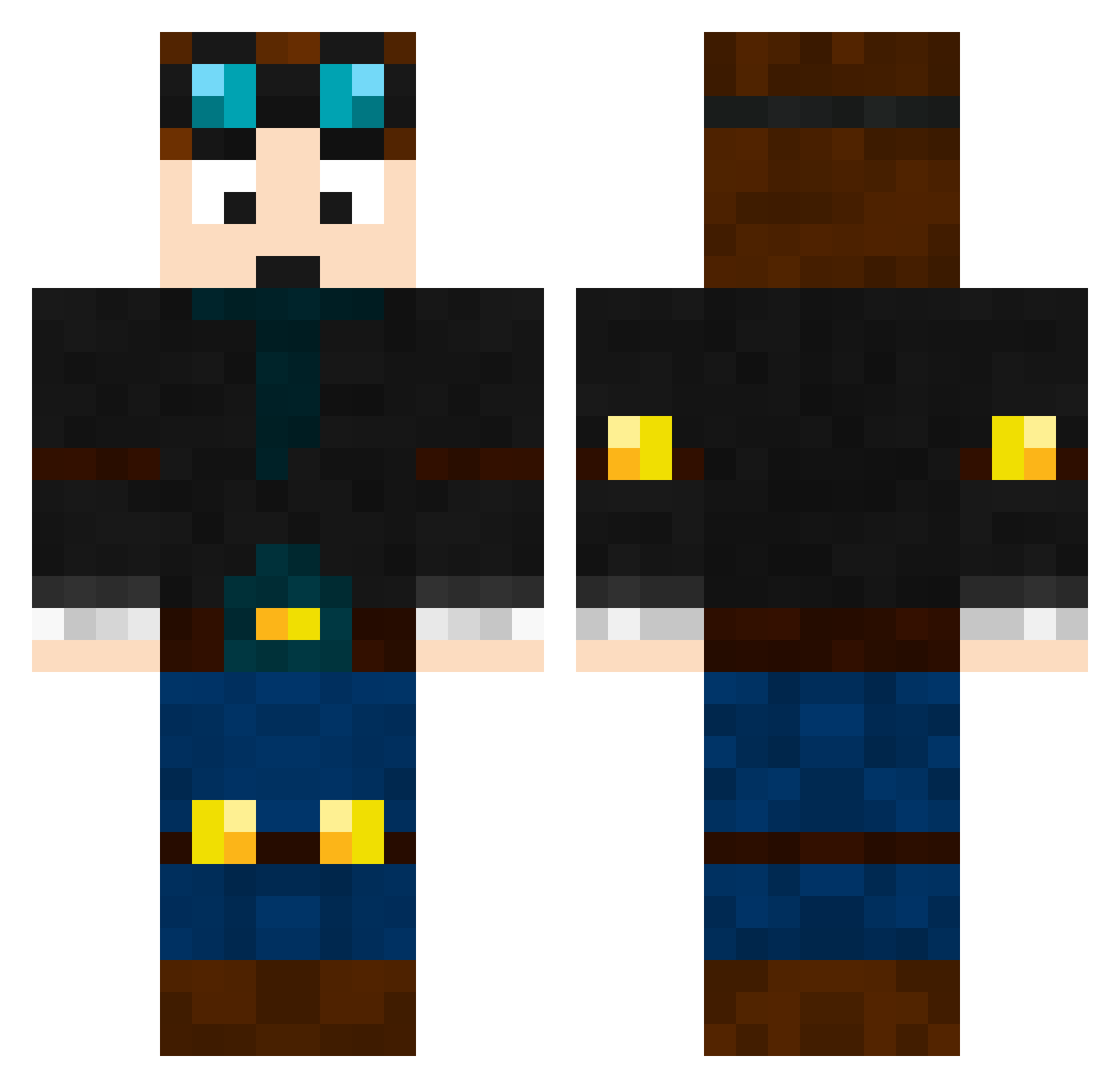
Current Minecraft skin of the player BadNewsKid08, loaded from the official Mojang API. Rotate the 3D model with your mouse or finger, then download the skin as a PNG file and use it in Minecraft: Bedrock Edition or Java Edition for free. When BadNewsKid08 changes their skin, this page updates automatically and the old skin stays in the history below.
Other players with this skin (465)
BadNewsKid08 was the 174th player we have seen with this skin, first spotted on 01.09.2026. The same skin was seen on these players. Open a nickname to see their current skin and skin history.
 Lady_Lexi BetsyFillmore PrismMaster8 Scootman97 Obiwan6170 jamesbeck2008 epicdigger16 jackal243 Joseph_Games_Fun azbo560 Tarlly _awesomedylan_ dillisray26 vinny923 TheCoolOne04 TheWholeSpill coolguyrusher7 TylerD2005 GLADIUS217 SumG_ Leo_Brad SupremeAdam ZaBerian09 UltimateRocker10 Cobi08 HexalTDM navycat505 jobandeep chamberlain8 ANGTDM8 KALSFSB johnstone MarceloMC gmtrace AJseuce EnderCrypt spidermania09 AquaCloud050 Tommyrock Jrocket2006 JosephIsOsum jujubug2014 TDSergeant mjf2923 KiterJ TekkitKing Fackel3000 BlockboyCaleb Hoppy_Jnr_2235 nm385 LegoNerd8 Camoern ChristianMessana tijswijnen SuperMitsu diamonddude630 agentL01 HyperProYT CamoCadeO wyguy06
More Engineer Minecraft skins
How to install the BadNewsKid08 skin
- Press the Download button above to save the skin as a PNG file.
- Minecraft: Bedrock Edition (PE): open the Dressing Room from the main menu (or tap your character → Edit Character), go to Classic Skins → Owned, press the + (new skin) button, choose the downloaded PNG and pick the Classic (Steve) model. Works on PC and mobile; consoles cannot import custom skins.
- Minecraft: Java Edition: open the Minecraft Launcher, go to the Skins tab, click New Skin, load the PNG, pick the Classic (Steve) model and press Save & Use. You can also upload it at minecraft.net → Profile → Change Skin.
The skin does not show up after import - what should I do?
Restart Minecraft and open the Dressing Room again - imported skins sometimes appear only after a restart. Also make sure you selected the imported skin and picked the Classic (Steve) model.
Which model should I choose, Classic or Slim?
This skin is designed for the Classic (Steve) model. If you pick the wrong model, the arms of the skin will look stretched or squeezed.
Is the skin of BadNewsKid08 free to download?
Yes. Press Download, save the PNG file and use it in Minecraft: Bedrock Edition or Java Edition - no payment or registration needed. The skin also works on multiplayer servers and Realms.
More skins
Looking for more? Go back to all Minecraft skins and check the top skins of the week, month and all time, or find any player's skin by nickname.