
BacKFFR - Minecraft Skins & Skin History
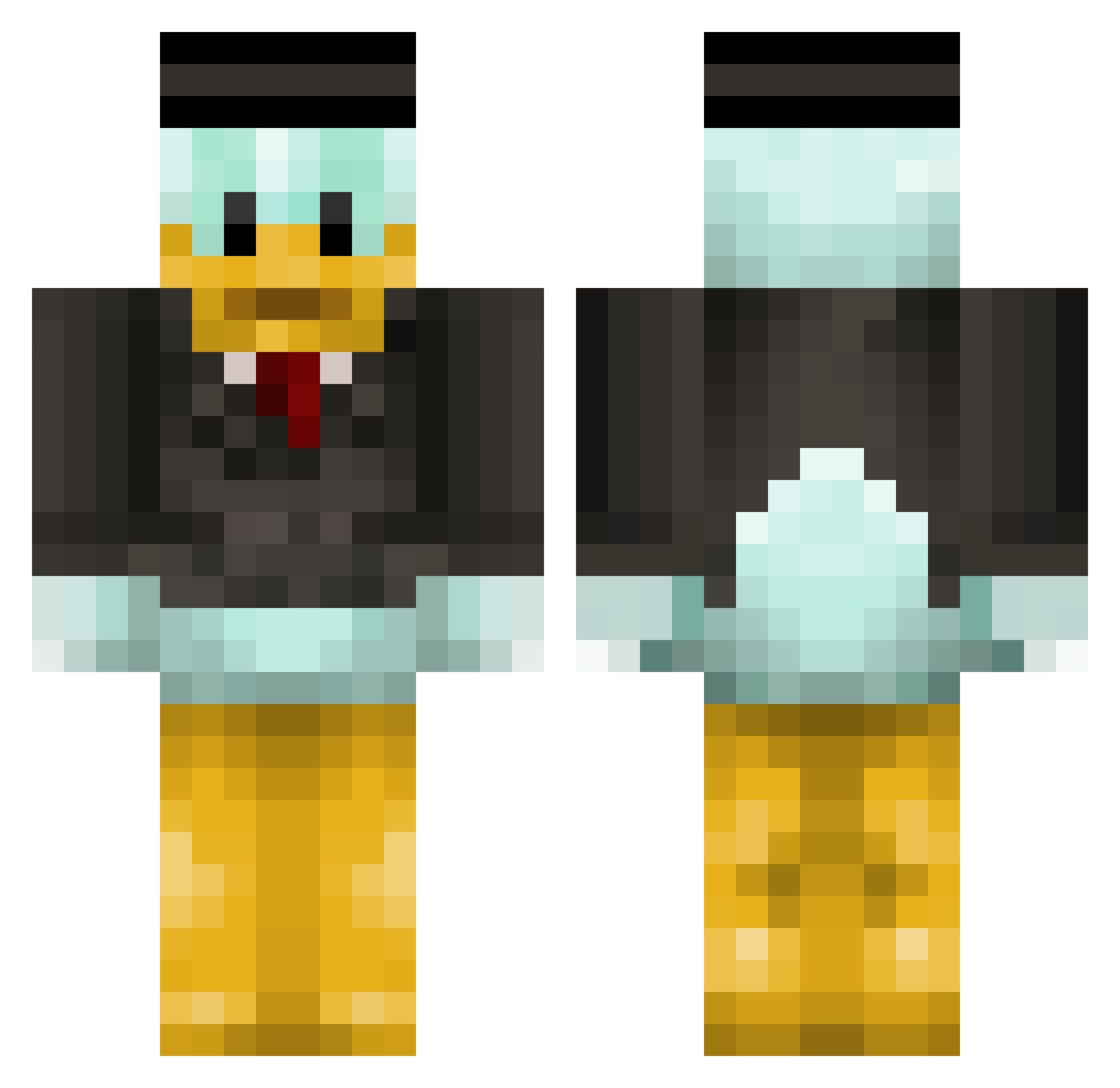
Current Minecraft skin of the player BacKFFR, loaded from the official Mojang API. Rotate the 3D model with your mouse or finger, then download the skin as a PNG file and use it in Minecraft: Bedrock Edition or Java Edition for free. When BacKFFR changes their skin, this page updates automatically and the old skin stays in the history below.
Other players with this skin (314)
BacKFFR was the 105th player we have seen with this skin, first spotted on 25.08.2026. The same skin was seen on these players. Open a nickname to see their current skin and skin history.
 TofoEU francos_00 GamerIsThatU marcjonasen PANYAKRON Gabael4 Ficek_ Sansskut vizy24 Akiramidd AlekMaster12 Q7afi04 P1guuu petou24 Alexu20 PewPooPew ChicoFrancisco Hamburgler123 4_Duck_2 alvinalvinito kador66 Connor786 Galamb11 71n1 DragoM1108_ Wisterien Kodadiege Bindweed devbaby HazardMallard Batatacarnuda456
 AnneFrank321 cheesey970 ilovewater42332 jakobkrusegaard polz EdZero1 rhendrii Butcher1103 Palula04 hippthingz SpitStart raulbello Siluco007 Jebesari
 OLI4OLI4WIER1 XCcubee Jfuzzy PHAMMINHDUCK9 Spot666 yoongiseok MrQuack2 Macjalibe Zsombor5 FreezeInSilence _Tigi Juventus201md FjolleGojen 3X_Z1 Rubyroma
More Scrooge Mcduck Minecraft skins
See all 27 Scrooge Mcduck skins
How to install the BacKFFR skin
- Press the Download button above to save the skin as a PNG file.
- Minecraft: Bedrock Edition (PE): open the Dressing Room from the main menu (or tap your character → Edit Character), go to Classic Skins → Owned, press the + (new skin) button, choose the downloaded PNG and pick the Classic (Steve) model. Works on PC and mobile; consoles cannot import custom skins.
- Minecraft: Java Edition: open the Minecraft Launcher, go to the Skins tab, click New Skin, load the PNG, pick the Classic (Steve) model and press Save & Use. You can also upload it at minecraft.net → Profile → Change Skin.
The skin does not show up after import - what should I do?
Restart Minecraft and open the Dressing Room again - imported skins sometimes appear only after a restart. Also make sure you selected the imported skin and picked the Classic (Steve) model.
Which model should I choose, Classic or Slim?
This skin is designed for the Classic (Steve) model. If you pick the wrong model, the arms of the skin will look stretched or squeezed.
Is the skin of BacKFFR free to download?
Yes. Press Download, save the PNG file and use it in Minecraft: Bedrock Edition or Java Edition - no payment or registration needed. The skin also works on multiplayer servers and Realms.
More skins
Looking for more? Go back to all Minecraft skins and check the top skins of the week, month and all time, or find any player's skin by nickname.