
BC_13 - Minecraft Skins & Skin History
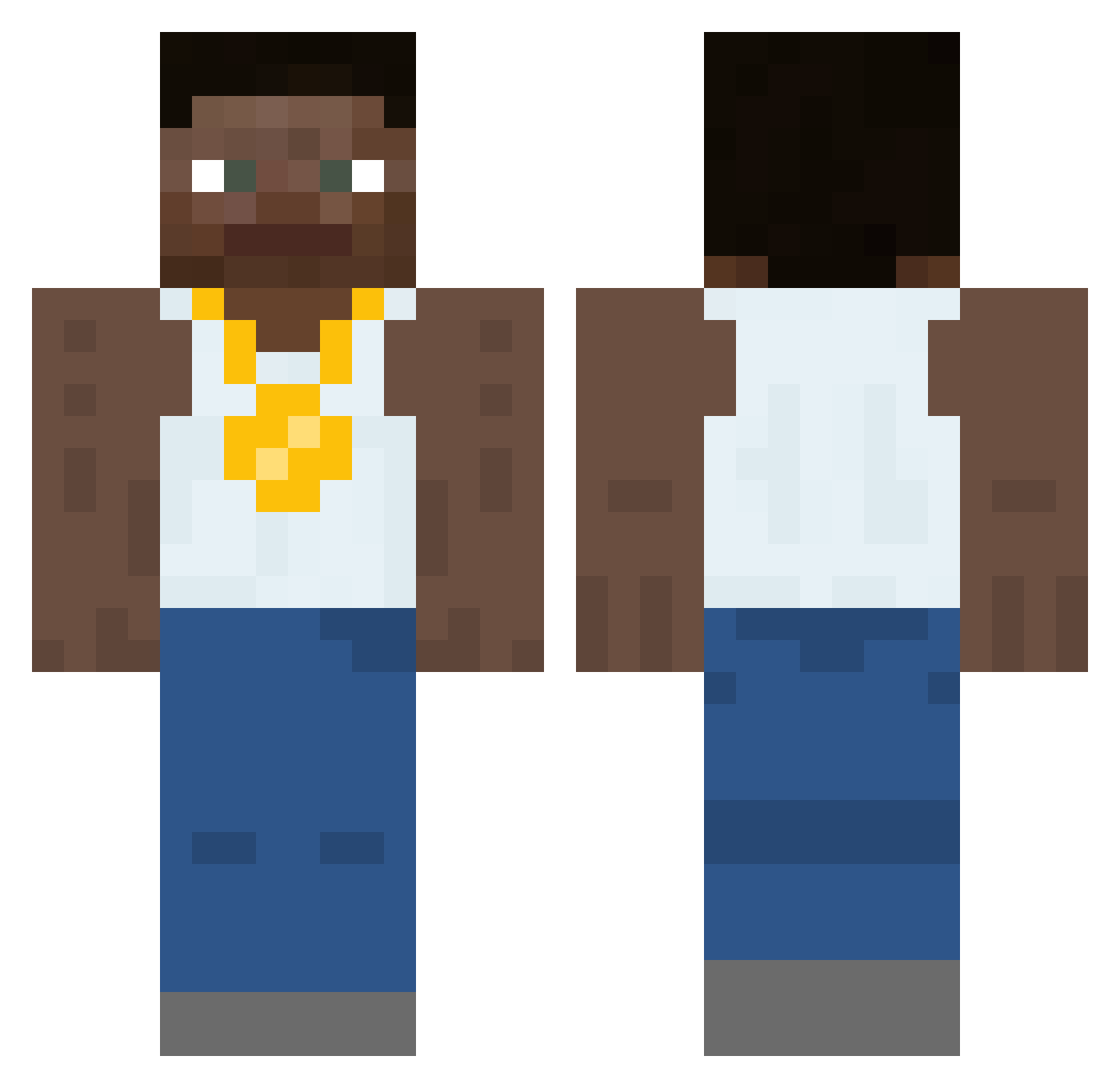
Current Minecraft skin of the player BC_13, loaded from the official Mojang API. Rotate the 3D model with your mouse or finger, then download the skin as a PNG file and use it in Minecraft: Bedrock Edition or Java Edition for free. When BC_13 changes their skin, this page updates automatically and the old skin stays in the history below.
Other players with this skin (556)
BC_13 was the 487th player we have seen with this skin, first spotted on 06.11.2026. The same skin was seen on these players. Open a nickname to see their current skin and skin history.
 ItsNotJayz SeniorCelery oBlazian ItzMuzz MrMeatPocket mariodabest5 JoeTheBug69 S_mara SwiftSol0 FrNotRuben Georgie712 GillyD2006 Islee_ Schin1119 Zl_xex NutBKN Caprische Haafiz oqoshi nutsgobbler lastfatboy Dangitmisha WhendidRyan Gllacyo mabel___ Cub3z_ Roachcv5 Booftron5000 Bawsaq2 CARSONH3 A_Fat_Seal laptopcivic honeybun4769 Wildingplains53 Danieltoeclipper TiltedTeemo reVerseKat brady2900 Crimson_Ace2217 BrickedBBC Lab_Rat_Larry aidaniv TravdorV2 BigBootyBandit69 dogchow23 F4T4L01 Camy koscile kricsi2 Lucki_fan69 opad_ Xx_GangMember_Xx Unsewn TheClarinet GameTwo328 showermusic fent13 LewisJones417 soysauce_2 SaltyWatr
More Gold Chain Minecraft skins
How to install the BC_13 skin
- Press the Download button above to save the skin as a PNG file.
- Minecraft: Bedrock Edition (PE): open the Dressing Room from the main menu (or tap your character → Edit Character), go to Classic Skins → Owned, press the + (new skin) button, choose the downloaded PNG and pick the Classic (Steve) model. Works on PC and mobile; consoles cannot import custom skins.
- Minecraft: Java Edition: open the Minecraft Launcher, go to the Skins tab, click New Skin, load the PNG, pick the Classic (Steve) model and press Save & Use. You can also upload it at minecraft.net → Profile → Change Skin.
The skin does not show up after import - what should I do?
Restart Minecraft and open the Dressing Room again - imported skins sometimes appear only after a restart. Also make sure you selected the imported skin and picked the Classic (Steve) model.
Which model should I choose, Classic or Slim?
This skin is designed for the Classic (Steve) model. If you pick the wrong model, the arms of the skin will look stretched or squeezed.
Is the skin of BC_13 free to download?
Yes. Press Download, save the PNG file and use it in Minecraft: Bedrock Edition or Java Edition - no payment or registration needed. The skin also works on multiplayer servers and Realms.
More skins
Looking for more? Go back to all Minecraft skins and check the top skins of the week, month and all time, or find any player's skin by nickname.