
BBLAj - Minecraft Skins & Skin History
Current Minecraft skin of the player BBLAj, loaded from the official Mojang API. Rotate the 3D model with your mouse or finger, then download the skin as a PNG file and use it in Minecraft: Bedrock Edition or Java Edition for free. When BBLAj changes their skin, this page updates automatically and the old skin stays in the history below.
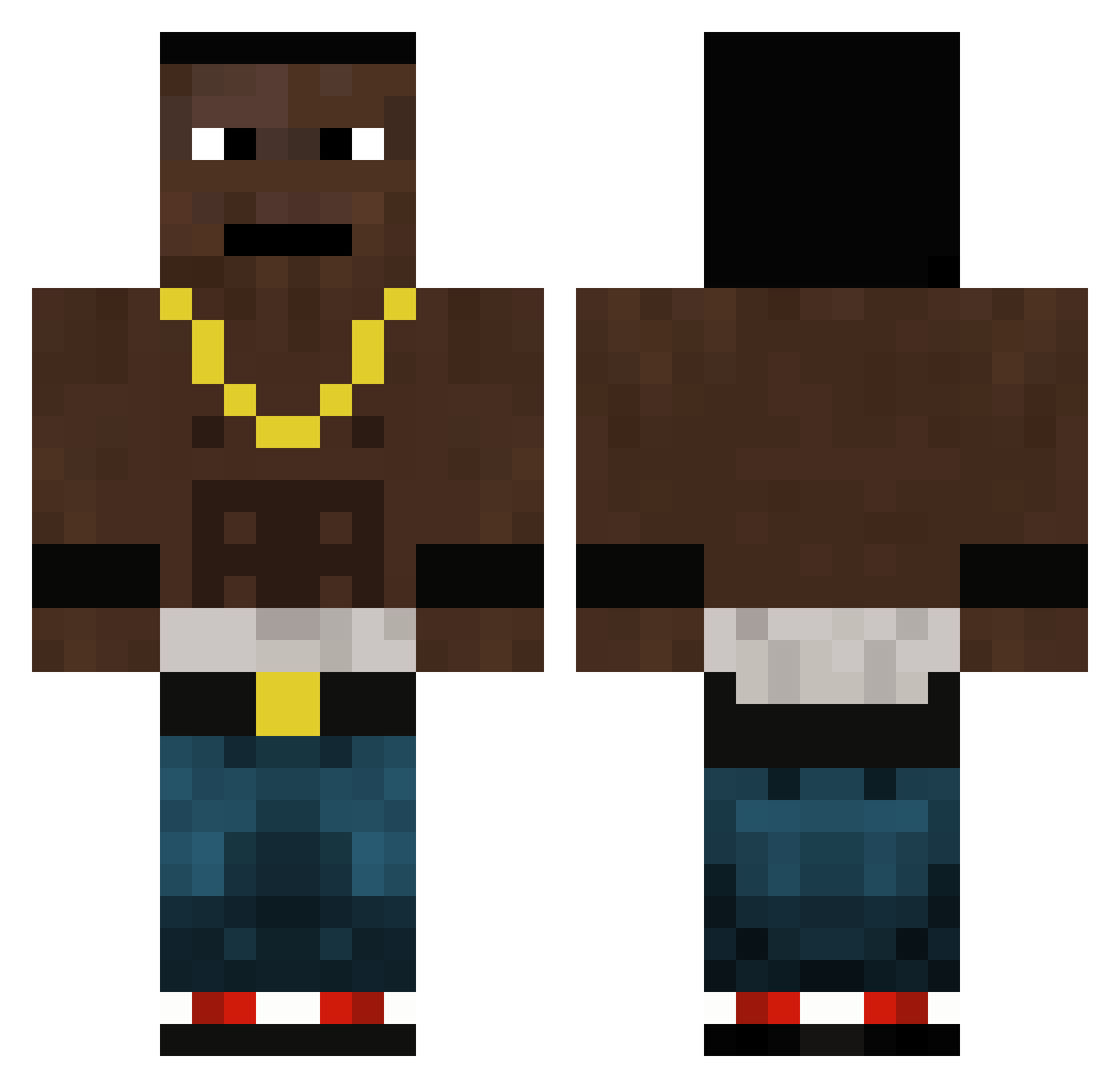
Other players with this skin (145)
BBLAj was the 56th player we have seen with this skin, first spotted on 04.10.2026. The same skin was seen on these players. Open a nickname to see their current skin and skin history.
 Aesope Jasieq_PL Hocholol1 Vattka Uzaah_ ciornuch Jondie fjuuut1 Zuikan Shm1ch1 mobbdeepp jonjiy Uzaah Blade_G1 InsertMemeHere_ niger061 XMishuu PretaGil Czarnuszek69420 LEEHAWSDADDYWINK Themegatod0 Hazeullah MrRetz Cjaker x4s09i_ blackdogsslayer LuckyMLG Mighty771 lemonside monkeontree Ivarroo MagnusBr1nk aintunathanielb Aijaha trilleboiii Xx_NACHOF_xX_lml luktrnl noahreturnz Tomasr004 JKK69 MYAUUSER999 roid00 MCR_4 OGGY2131 bleyz33 Ilucha69 gstoettii mesicekmaxik limtongyang IsoTankoAbdi Patr4k_ Levapox fruityblackdude NOIRvox Cwamshell mertine ToemmieS bakabaka_ Z1BII EmanuelHUN
More Dababy Minecraft skins
How to install the BBLAj skin
- Press the Download button above to save the skin as a PNG file.
- Minecraft: Bedrock Edition (PE): open the Dressing Room from the main menu (or tap your character → Edit Character), go to Classic Skins → Owned, press the + (new skin) button, choose the downloaded PNG and pick the Classic (Steve) model. Works on PC and mobile; consoles cannot import custom skins.
- Minecraft: Java Edition: open the Minecraft Launcher, go to the Skins tab, click New Skin, load the PNG, pick the Classic (Steve) model and press Save & Use. You can also upload it at minecraft.net → Profile → Change Skin.
The skin does not show up after import - what should I do?
Restart Minecraft and open the Dressing Room again - imported skins sometimes appear only after a restart. Also make sure you selected the imported skin and picked the Classic (Steve) model.
Which model should I choose, Classic or Slim?
This skin is designed for the Classic (Steve) model. If you pick the wrong model, the arms of the skin will look stretched or squeezed.
Is the skin of BBLAj free to download?
Yes. Press Download, save the PNG file and use it in Minecraft: Bedrock Edition or Java Edition - no payment or registration needed. The skin also works on multiplayer servers and Realms.
More skins
Looking for more? Go back to all Minecraft skins and check the top skins of the week, month and all time, or find any player's skin by nickname.