
BAUDITH - Minecraft Skins & Skin History
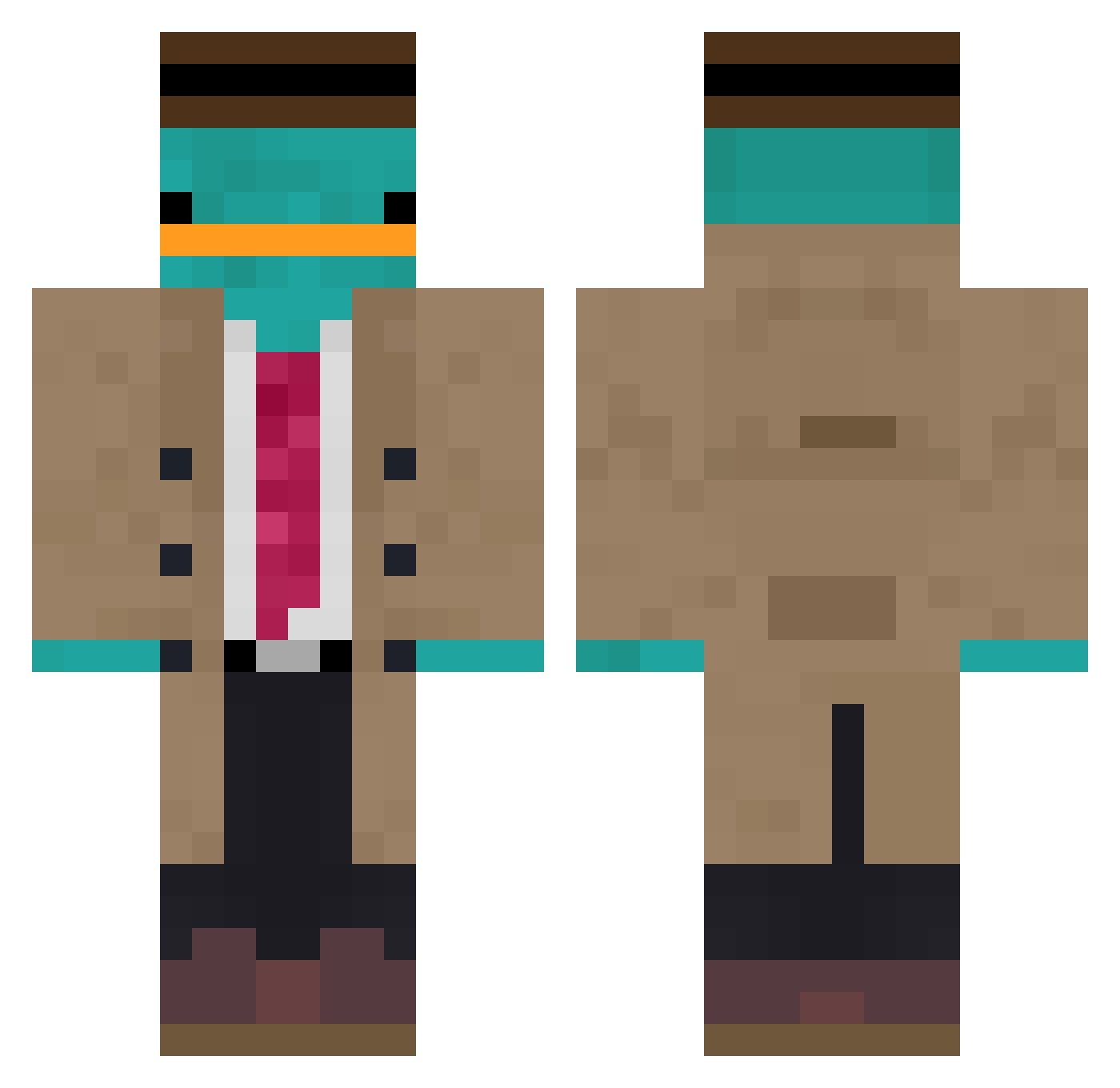
Current Minecraft skin of the player BAUDITH, loaded from the official Mojang API. Rotate the 3D model with your mouse or finger, then download the skin as a PNG file and use it in Minecraft: Bedrock Edition or Java Edition for free. When BAUDITH changes their skin, this page updates automatically and the old skin stays in the history below.
Other players with this skin (850)
BAUDITH was the 674th player we have seen with this skin, first spotted on 04.10.2026. The same skin was seen on these players. Open a nickname to see their current skin and skin history.
 LolizinhaLindaa Vilkivrot Tesla0011 SpinGOD ThundeRRR_23 MouraoM adolph918273 napTizzaH aden808 VividDreamzz Mexicanjelo RanNoHana ItsGallay OrkunHK Mr_Pickl35 raintiger Ukiyo8 Aix_dma HPShrimpy WhatDeCarp Meneertosti borax43 simonegst M4XL1M1T Sid073 Klaus_Kitty toba005 Ich28504 Kminek77 Luen_MC Mendes832 Middleeve UniCorpG NotSkittey speedcuding eitangeko SaoNpai ScopedFC ShrimpGGang_Nong BlockBird2413 j_opp MRmoni Stukt_Struky babyplatypus roodmore patocuackgm Lucky_Duck123 Flamich4 Kuschlich77 1LukeDuke1 JoyDaBeast bobmanfartzlol Courgettemolle slygrim Ponchik_ flippigerFlipper LilSauce00 bread512 Benikeee hibibiks
More Platypus Minecraft skins
How to install the BAUDITH skin
- Press the Download button above to save the skin as a PNG file.
- Minecraft: Bedrock Edition (PE): open the Dressing Room from the main menu (or tap your character → Edit Character), go to Classic Skins → Owned, press the + (new skin) button, choose the downloaded PNG and pick the Classic (Steve) model. Works on PC and mobile; consoles cannot import custom skins.
- Minecraft: Java Edition: open the Minecraft Launcher, go to the Skins tab, click New Skin, load the PNG, pick the Classic (Steve) model and press Save & Use. You can also upload it at minecraft.net → Profile → Change Skin.
The skin does not show up after import - what should I do?
Restart Minecraft and open the Dressing Room again - imported skins sometimes appear only after a restart. Also make sure you selected the imported skin and picked the Classic (Steve) model.
Which model should I choose, Classic or Slim?
This skin is designed for the Classic (Steve) model. If you pick the wrong model, the arms of the skin will look stretched or squeezed.
Is the skin of BAUDITH free to download?
Yes. Press Download, save the PNG file and use it in Minecraft: Bedrock Edition or Java Edition - no payment or registration needed. The skin also works on multiplayer servers and Realms.
More skins
Looking for more? Go back to all Minecraft skins and check the top skins of the week, month and all time, or find any player's skin by nickname.