
BALLOONBOB1 - Minecraft Skins & Skin History
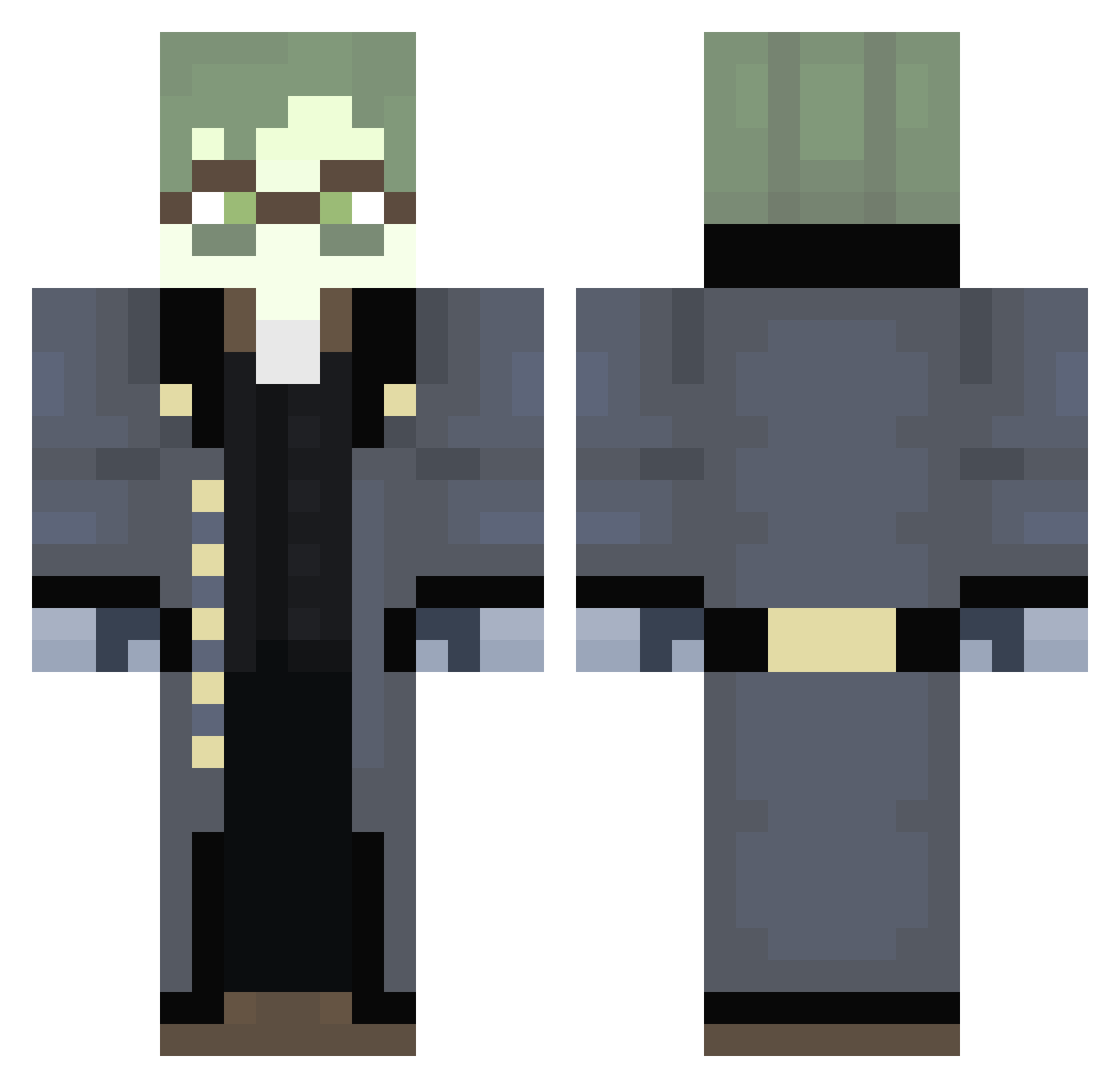
Current Minecraft skin of the player BALLOONBOB1, loaded from the official Mojang API. Rotate the 3D model with your mouse or finger, then download the skin as a PNG file and use it in Minecraft: Bedrock Edition or Java Edition for free. When BALLOONBOB1 changes their skin, this page updates automatically and the old skin stays in the history below.
Other players with this skin (293)
BALLOONBOB1 was the 87th player we have seen with this skin, first spotted on 29.08.2026. The same skin was seen on these players. Open a nickname to see their current skin and skin history.
 Papirs TrueVoidWalker DukeOfErisia187 74Ars SnapDiamond365 s_ultra
 Yayuhzzz bonelespizza405 Ayatsuchan Greendiamond183 1upsy Melekrath TheDragon_XD Xred_CryBaby irontower70 DaffySolos TimonHach porcupine135 FifthThe2nd AvarageTrashCan HulioB dark3241 pukustinez ZeroYT_ Lysolis1s popki12 Kindadarkeyes SuperSlayer0 flednija9087 azazel_of error23345 ISomeGui vex9999 Awake_CPU y0uG0tdistracted ArmoredSenses _Fleeb0 HawaiiTstNoPina Fl1_cker ollybird Snackiesz laxwzn Cryptoxon workplanet violencenight pipe10n m1sonsnowy Armin556 Yeetwood MylesLovesMiners GAMEINGWITHJAKE xxidos iicmal LensWok Blankerthanyou WhosCollin nope_e3 Himshire MagyarFR dragonscki
More Detective Minecraft skins
How to install the BALLOONBOB1 skin
- Press the Download button above to save the skin as a PNG file.
- Minecraft: Bedrock Edition (PE): open the Dressing Room from the main menu (or tap your character → Edit Character), go to Classic Skins → Owned, press the + (new skin) button, choose the downloaded PNG and pick the Classic (Steve) model. Works on PC and mobile; consoles cannot import custom skins.
- Minecraft: Java Edition: open the Minecraft Launcher, go to the Skins tab, click New Skin, load the PNG, pick the Classic (Steve) model and press Save & Use. You can also upload it at minecraft.net → Profile → Change Skin.
The skin does not show up after import - what should I do?
Restart Minecraft and open the Dressing Room again - imported skins sometimes appear only after a restart. Also make sure you selected the imported skin and picked the Classic (Steve) model.
Which model should I choose, Classic or Slim?
This skin is designed for the Classic (Steve) model. If you pick the wrong model, the arms of the skin will look stretched or squeezed.
Is the skin of BALLOONBOB1 free to download?
Yes. Press Download, save the PNG file and use it in Minecraft: Bedrock Edition or Java Edition - no payment or registration needed. The skin also works on multiplayer servers and Realms.
More skins
Looking for more? Go back to all Minecraft skins and check the top skins of the week, month and all time, or find any player's skin by nickname.